



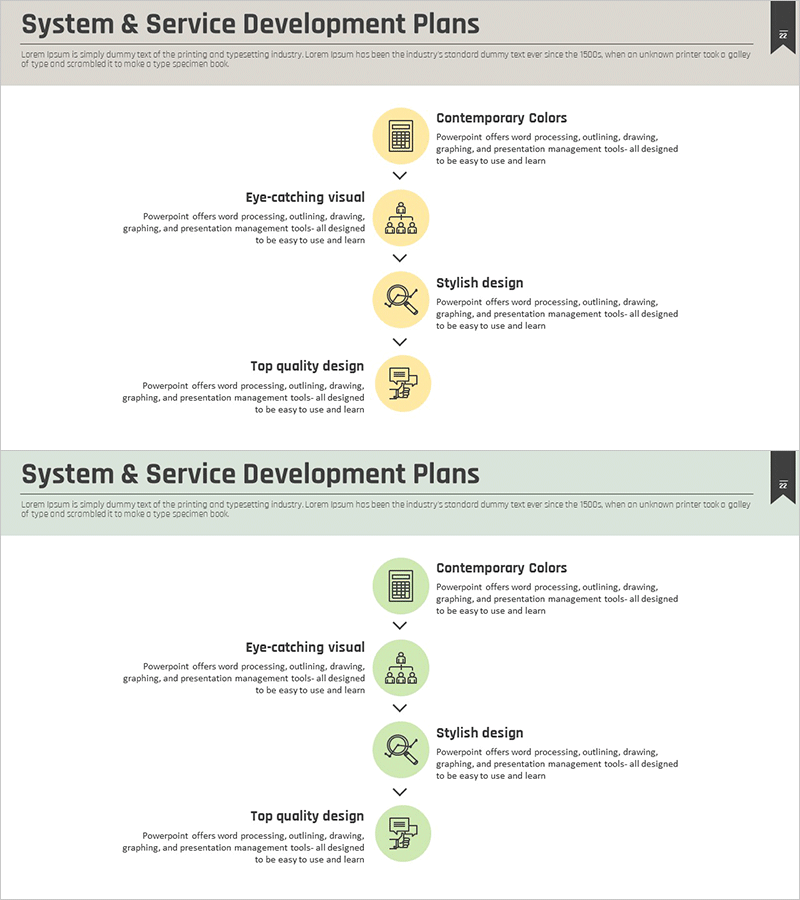
Development Plan 4-Step Diagram – A Roadmap for Business Progress
RM0200006_21
- Last Update 02/02/2025
- File Size 1MB
- # of Slides 2
- File Format PPTX
- Slide Ratio 16:9
- Color
Keywords
- #Content-Based Slides
- #Design-Based Slides
- #Product/Service Introduction
- #Operational Plan
- #Technical Approach
- #Diagram
- #Development Plan
- #Project Implementation Schedule
- #Flow
- #Linear Flow
- #16:9
- #4-step diagram PowerPoint
- #linear flowchart presentation
- #development plan slide
- #business roadmap template
- #step-by-step process diagram
About the Product
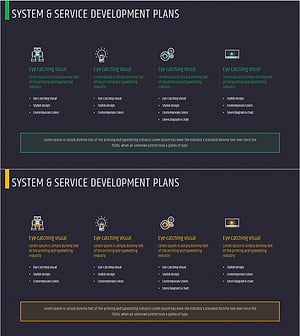
A 4-step linear diagram PowerPoint slide that clearly visualizes business progress stages. Using yellow and green icon tones, this slide presents development plans, operational strategies, and technology roadmaps in sequential steps. Each stage includes dedicated text areas for describing project timelines, product development schedules, and service expansion plans with intuitive visual flow. The 2-slide set offers multiple color variations (yellow, green, gray) and is optimized for 16:9 widescreen format. Provided in fully editable PPTX format for immediate customization.
Usage Points
-
Main Usage
Visualizes project development stages, product launch roadmaps, service expansion plans, and technology implementation timelines in a clear 4-step linear flow. Text areas for each stage enable detailed explanation of objectives and execution details, enhancing audience comprehension.
-
How to Use
Enter stage names, timelines, and key activities in the text areas next to each stage icon. The arrow direction represents time progression or sequence order. Customize colors to distinguish priorities or categories. Present each stage sequentially during presentations to emphasize progress and milestones.
-
Recommended For
Ideal for product development teams, technology departments, operations managers, and business planners presenting roadmaps, project status reports, and strategic planning meetings. Effective for startup investor pitches, internal strategy sessions, and client proposals explaining development timelines.
-
Slide Structure
2-slide set with 4 nodes (stages) arranged left-to-right in linear flow. Each node contains an icon, stage label, and description text area connected by directional arrows. First slide features yellow tone; second slide presents green tone variation for flexible color options.
Related Products
-
Security Service Business Promotion Schedule – Technical Sector
#Product/Service Introduction #Operational Plan #Technical Approach
-
Photography Service Development Plan – Innovation and Vision
#Product/Service Introduction #Operational Plan #Technical Approach
-
Slide for System Operation Development Plan – Sleek Diagram
#Product/Service Introduction #Operational Plan #Technical Approach
-
List of Business System Configurations – Operations and Technology Sectors
#Product/Service Introduction #Operational Plan #Technical Approach
