



Business Plan History Diagram – Visualize Flow in Presentation Template
RM0100020_5
- Last Update 01/31/2025
- File Size 26.8MB
- # of Slides 2
- File Format PPTX
- Slide Ratio 16:9
- Color
Keywords
About the Product
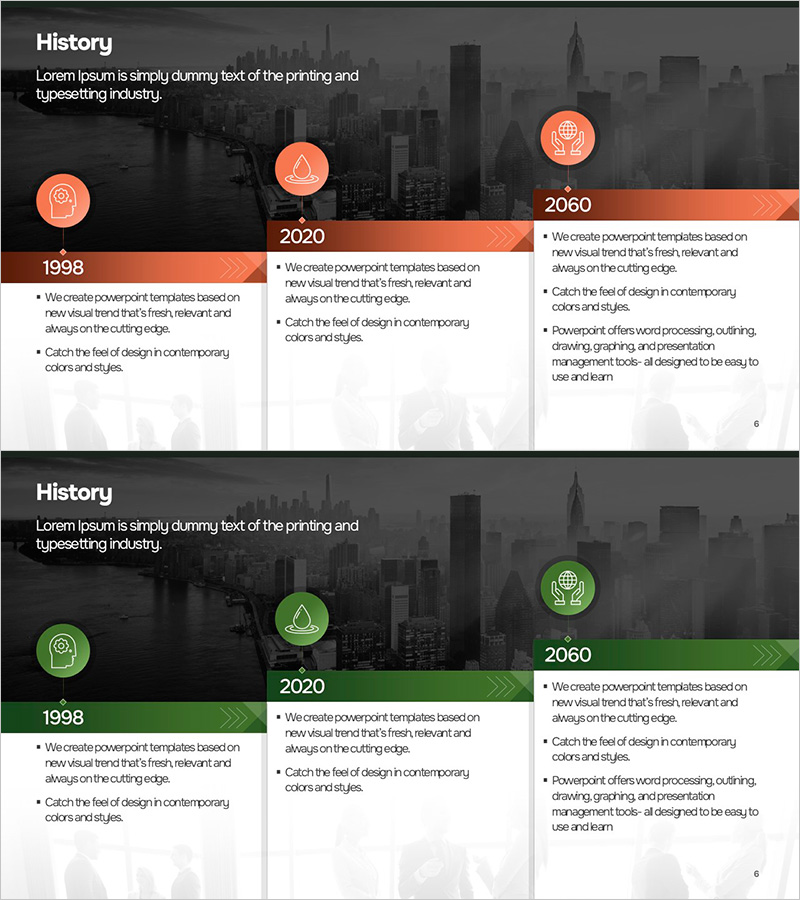
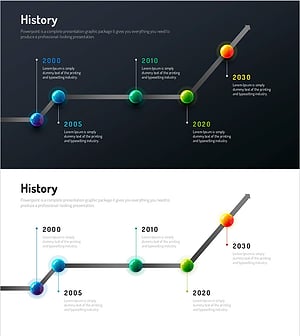
A linear flow diagram PowerPoint slide optimized for business plans and company profiles, visualizing a 3-stage business history timeline from 1998 to 2060. Each stage features a circular icon with descriptive text, arranged in chronological order to clearly communicate company milestones and development phases. Available in two color versions—orange and green—allowing customization to match corporate branding. The node-based layout connected by arrows effectively conveys progression and key achievements. This 16:9 widescreen set includes 2 slides for comprehensive timeline presentation.
Usage Points
-
Main Usage
Designed to present company history, development phases, and strategic roadmaps in chronological sequence. The three milestone nodes with circular icons clearly communicate corporate growth trajectory, making it ideal for investor pitches, annual reports, and employee onboarding presentations.
-
How to Use
Enter key dates or events inside each circular icon and add corresponding achievements or strategic details in the right-side text area. Select either the orange or green color version to align with your corporate identity. The left-to-right arrow flow naturally guides viewers through the timeline progression.
-
Recommended For
Business plans, company profiles, executive reports, investor pitch decks, employee onboarding presentations, corporate history briefings, and strategic milestone communications. Particularly effective for startups explaining growth stages or enterprises documenting major organizational events.
-
Slide Structure
Two-slide set with each slide displaying 3 nodes (circular icons) arranged linearly from left to right. Each node contains a year marker and icon, with a 4-5 line text description area on the right. Connecting arrows between nodes clearly indicate progression direction and sequence.
Related Products
-
Newspaper Wide PowerPoint Template History – Visualizing Business Strategy
#Company Introduction #Business Strategy #Diagram
-
Social Network Wide Template Progress Diagram
#Company Introduction #Diagram #Text Box
-
History Text Diagram – Business Growth Story
#Company Introduction #Diagram #Text Box
-
Infographic Design Wide Template History – Visualizing Company Growth
#Company Introduction #Diagram #History
