



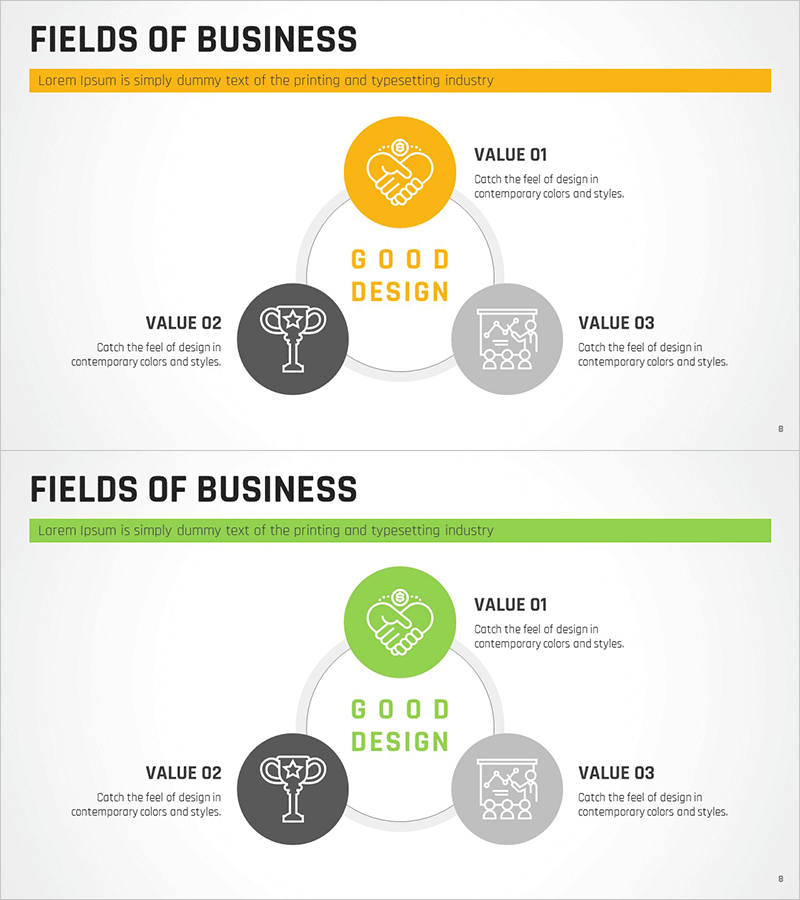
Yellow Green Business Area Diagram
RM0100008_7
- Last Update 01/27/2025
- File Size 0.4MB
- # of Slides 2
- File Format PPTX
- Slide Ratio 16:9
- Color
Keywords
- #Content-Based Slides
- #Design-Based Slides
- #Company Introduction
- #Business Introduction
- #Diagram
- #Business Areas
- #Business Areas
- #Spread
- #Decentralized Diagram
- #16:9
- #radial diagram PowerPoint
- #business area slide template
- #3-node expansion diagram
- #business portfolio presentation
- #how to create business structure diagram in PowerPoint
About the Product
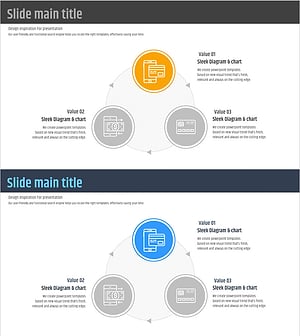
A radial diagram PowerPoint slide that expands from a central core concept to three business areas. Featuring yellow-green circular nodes with connecting lines, this slide effectively visualizes business portfolios, service categories, and organizational functions. Each node includes an icon and text input field for immediate customization of company divisions, product lines, or functional areas. The 16:9 widescreen format with 2-slide layout integrates seamlessly into presentations.
Usage Points
-
Main Usage
Visualize company business divisions, service portfolios, product lines, and organizational functions using a radial expansion structure. Clearly communicate how three business areas derive from a central core concept to executives, investors, and stakeholders.
-
How to Use
Enter the core concept (company name, brand, or core value) in the central yellow node. Add business area names and descriptions to the three surrounding nodes (left dark gray, right light gray, top yellow). Replace icons with images representing each area's characteristics and adjust colors to match brand guidelines.
-
Recommended For
Ideal for business plans, company profiles, and investor pitch decks in the business portfolio section. Recommended for executives, marketing teams, and business development professionals presenting company structure, product lines, or service categories.
-
Slide Structure
Central yellow circular node (core concept) connected via curved lines to three surrounding nodes: top yellow node (business area 1), left dark gray node (business area 2), and right light gray node (business area 3). Each node contains an icon, text label, and description area for flexible content input.
Related Products
-
Financial Business Triangle Diagram – Visualization of Business Areas
#Company Introduction #Business Introduction #Diagram
-
Medical Business Area Diffusion Diagram – Visualization of Business Introduction
#Company Introduction #Business Introduction #Diagram
-
Medical Diffusion Diagram - Visualizing Business Domains
#Company Introduction #Business Introduction #Diagram
-
Fintech Business Area Diagram – Visualizing Business Overview
#Company Introduction #Business Introduction #Diagram
