




Professional Team Profile Diagram – Effective Manpower Introduction
RM0100005_8
- Last Update 01/26/2025
- File Size 0.7MB
- # of Slides 2
- File Format PPTX
- Slide Ratio 16:9
- Color
Keywords
About the Product
A closed-form team profile diagram PowerPoint slide featuring four team members arranged in circular frames with teal and orange gradient borders. Each member's photo is positioned within a circular frame with name and role description below, creating visual cohesion and organizational clarity. This slide design is ideal for company introduction presentations, team composition sections, and manpower overview. The 16:9 widescreen format with 2-slide layout is fully editable and ready to customize with your team information.
Usage Points
-
Main Usage
Visually present team member profiles and roles in company introduction presentations, clearly communicating organizational structure and manpower composition. The circular closed-form layout emphasizes team unity and integration while giving equal prominence to each member's contribution.
-
How to Use
Insert team member photos into each circular frame and add name, job title, and responsibilities as text. Place this slide at the beginning of your company introduction or team overview section to give the audience an immediate understanding of organizational composition. Customize border colors and text to match your corporate branding.
-
Recommended For
Ideal for company introduction decks, organizational restructuring reports, team building presentations, new employee onboarding materials, and investor pitch decks. Recommended for HR professionals, executives, and marketing teams presenting organizational structure and personnel information.
-
Slide Structure
2-slide layout with the first slide featuring four circular frames with teal borders arranged in symmetrical left-right positioning, each with member name and description text area below. The second slide provides an orange border variation for color options while maintaining the same 4-member layout structure.
Related Products
-

Key Customer Analysis Data Charts – Assessing Market and Competition
#Company Introduction #Market and Competitor Analysis #Diagram
-

Introducing a Positive Team Member Profile – Cluster Diagram Application
#Company Introduction #Diagram #Manpower
-
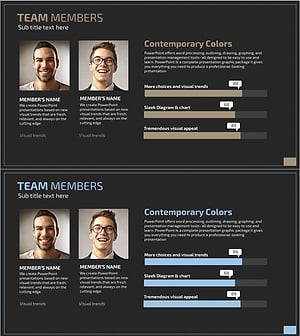
Graph Slide for User Data Analysis – Visual Trends and Appeal
#Company Introduction #Market and Competitor Analysis #Diagram
-

Introduction to the Mobile Network Team Slide
#Company Introduction #Diagram #Manpower
