



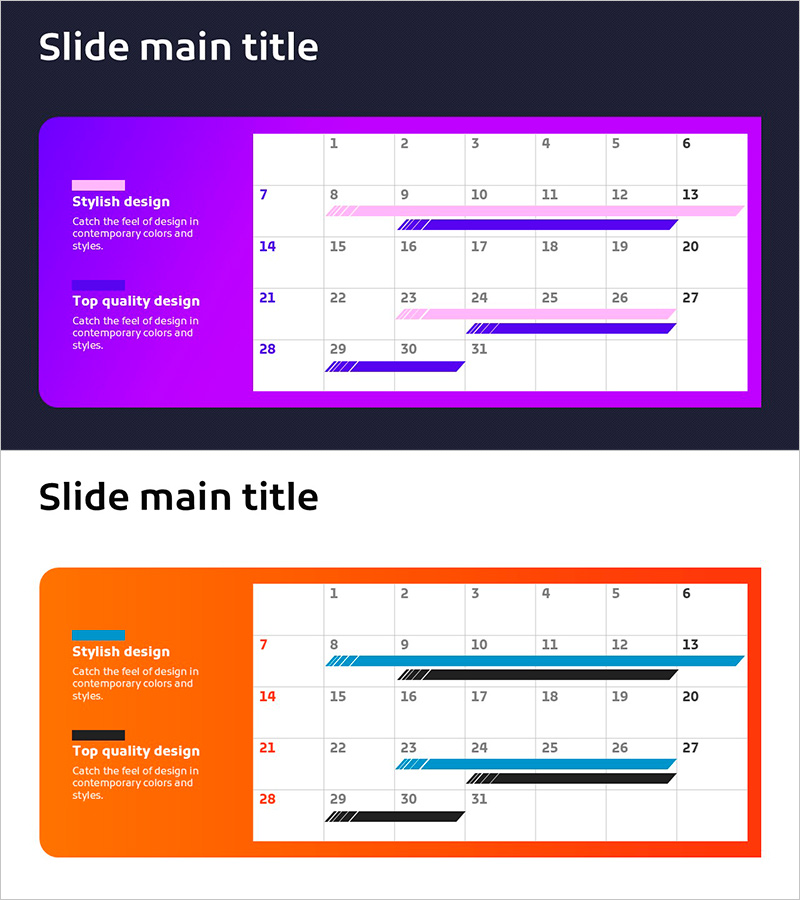
Schedule of Highlighter Check Concepts – Effective Business Implementation Strategy
RJ0900025_29
- Last Update 08/30/2025
- File Size 0.5MB
- # of Slides 2
- File Format PPTX
- Slide Ratio 16:9
- Color
Keywords
- #Content-Based Slides
- #Design-Based Slides
- #Business Strategy
- #Operational Plan
- #Diagram
- #Roadmap
- #Project Implementation Schedule
- #Table
- #16:9
- #schedule timeline PPT slide
- #project timeline PowerPoint design
- #business schedule slide
- #monthly timeline PowerPoint template
- #how to create a project schedule in PowerPoint
About the Product
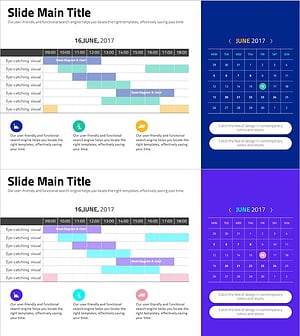
A professional PowerPoint slide set for visualizing business implementation schedules and project timelines. The 2-slide deck features a vibrant purple and orange background with a clean white grid layout, enabling clear month-by-month schedule tracking. Highlighter-style accent bars and diagonal patterns emphasize critical milestones and key dates, while the left text area accommodates strategy descriptions and implementation details. This presentation template is ideal for project planning, business roadmaps, marketing campaign timelines, and strategic execution plans in corporate presentations.
Usage Points
-
Main Usage
Systematically visualize monthly or quarterly business execution schedules and project timelines while clearly communicating progress status to stakeholders. Highlighter accent bars emphasize critical milestones and key dates, supporting data-driven decision-making and timeline management.
-
How to Use
Enter strategic initiatives and implementation details in the left text area, then populate the right grid table with monthly schedules and responsible parties. Drag and resize highlighter bars to mark important date ranges, and adjust colors to indicate priority levels. Insert into business plans, marketing proposals, and project presentations to illustrate execution roadmaps.
-
Recommended For
Executives, project managers, marketing professionals, and strategic planning teams presenting business strategies and implementation timelines. Suitable for investor presentations, internal meetings, client proposals, and corporate communications requiring clear schedule visualization and strategic alignment.
-
Slide Structure
2-slide template with consistent layout: left-side colored box containing 2 text input areas for strategy and details, right-side white grid table (7 columns × 4 rows) for schedule data. Highlighter-style accent bars and diagonal patterns create visual hierarchy for timeline information and milestone emphasis.
Related Products
-
AI Implementation Roadmap PowerPoint Slide – 12-Week Matrix
#Business Strategy #Business Management #Operational Plan
-
Business Promotion Schedule – Roadmap for Business Strategy
#Business Strategy #Operational Plan #Diagram
-
Calendar Business Promotion Schedule – Strategic Roadmap
#Business Strategy #Operational Plan #Diagram
-
Sleek Diagrams and Charts for Effective Schedule Management
#Business Strategy #Operational Plan #Diagram
