



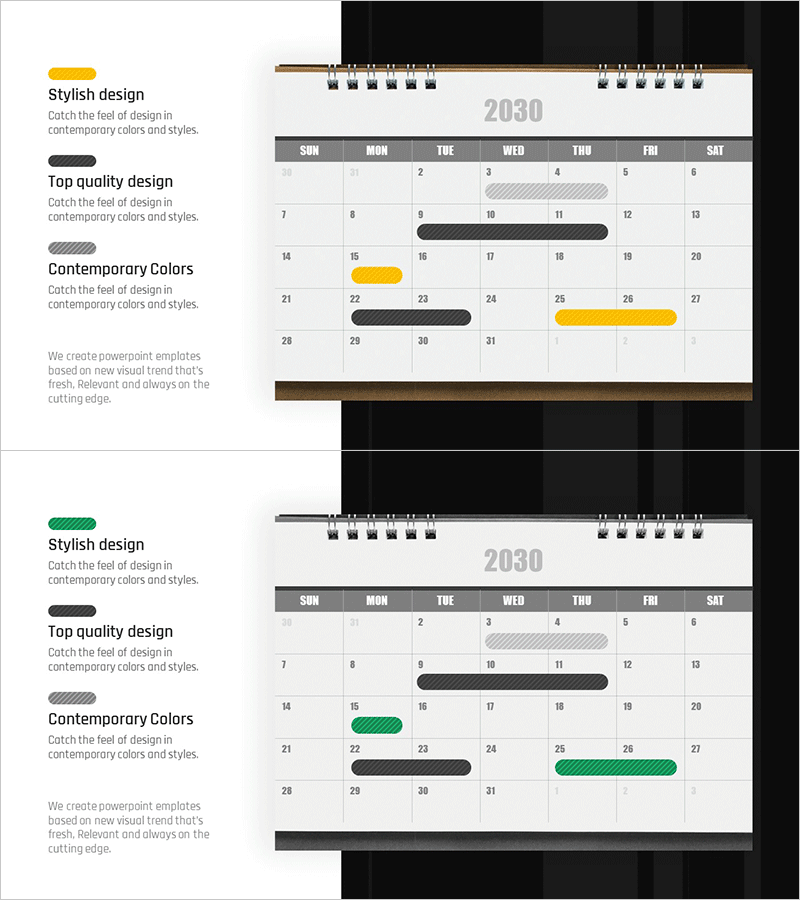
Calendar Business Promotion Schedule – Strategic Roadmap
RJ0300092_29
- Last Update 05/15/2025
- File Size 1.5MB
- # of Slides 2
- File Format PPTX
- Slide Ratio 16:9
- Color
Keywords
About the Product
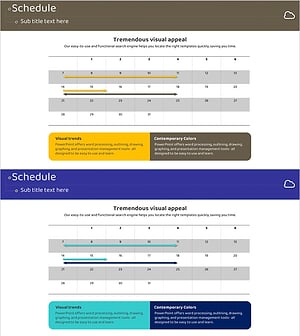
A calendar-style PowerPoint slide designed for visualizing business promotion schedules and project timelines. This 2-slide set features a monthly grid structure with clear day-of-week headers and date cells, using contrasting yellow and black bars to highlight priority tasks and ongoing activities. The layout is optimized for 16:9 widescreen format and includes clearly defined text input areas for easy customization. Perfect for presenting quarterly plans, marketing campaign schedules, operational timelines, and project milestones in business presentations, strategic plans, and investor pitches.
Usage Points
-
Main Usage
Visualizes business execution schedules on a monthly basis with clear milestone highlighting. The calendar grid structure allows precise week-by-week task scheduling, while yellow and black bars distinguish priority levels and project status. Effectively communicates implementation timelines in business plans, marketing strategies, and operational presentations to stakeholders.
-
How to Use
Click on individual date cells to add task names or drag the colored bars to indicate schedule duration. Use yellow bars for priority milestones and black bars for ongoing activities. The two-slide format allows you to present consecutive months or quarters by simply duplicating and updating the month label and dates.
-
Recommended For
Ideal for executives, project managers, marketing directors, and business strategists presenting execution plans. Recommended for investor pitch decks, business proposals, marketing plans, quarterly reviews, and strategic roadmap presentations where detailed timeline management is critical.
-
Slide Structure
Each slide contains four key elements: month title (2030 year display), day-of-week headers (SUN–SAT), date grid (1–31), and timeline bars (yellow, black, and striped gray) for marking schedule periods. Text input areas are positioned within date cells and above bars for dual-layer information display.
Related Products
-
Designing Business Strategies with Roadmap Table
#Business Strategy #Operational Plan #Diagram
-
Visualizing Business Strategy with Calendar Diagram
#Business Strategy #Operational Plan #Diagram
-
Business Promotion Calendar - An Effective Tool for Business Strategy
#Business Strategy #Operational Plan #Diagram
-
Business Promotion Schedule Roadmap – Effective Operational Plan
#Business Strategy #Operational Plan #Diagram
