



Interior Design that Transcends Trends – Introducing Beloved Items
RJ0900036_4
- Last Update 08/27/2025
- File Size 5.5MB
- # of Slides 2
- File Format PPTX
- Slide Ratio 16:9
- Color
Keywords
- #Content-Based Slides
- #Design-Based Slides
- #Product/Service Introduction
- #Diagram
- #Product/Service Introduction
- #Cluster
- #Combination Diagram
- #16:9
- #nested layout PowerPoint slide
- #interior design presentation template
- #product showcase slide
- #home décor item display
- #multi-image arrangement PowerPoint
About the Product
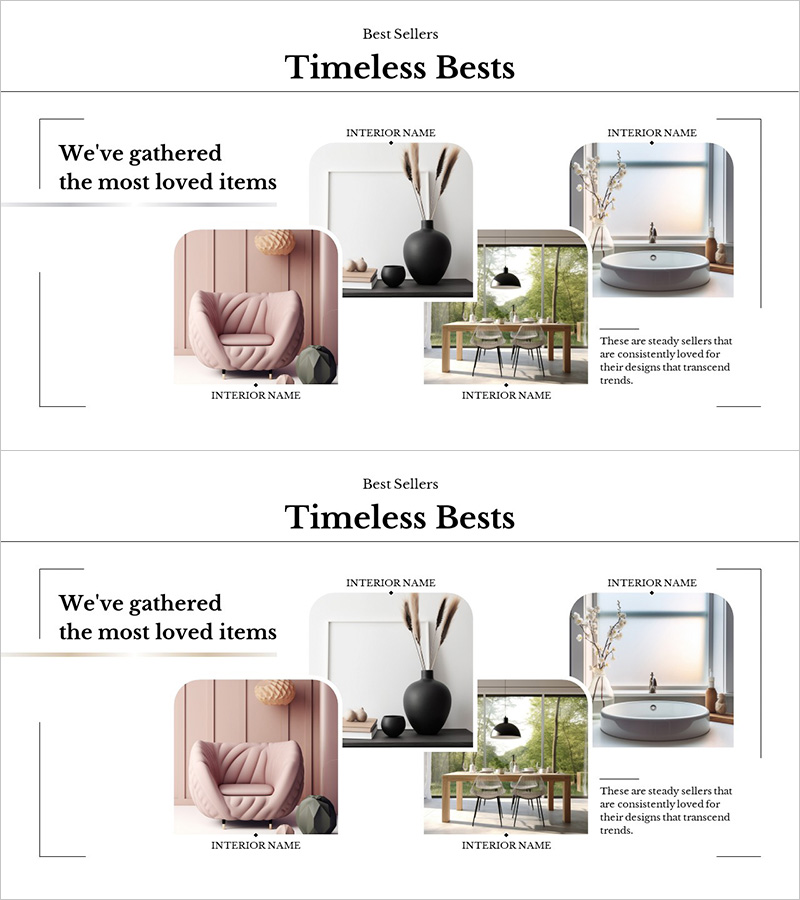
A 2-slide PowerPoint presentation designed to showcase bestselling interior design items using a nested image box layout. The template features four product images arranged in an overlapping composition—including a pink sofa, black vase, bathroom interior, and wooden dining table—with dedicated title and description areas for each item. This structure allows viewers to compare multiple home décor products at a glance while maintaining visual hierarchy. The 16:9 widescreen PPTX format is fully editable, making it ideal for product catalogs, design portfolios, and trend presentations.
Usage Points
-
Main Usage
Presents bestselling interior design products, furniture, and home décor items in a visually organized format. The nested image box structure enables simultaneous comparison of multiple products while allowing detailed text descriptions of each item's features and benefits.
-
How to Use
Insert product photos into each image box, add product names in the title areas, and fill description sections with features, pricing, or purchase information. Customize background colors and text styles to match your brand identity. Reuse the 2-slide template to showcase additional items by simply replacing images and text.
-
Recommended For
Interior design firms, furniture retailers, home décor brands, product catalog presentations, e-commerce bestseller pages, interior design seminars and workshops, and real estate marketing materials.
-
Slide Structure
Slide 1: Left-aligned title text box + four image boxes arranged in nested composition (top-right 2 boxes, center 1 box, bottom-right 1 box). Slide 2: Identical layout for additional product displays. Each image box is independently editable, with dedicated text areas for titles, descriptions, and supplementary information.
Related Products
-
Diagram Explaining Tooth Decay Causes - Starting Effective Treatment
#Product/Service Introduction #Operational Plan #Diagram
-
Hexagonal Construction Work Diagram – Structure and Strategy or Collaboration
#Product/Service Introduction #Diagram #Product/Service Introduction
-
Highlighted Content Slides – A New Perspective on Product Introduction
#Product/Service Introduction #Diagram #Product/Service Introduction
-
Modern Business Presentation Template Circle Diagram – Product/Service Introduction
#Product/Service Introduction #Diagram #Product/Service Introduction
