



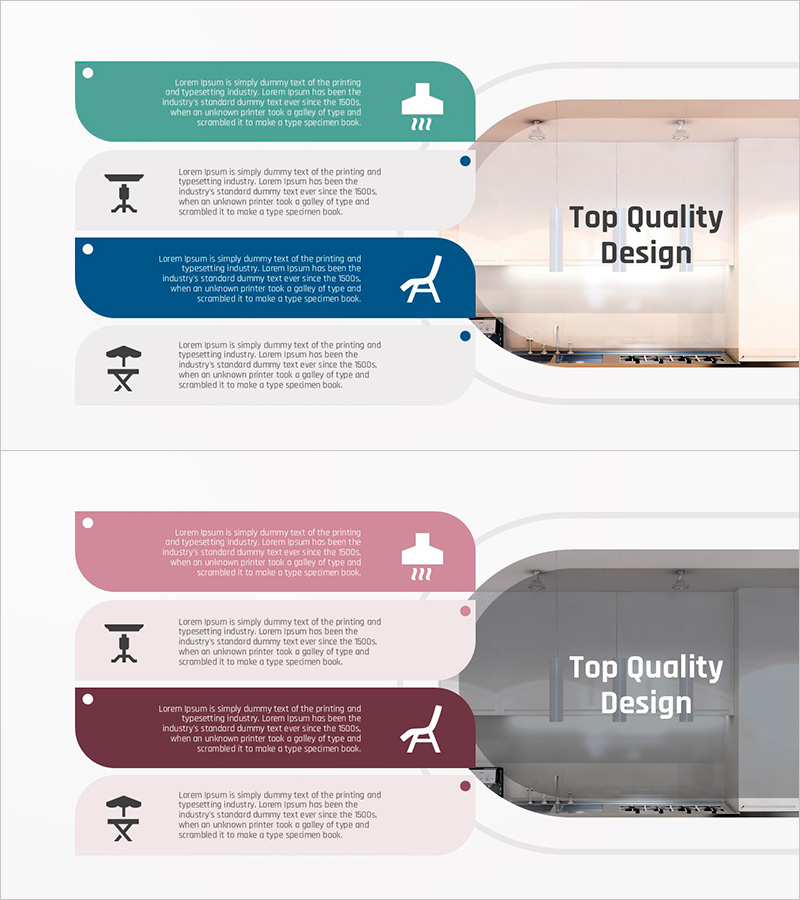
Introduction of Ventilation System in the Dining Area
RJ0900032_15
- Last Update 08/26/2025
- File Size 2.1MB
- # of Slides 2
- File Format PPTX
- Slide Ratio 16:9
- Color
Keywords
- #Content-Based Slides
- #Design-Based Slides
- #Product/Service Introduction
- #Diagram
- #Features
- #Differentiation Strategy for Products/Services
- #Cluster
- #Closed Cluster Diagram
- #16:9
- #closed-loop diagram PowerPoint
- #ventilation system slide template
- #4-stage connection diagram
- #product introduction diagram
- #system architecture PowerPoint slide
About the Product
A PowerPoint slide featuring a 4-stage closed-loop diagram that visualizes the components and connections of a kitchen and dining area ventilation system. Rounded callout boxes in teal, navy, and gray tones are sequentially linked, with relevant icons (ventilation outlet, furniture, lighting) positioned at each stage to intuitively explain product functionality. The 2-slide layout balances a product image area on the right with the diagram on the left, making it immediately applicable for product introduction and service differentiation presentations.
Usage Points
-
Main Usage
This diagram is optimized for visualizing the components and sequential relationships of complex systems. It effectively communicates how ventilation systems, HVAC equipment, construction infrastructure, and technical systems operate, making it ideal for customer briefings and technical presentations that require credible information delivery.
-
How to Use
Input stage-by-stage system descriptions in the left diagram area and place product photos or related visuals in the right image section. Customize the callout box colors and icons to match your corporate brand palette, creating a cohesive and professional presentation.
-
Recommended For
Product planning teams, sales representatives, technical support departments, construction and mechanical contractors, and HVAC companies. Perfect for customer briefings, product introduction presentations, technical proposal pitches, and situations requiring clear explanation of complex systems.
-
Slide Structure
2-slide layout with product image area on the right (optimized for 16:9 ratio) and a 4-node closed-loop diagram on the left. Callout boxes feature rounded corners in teal, navy, and gray, with icons positioned to the right of each box to visually emphasize stage-specific functions and system flow.
Related Products
-
Slide for Acoustic Guitar and Violin Product/Service Introduction
#Product/Service Introduction #Diagram #Features
-
Product Differentiation Strategy Diagram – Visual Representation of Product Features
#Product/Service Introduction #Diagram #Features
-
Optimizing Time Management Strategies – Flow Diagram for Work Efficiency
#Product/Service Introduction #Diagram #Features
-
Switch Style Diagram – Visualizing Product Differentiation Strategy
#Product/Service Introduction #Diagram #Features
