



Diagram Slide for Planning Remodeling Work
RJ0900031_20
- Last Update 08/25/2025
- File Size 7.5MB
- # of Slides 2
- File Format PPTX
- Slide Ratio 16:9
- Color
Keywords
- #Content-Based Slides
- #Design-Based Slides
- #Product/Service Introduction
- #Business Introduction
- #Diagram
- #Product/Service Introduction
- #Technological Status
- #Cluster
- #Closed Cluster Diagram
- #16:9
- #closed-loop diagram PowerPoint
- #4-stage cycle diagram slide
- #remodeling project presentation
- #construction process diagram
- #project planning PowerPoint template
About the Product
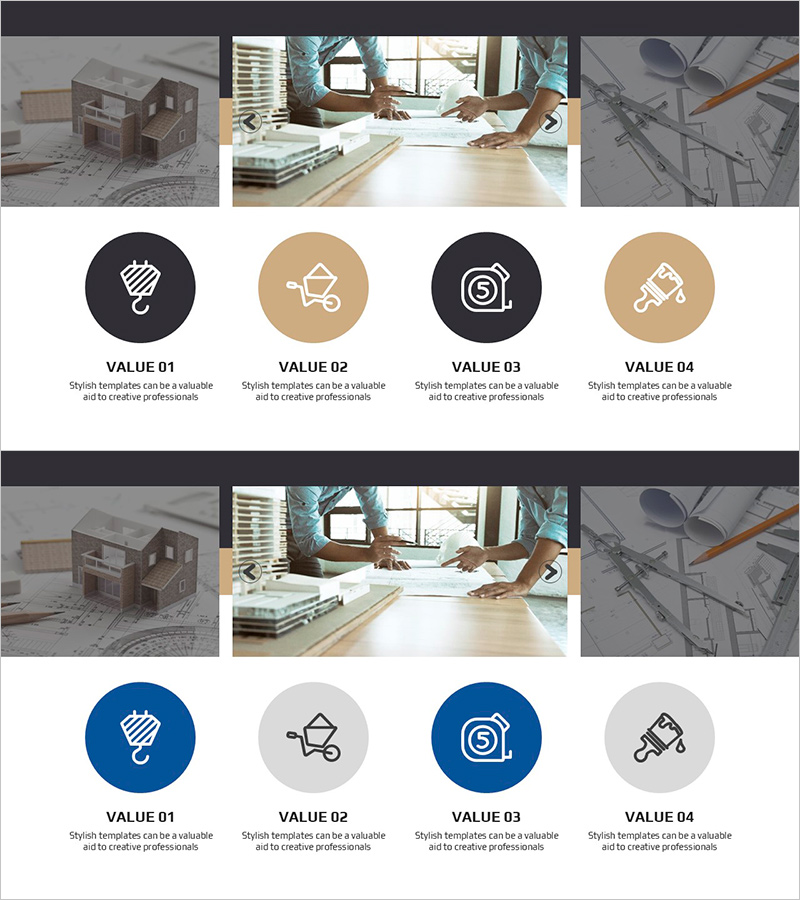
A 4-stage closed-loop diagram PowerPoint slide designed to visualize remodeling and construction project planning phases. Circular nodes in dark navy and beige tones are sequentially connected to clearly represent project workflow. Each stage features an icon (hammer, cart, safety, paint) that intuitively communicates work content. This 16:9 widescreen 2-slide set is ready for immediate use in presentations. Optimized for architecture, construction, and remodeling firms presenting technical status, project proposals, and business overviews.
Usage Points
-
Main Usage
Clearly visualizes sequential work phases in remodeling and construction projects. Expresses planning→construction→finishing→completion stages using 4 connected nodes, enabling audiences to grasp the entire project structure at a glance.
-
How to Use
Use in technical status presentations, business overviews, and project proposals. Edit node text and icons to match your project phases for immediate deployment. Colors and icons are fully customizable to match your brand or project requirements.
-
Recommended For
Ideal for architects, construction companies, remodeling firms, real estate developers, and interior design studios presenting project plans, client meetings, and internal reports.
-
Slide Structure
Four circular nodes connected in a closed-loop configuration. Each node features dark navy or beige background with white icons and text areas, with arrows indicating clockwise flow direction. The 2-slide set enables flexible representation of various project phases and timelines.
Related Products
-
Introduction to Farming and Harvesting Business Services – Sustainable Development
#Product/Service Introduction #Business Introduction #Diagram
-
Sea Lighthouse Service Diagram Icon – A Cluster Diagram for Visual Understanding
#Product/Service Introduction #Diagram #Product/Service Introduction
-
Maritime Freight Volume Chart – Understanding Marine Logistics Data
#Product/Service Introduction #Market and Competitor Analysis #Diagram
-

Product Promotion Web Mockup – Innovation and Style
#Product/Service Introduction #Diagram #Other
