



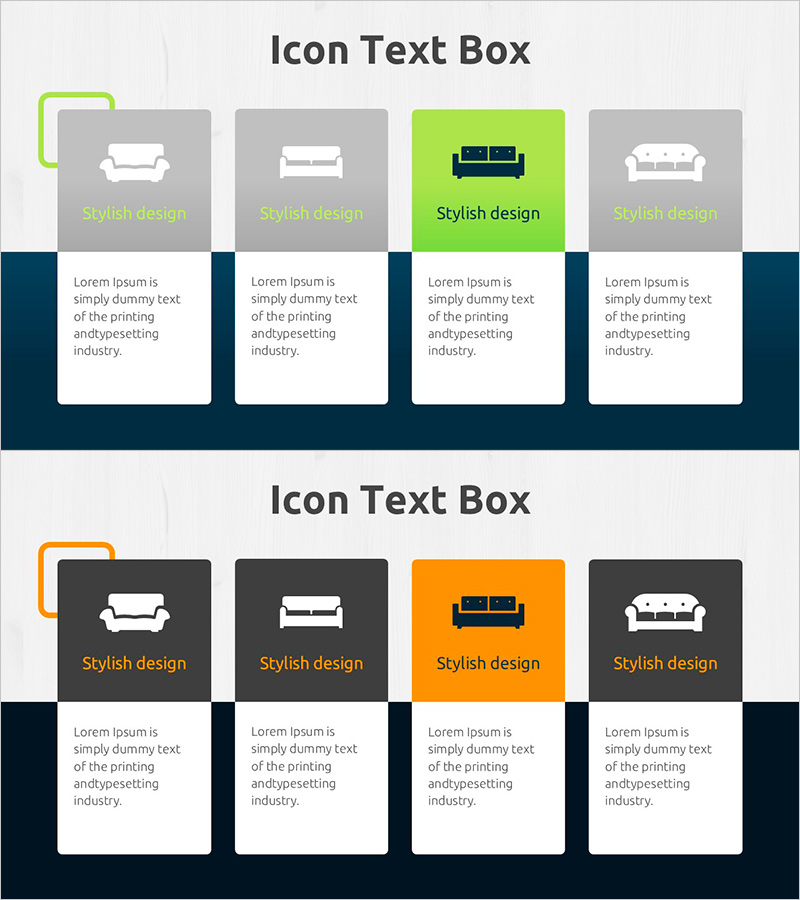
Sofa Type Diagram – Product Introduction and Characteristics
RJ0900029_7
- Last Update 08/25/2025
- File Size 0.9MB
- # of Slides 2
- File Format PPTX
- Slide Ratio 16:9
- Color
Keywords
- #Content-Based Slides
- #Design-Based Slides
- #Product/Service Introduction
- #Diagram
- #Product/Service Introduction
- #Features
- #Cluster
- #Closed Cluster Diagram
- #16:9
- #cluster diagram PowerPoint slide
- #product classification diagram
- #4-item icon text box
- #sofa type diagram
- #product introduction slide template
About the Product
A cluster diagram PowerPoint slide that categorizes sofa types and characteristics into four distinct items with icon-based text boxes. The layout features gray and lime green background sections, each with product icons and descriptive text areas for clear visual organization. This slide design is ideal for product introduction presentations where you need to compare different product categories and highlight key features. The 2-slide set enables flexible expansion for additional product lines or detailed comparisons. Fully editable for furniture, interior design, and consumer goods industries.
Usage Points
-
Main Usage
Categorizes products into four distinct types to compare and explain the characteristics and use cases of each category at a glance. Applicable to furniture, interior design, and consumer products, as well as any presentation requiring service, function, or feature classification.
-
How to Use
Enter product names, features, price ranges, and target audiences in each icon text box, then place the slide in your product description section. Use the gray background boxes for standard items and the lime green box to highlight a featured or premium product. Extend the presentation with the second slide to showcase additional product lines or comparative data.
-
Recommended For
Marketing professionals, sales presenters, and product planning teams in furniture, interior design, fashion, food and beverage, and automotive industries. Particularly effective for B2B product introductions, catalogs, and comparative product presentations.
-
Slide Structure
Slide 1: Title area + four icon text boxes (three gray, one lime green highlight) + descriptive text below each box. Slide 2: Identical layout for additional product categories or detailed comparison information. 16:9 widescreen format with balanced left-right margins for professional appearance.
Related Products
-
Information on Eco-Friendly Business Items – Business Innovation
#Product/Service Introduction #Diagram #Product/Service Introduction
-
Characteristics of Industrial Tools – Effective Product Presentation Slide
#Product/Service Introduction #Diagram #Product/Service Introduction
-
Interior Service Overview Presentation Template - Innovation and Trust
#Product/Service Introduction #Diagram #Product/Service Introduction
-
Introduction to IT Infrastructure Services – Customer-Centric Effective Solutions
#Product/Service Introduction #Diagram #Other
