



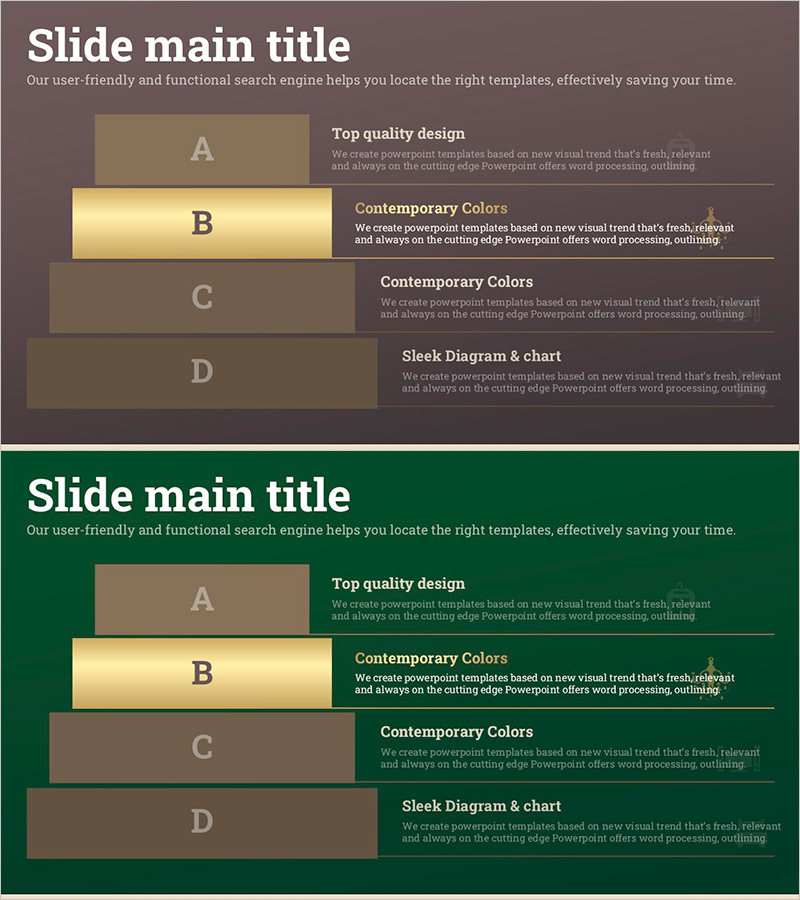
Interior Layered Structure Diagram – Communicating Business Strategy and Vision
RJ0900023_20
- Last Update 08/22/2025
- File Size 0.3MB
- # of Slides 2
- File Format PPTX
- Slide Ratio 16:9
- Color
Keywords
- #Content-Based Slides
- #Design-Based Slides
- #Business Vision and Strategy
- #Business Strategy
- #Diagram
- #Business Strategy
- #Production Plan
- #Structure
- #Pyramid Chart
- #16:9
- #layered structure diagram PowerPoint
- #4-level hierarchy diagram
- #business strategy slide
- #organizational structure diagram
- #structure diagram PowerPoint slide template
About the Product
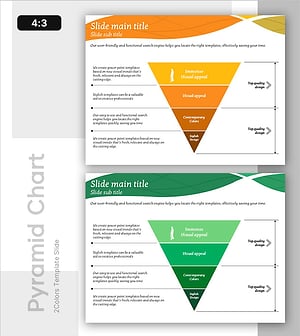
A 4-level layered structure diagram PowerPoint slide designed to communicate business strategy and vision in a hierarchical manner. Each layer is expressed in brown and gold gradient tones, effectively visualizing organizational structure, business objectives, and execution plans. Composed of 2 slides in 16:9 widescreen format, each layer provides editable text and description areas for customization. Ready to use immediately for corporate presentations, strategic planning meetings, organizational restructuring explanations, and various business scenarios.
Usage Points
-
Main Usage
Visually represent and explain organizational hierarchy, step-by-step business strategy execution plans, and hierarchical relationships of objective systems. Each distinct layer enables intuitive understanding of complex structures.
-
How to Use
Use in corporate strategy presentations, organizational restructuring explanations, business planning meetings, executive reports, and team structure introductions. Click on text areas in each layer to input titles and descriptions, and adjust colors as needed for emphasis.
-
Recommended For
Executives, strategic planning teams, organizational development managers, business development managers, consultants, and training instructors explaining organizational structures and business strategies. Particularly recommended for formal presentations requiring hierarchical information delivery.
-
Slide Structure
Composed of 2 slides, each featuring 4 hierarchical boxes (A, B, C, D). The first slide displays brown background with gold gradient boxes, while the second offers color variation with dark green background and brown boxes. Each layer includes text input areas and description spaces for flexibility.
Related Products
-
Arrow Diagram of Beer Production Process – Business Strategy
#Business Strategy #Diagram #Production Plan
-
Pyramid Structure of Overlapping Circles – Business Vision and Strategy
#Business Vision and Strategy #Technical Approach #Diagram
-
Efficacy of Vegetables Pyramid Diagram – Emphasizing Business Strategy
#Business Strategy #Business Management #Operational Plan
-
Retirement Vision Step Diagram – Visualizing Business Strategy
#Business Vision and Strategy #Diagram #Business Vision
