



Show Paper Calendar Schedule – Effective Business Management
RJ0900016_29
- Last Update 08/20/2025
- File Size 0.1MB
- # of Slides 2
- File Format PPTX
- Slide Ratio 16:9
- Color
Keywords
- #Content-Based Slides
- #Design-Based Slides
- #Business Management
- #Operational Plan
- #Diagram
- #Implementation Schedule
- #Project Implementation Schedule
- #Table
- #Standard Table
- #16:9
- #Gantt chart PowerPoint slide
- #project timeline template
- #horizontal bar chart PPT
- #project management slide
- #schedule tracking presentation
- #business planning template
About the Product
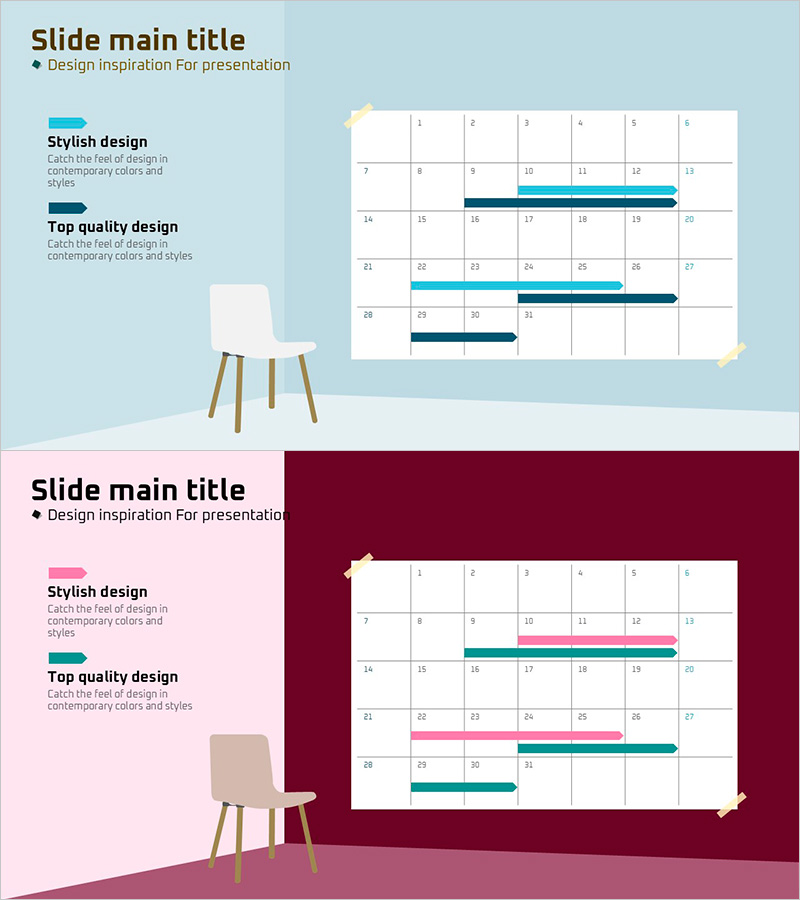
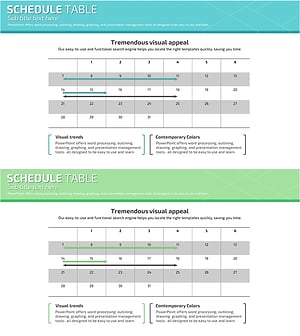
A professional Gantt chart-style PowerPoint slide template that visualizes project schedules and progress status using horizontal bar charts overlaid on calendar grids. The design combines light teal and dark navy color accents to clearly distinguish task progress and completion rates, making it ideal for project tracking and business management presentations. With 2 slide layouts, this template accommodates various project scales and can be immediately applied to business reports, operational planning, and team meetings.
Usage Points
-
Main Usage
Simultaneously displays project timelines and task progress rates to streamline schedule sharing and status updates among team members. The horizontal bars overlaid on calendar grids accurately convey task start dates, end dates, and duration, while color differentiation intuitively distinguishes priorities and statuses.
-
How to Use
Use in project kickoff meetings, weekly or monthly progress reports, and team scheduling coordination sessions. Modify bar lengths and positions to reflect actual task durations, and adjust colors to categorize tasks by type or assign them to team members.
-
Recommended For
Project managers, team leads, operations coordinators, and business planners who need to manage schedules and communicate progress status. Suitable for project reports and operational planning presentations across industries including IT, construction, marketing, and manufacturing.
-
Slide Structure
Two-slide layout with the first slide featuring a light teal background, 6-month calendar grid, and 5 task bars in varying lengths. The second slide uses a dark magenta, teal, and navy background with the same schedule structure. Each bar supports transparency adjustments for overlap visualization, and text input areas are clearly defined for easy customization.
Related Products
-
Overseas Travel Business Promotion Schedule Plan – Effective Preparation Strategies
#Business Management #Operational Plan #Diagram
-
Geometry PPT Template Wide Schedule – Essential for Project Management
#Business Management #Operational Plan #Diagram
-
Schedule Slide Template for Efficient Journeys
#Business Management #Operational Plan #Diagram
-
Simple Schedule Planner - Efficient Business Management
#Business Management #Operational Plan #Diagram
