



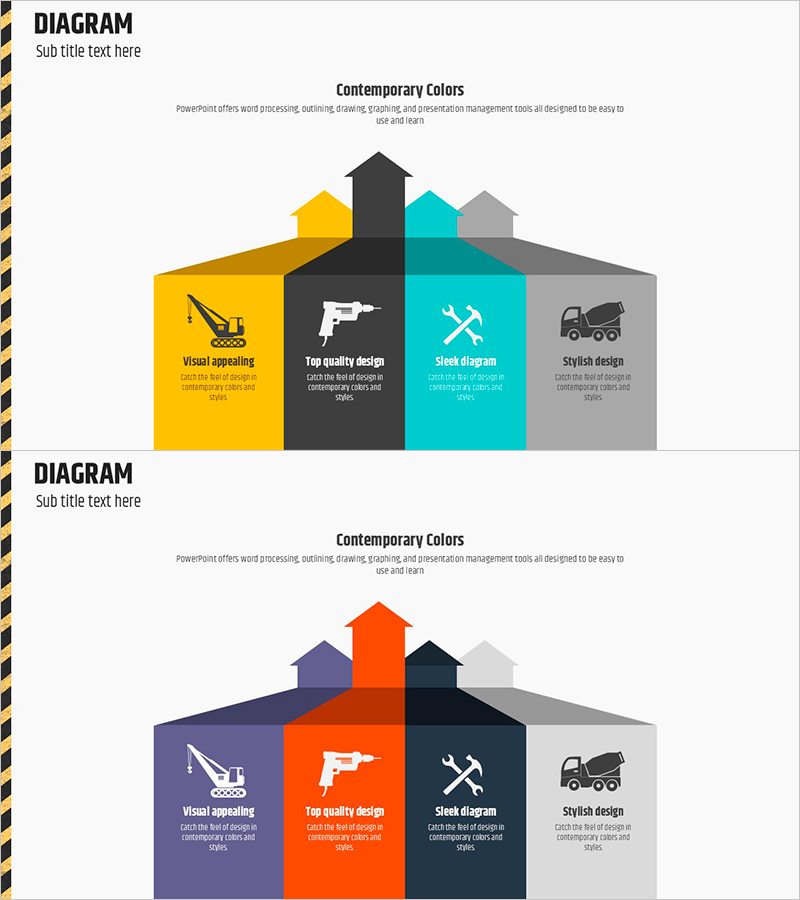
Construction Equipment Strategy Diagram - Flowchart for Business Success
RJ0900011_23
- Last Update 08/19/2025
- File Size 0.1MB
- # of Slides 2
- File Format PPTX
- Slide Ratio 16:9
- Color
Keywords
- #Content-Based Slides
- #Design-Based Slides
- #Business Vision and Strategy
- #Technical Approach
- #Diagram
- #Business Strategy
- #Future Development Roadmap
- #Flow
- #Linear Flow
- #16:9
- #arrow diagram PowerPoint
- #4-section diagram slide
- #business strategy PowerPoint template
- #workflow diagram presentation
- #how to create arrow diagram in PowerPoint
About the Product
A 4-section arrow diagram PowerPoint slide designed to visualize business strategy and project workflow. This presentation template features contemporary colors—yellow, black, cyan, and gray—with icons and text positioned in each section to clearly communicate key strategies. Composed of 2 slides in 16:9 widescreen format, this deck is ready to use for construction equipment presentations, project proposals, and business strategy discussions. Each section is fully editable, allowing you to customize the content and colors to match your specific business needs and branding.
Usage Points
-
Main Usage
Ideal for explaining business strategies, project plans, workflow processes, and organizational role distribution across four distinct areas. The icons and text in each section emphasize key messages and enhance audience comprehension of complex information.
-
How to Use
Use in executive presentations, business proposals, strategy meetings, and project kickoff sessions. Simply replace the text and icons in each section with your own content, and adjust colors as needed to align with your corporate branding and visual identity.
-
Recommended For
Executives, project managers, marketing professionals, and construction industry specialists presenting strategic plans and progress updates. Particularly effective for multi-departmental collaboration and explaining phased implementation roadmaps.
-
Slide Structure
2 slides with a central upward arrow dividing the layout into 4 color-coded sections (yellow, black, cyan, gray). Each section contains an icon, title, and descriptive text. The 16:9 widescreen format ensures optimal display on modern projectors and digital screens.
Related Products
-
Red Blue Strategy Diagram - Business Vision and Future Development
#Business Vision and Strategy #Technical Approach #Diagram
-
Detailed Diagram for an Effective Strategy
#Business Vision and Strategy #Technical Approach #Diagram
-
Functional Value Proposition Slide – Business Strategy Presentation
#Business Vision and Strategy #Diagram #Business Strategy
-
Business Strategy Cloud Diagram – Clear Vision and Strategic Flow
#Product/Service Introduction #Business Vision and Strategy #Diagram
