



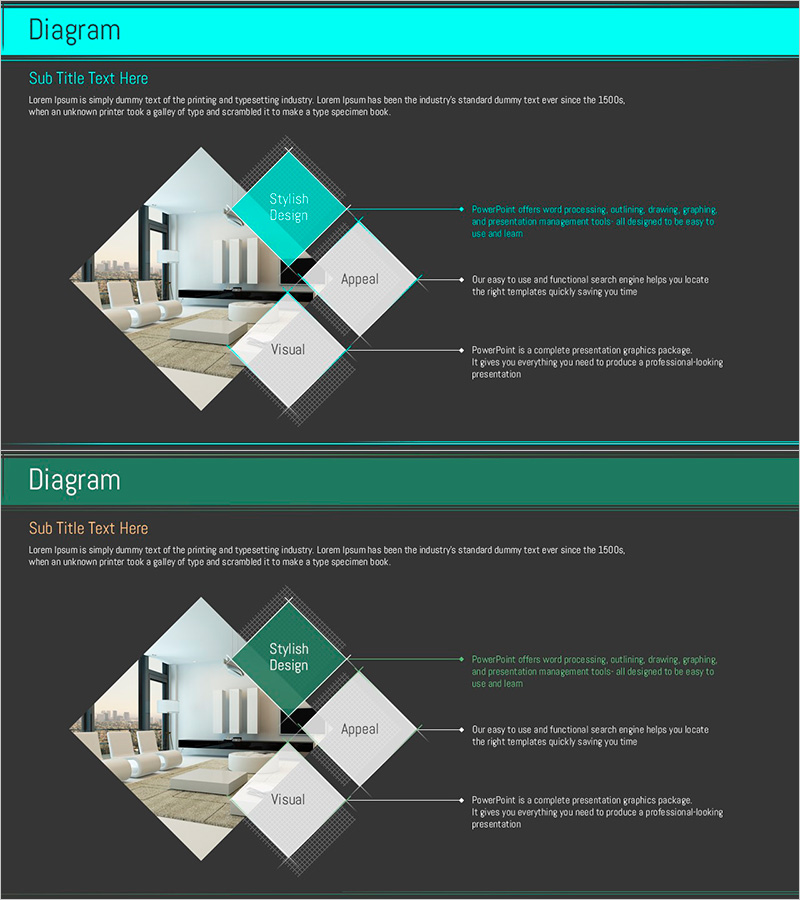
Interior Proposals PPT Diffusion Diagram
RJ0900003_10
- Last Update 08/16/2025
- File Size 0.5MB
- # of Slides 2
- File Format PPTX
- Slide Ratio 16:9
- Color
Keywords
- #Content-Based Slides
- #Design-Based Slides
- #Product/Service Introduction
- #Diagram
- #Features
- #Product and Service Overview
- #Spread
- #Radial Diagram
- #16:9
- #radial diagram PowerPoint
- #diffusion diagram slide template
- #interior proposal presentation
- #3-node diagram
- #how to create radial diagram in PowerPoint
About the Product
A radial diffusion diagram PowerPoint slide optimized for interior design proposals and architectural presentation decks. The structure radiates from a central concept (Stylish Design) to three key elements (Appeal, Visual), with dedicated spaces for images and descriptive text at each node. The cyan and gray color contrast creates clear visual hierarchy, while rotated diamond-shaped nodes and arrow connectors intuitively represent information flow. This 2-slide, 16:9 aspect ratio PPTX template is ready to edit and suitable for interior design, architecture, real estate, and product introduction presentations.
Usage Points
-
Main Usage
Visualizes the relationship between a core concept and its derivative elements or supporting factors. The structure radiates from a central idea outward, making it ideal for explaining how multiple components connect to and support a primary message in design, strategy, or organizational contexts.
-
How to Use
Enter your core concept in the central diamond node, then add supporting elements in the three surrounding nodes. Insert relevant images in the left image area of each node and add descriptive text in the right text box. All colors, fonts, and content are fully editable.
-
Recommended For
Interior design and architecture proposal presentations, product design guideline explanations, marketing strategy core element analysis, organizational culture value introductions, business model component descriptions, and service differentiation presentations.
-
Slide Structure
2-slide layout. Each slide features a cyan header bar at top, three rotated diamond-shaped nodes (1 central + 2 surrounding), with image area on left and text description area on right for each node. Arrow connectors link nodes to show information flow and relationships.
Related Products
-
Eye-Catching Visual Slide with Contemporary Colors
#Product/Service Introduction #Features #Product and Service Overview
-
Smart Health App Introduction Slide – Top Design and Features
#Product/Service Introduction #Other #Features
-
Elegant Diagrams and Charts for Presentations
#Product/Service Introduction #Diagram #Other
-
Slides for Busy Modern Workers - Effective Business Communication
#Product/Service Introduction #Other #Features
