



Ball Sports Closed Diagram for Product Introduction – Stylish Design
RJ0800044_29
- Last Update 08/12/2025
- File Size 0.6MB
- # of Slides 2
- File Format PPTX
- Slide Ratio 16:9
- Color
Keywords
- #Content-Based Slides
- #Design-Based Slides
- #Product/Service Introduction
- #Diagram
- #Product/Service Introduction
- #Features
- #Cluster
- #Closed Cluster Diagram
- #16:9
- #closed diagram PowerPoint
- #3-item cluster slide
- #product introduction presentation
- #diagram PowerPoint slide
- #business presentation template
About the Product
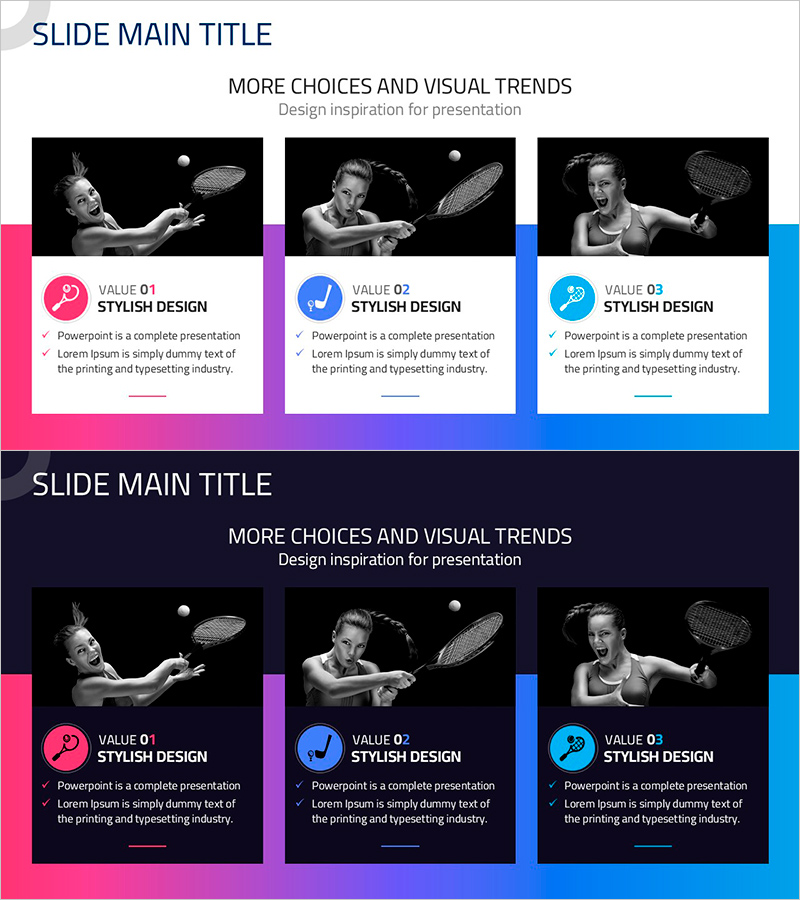
A 3-item closed diagram PowerPoint slide featuring ball sports theme with gradient background transitioning from pink to purple to blue. Each item is marked with a distinct icon (pink checkmark, blue checkmark, cyan checkmark) and includes a text description area below. Two versions are provided: one with a light background and one with a dark background, allowing flexibility for different presentation contexts. Ideal for product introductions, marketing presentations, and business proposals where three key features or benefits need to be highlighted with visual clarity.
Usage Points
-
Main Usage
Visually emphasize three core values, features, or benefits of a product or service using a closed diagram format. The independent yet integrated layout effectively communicates related concepts, while icons and color differentiation enhance information clarity and audience engagement.
-
How to Use
Use this slide when presenting three key product features in a product introduction section, or when highlighting three competitive advantages in a marketing pitch. Edit the text areas below each item to add your content, and customize icons or colors to match your brand identity. Both background versions allow adaptation to different presentation themes.
-
Recommended For
Recommended for product marketing managers, business strategists, and sales presenters introducing new products or services. Ideal for startup pitches, product launch presentations, and service overview materials. The dual background options (light and dark) ensure compatibility with various presentation environments and design schemes.
-
Slide Structure
Two-slide layout. Each slide features a title area at the top and three independent boxes arranged horizontally (left to right), each containing an icon, title, and description text area. The first slide uses a light background while the second employs a dark background, providing visual contrast and flexibility.
Related Products
-
Introduction of Lighting Products – Modern Design and High Quality
#Product/Service Introduction #Diagram #Product/Service Introduction
-
Food Industry Text Box – Effective Product Introduction
#Product/Service Introduction #Diagram #Product/Service Introduction
-
Information on Eco-Friendly Business Items – Business Innovation
#Product/Service Introduction #Diagram #Product/Service Introduction
-
Introduction to IT Infrastructure Services – Customer-Centric Effective Solutions
#Product/Service Introduction #Diagram #Other
