



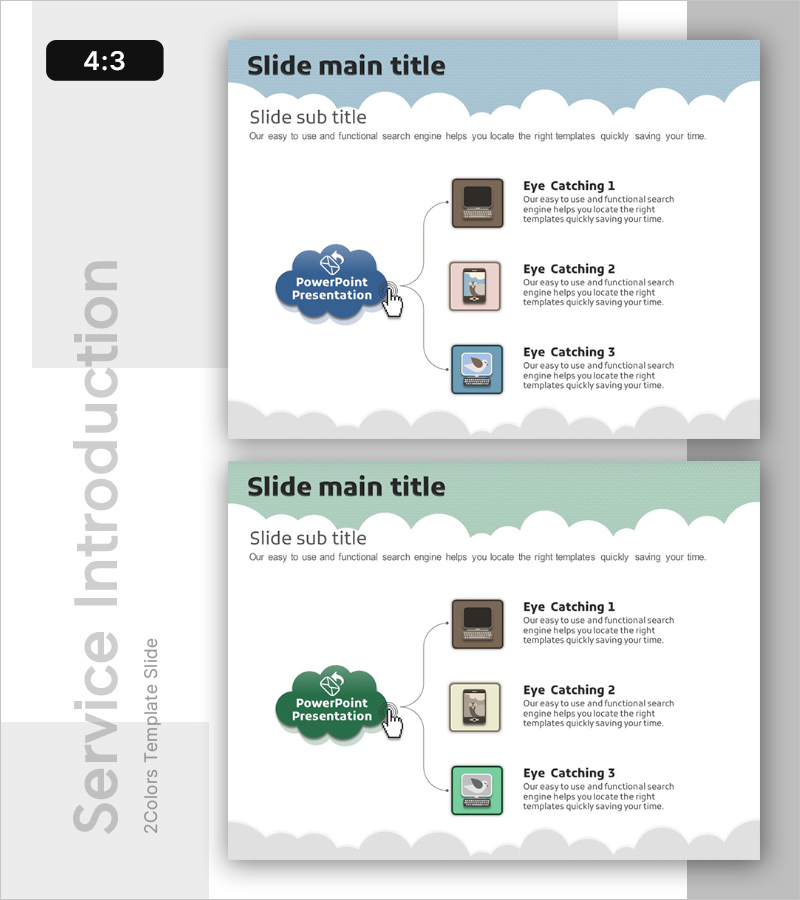
Overview of Features in Social Networking Platform – Visual Expansion Diagram
RB0200020-1_5
- Last Update 03/08/2025
- File Size 0.6MB
- # of Slides 2
- File Format PPTX
- Slide Ratio 4:3
- Color
Keywords
- #Content-Based Slides
- #Design-Based Slides
- #Product/Service Introduction
- #Diagram
- #Product/Service Introduction
- #Program Introduction
- #Spread
- #Radial Diagram
- #4:3
- #radial diagram PowerPoint
- #expansion diagram slide template
- #central hub diagram
- #feature overview presentation
- #how to create radial diagram in PowerPoint
About the Product
A radial expansion diagram PowerPoint slide featuring a central blue cloud-shaped hub node connected to three icon-embedded callout boxes via curved connector lines. This presentation template visualizes hierarchical relationships where a core concept branches into three detailed elements, making it ideal for social network platform overviews, feature descriptions, and service introductions. The 4:3 aspect ratio slide deck includes two fully editable slides ready for immediate customization with your content and branding.
Usage Points
-
Main Usage
Visualizes how a central concept or core theme expands into three distinct sub-elements, features, or characteristics. Ideal for presenting social media platform capabilities, product value propositions, service differentiators, or organizational structures where information flows from center to periphery.
-
How to Use
Enter your main topic in the central blue cloud node. Add detailed descriptions, feature names, or sub-points in the three surrounding callout boxes. Replace the placeholder icons with graphics matching your content theme. Adjust colors, fonts, and text to align with your corporate branding and presentation style.
-
Recommended For
Social media platform feature presentations, IT service overviews, product capability demonstrations, business model explanations, organizational role descriptions, marketing strategy frameworks, technology stack introductions, and any content requiring a hub-and-spoke information architecture.
-
Slide Structure
Central blue cloud-shaped node with three icon-embedded callout boxes positioned to the right, connected via curved lines. Title and subtitle areas at the top, decorative cloud elements at the bottom. Optimized for 4:3 aspect ratio with balanced white space and clear visual hierarchy.
Related Products
-
Hobby Diagram – Capturing Joy in Visualization
#Product/Service Introduction #Diagram #Product/Service Introduction
-

Core Graphic Icons for Product and Service Presentation – Visual Appeal
#Product/Service Introduction #Diagram #Product/Service Introduction
-
Interior Trends and Texts – Stylish Design Showcase
#Product/Service Introduction #Product/Service Introduction #Program Introduction
-

Product Showcase Visualized with Natural Phenomena and Text Boxes
#Product/Service Introduction #Product/Service Introduction #Program Introduction
