



January Schedule Planning Diagram – Presentation Template for Efficient Planning
RJ0700026_29
- Last Update 07/29/2025
- File Size 0.1MB
- # of Slides 2
- File Format PPTX
- Slide Ratio 16:9
- Color
Keywords
- #Content-Based Slides
- #Design-Based Slides
- #Business Management
- #Operational Plan
- #Diagram
- #Implementation Schedule
- #Project Implementation Schedule
- #Table
- #16:9
- #monthly schedule planning PowerPoint
- #schedule diagram slide
- #project timeline PPT
- #Gantt chart PowerPoint template
- #how to create a schedule chart in PowerPoint
About the Product
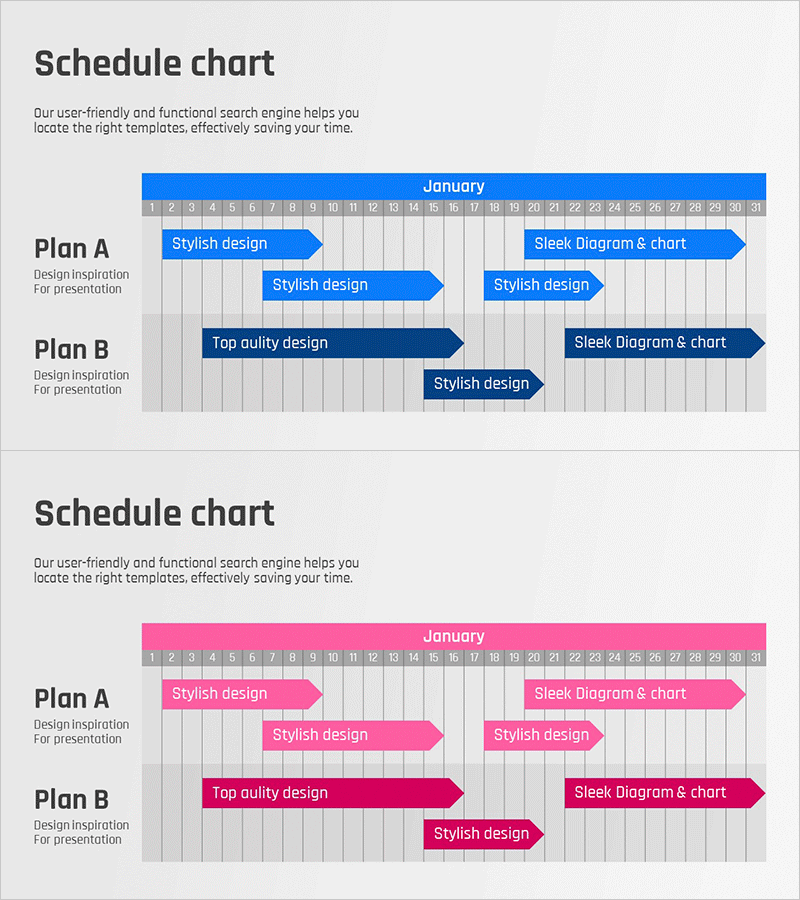
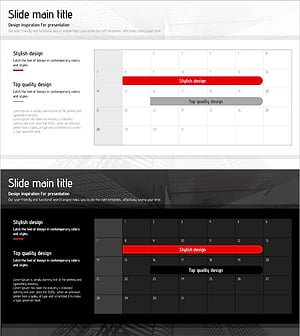
A PowerPoint slide for visualizing monthly schedules with two color options: blue and pink. Each version displays a calendar grid for January (dates 1-31) with two task rows (Plan A and Plan B) featuring arrow-shaped task bars. This slide is ideal for project timelines, marketing campaign schedules, and product development roadmaps. The layout provides ample text input areas for task names and team assignments, making it easy to communicate project progress and deadlines in presentations and reports.
Usage Points
-
Main Usage
This slide enables teams to plan and communicate monthly project schedules, marketing campaign timelines, and product development roadmaps visually. The date-based grid and arrow-shaped task bars allow stakeholders to quickly understand task duration, start dates, and end dates at a glance.
-
How to Use
Enter project names, task descriptions, and team member assignments in the text input areas. Adjust the length and position of the arrow task bars to match your actual schedule. Select either the blue or pink color version to align with your company branding or presentation theme.
-
Recommended For
Project managers, marketing professionals, product development teams, and executives preparing monthly status reports. Ideal for business plans, marketing proposals, project proposals, and strategic planning presentations.
-
Slide Structure
Two-slide set with blue and pink color versions. Each slide features a January calendar header with 31 date columns and two task rows (Plan A and Plan B). Each row includes a task name input area and arrow-shaped task bars spanning the calendar dates.
Related Products
-
Itinerary Slide for a Trip Around the World – Efficient Travel Planning
#Business Management #Operational Plan #Diagram
-
Overseas Travel Business Promotion Schedule Plan – Effective Preparation Strategies
#Business Management #Operational Plan #Diagram
-
Geometry PPT Template Wide Schedule – Essential for Project Management
#Business Management #Operational Plan #Diagram
-
Origami Presentation Template Section Schedule – Business Progress Management
#Business Management #Operational Plan #Diagram
