



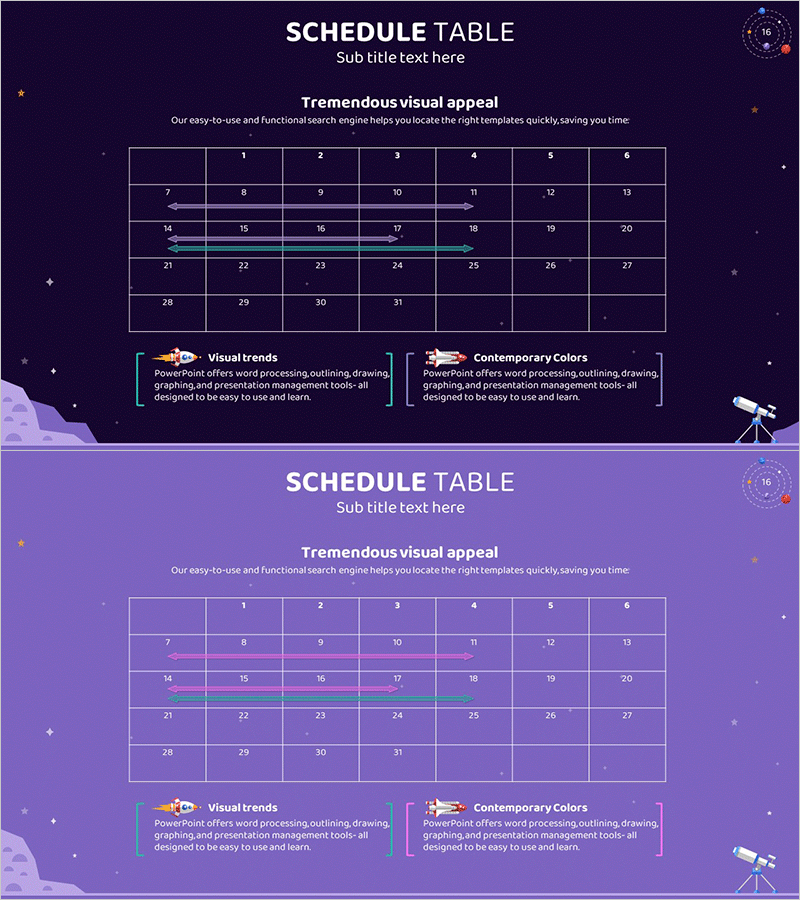
Space Industry Schedule Planning Chart – Future of Space Development
RJ0700003_15
- Last Update 07/22/2025
- File Size 0.4MB
- # of Slides 2
- File Format PPTX
- Slide Ratio 16:9
- Color
Keywords
- #Content-Based Slides
- #Design-Based Slides
- #Business Management
- #Operational Plan
- #Diagram
- #Execution Plan
- #Project Implementation Schedule
- #Table
- #Standard Table
- #16:9
- #schedule planning table PowerPoint
- #project timeline slide
- #table template
- #space industry presentation
- #business management slides
About the Product
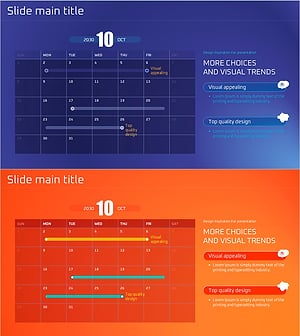
A 42-cell schedule planning table PowerPoint slide designed for visualizing long-term space industry project timelines. This two-slide set features a dark navy background with cyan accent lines highlighting key milestone periods, enabling stakeholders to grasp project phases and deadlines at a glance. Each cell is independently editable, making it immediately applicable for aerospace, space development, and large-scale infrastructure project presentations. Optimized for 16:9 widescreen format in modern presentation environments.
Usage Points
-
Main Usage
Systematically manage and communicate long-term schedules for space industry, aerospace, and large-scale infrastructure projects to stakeholders. Clearly mark monthly, quarterly, and annual milestones to provide a comprehensive overview of project progress and timeline.
-
How to Use
Click each cell to input project phase names, responsible departments, and estimated durations. Use cyan accent lines to highlight major milestone periods and adjust colors as needed to distinguish priority levels. Deploy as a project roadmap in executive briefings, investor presentations, and team meetings.
-
Recommended For
Project managers, planning teams, and executives at aerospace companies, defense contractors, large construction firms, and government research institutes. Ideal for business plans, project performance reports, investment pitch decks, and operational planning presentations.
-
Slide Structure
Slide 1: Title area + 7-column × 6-row table (42 cells) + two cyan accent line segments + legend (Visual trends, Contemporary Colors). Slide 2: Alternative light purple background version with identical layout. All cells support text editing; arrows and icons can indicate progress status.
Related Products
-
Simple Schedule Planner - Efficient Business Management
#Business Management #Operational Plan #Diagram
-
Summer Template Planning Table Chart – Optimizing Business Management and Operations
#Business Management #Operational Plan #Diagram
-
Medical Product Differentiation Strategy Diagram
#Business Management #Operational Plan #Diagram
-
Purple Orange Schedule Table – Efficient Business Management
#Business Management #Operational Plan #Diagram
