



Scheduled Flight Schedule – Effective Operations Management
RJ0600100_29
- Last Update 07/18/2025
- File Size 0.4MB
- # of Slides 2
- File Format PPTX
- Slide Ratio 16:9
- Color
Keywords
- #Content-Based Slides
- #Design-Based Slides
- #Business Management
- #Operational Plan
- #Diagram
- #Implementation Schedule
- #Project Implementation Schedule
- #Table
- #16:9
- #flight schedule PowerPoint slide
- #operations management timeline
- #weekly schedule table slide
- #airline scheduling PPT
- #how to create a flight schedule in PowerPoint
About the Product
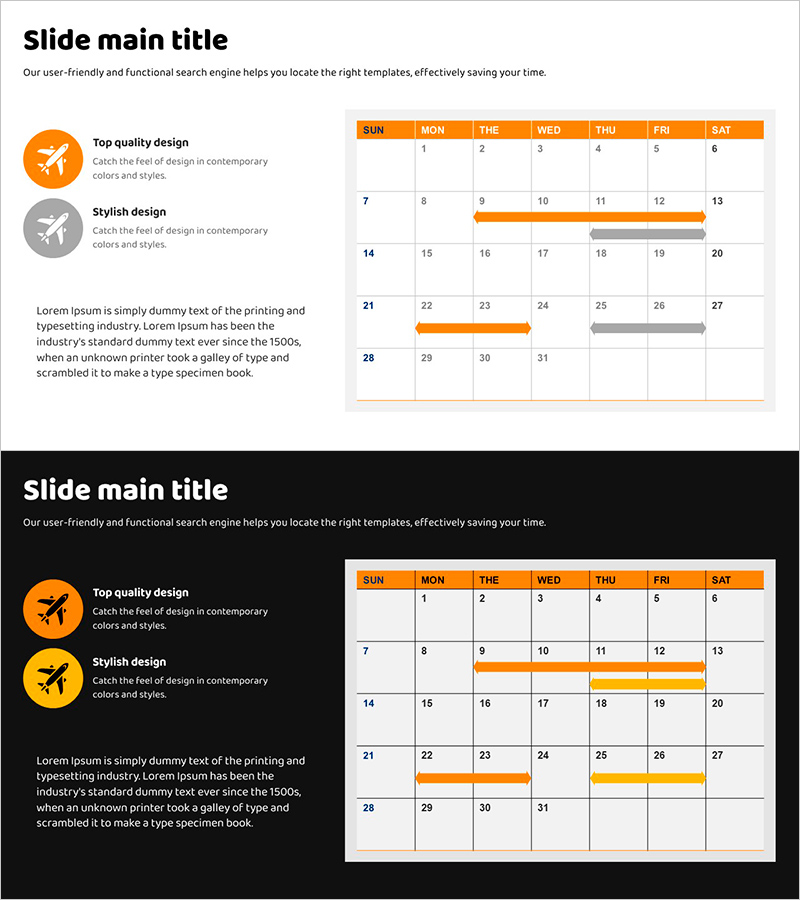
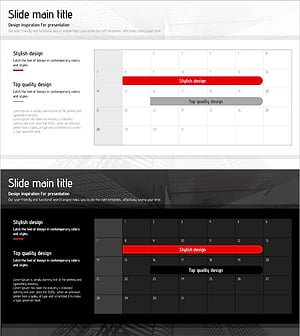
A PowerPoint slide designed for airlines and operations teams to manage flight schedules effectively. The slide features a weekly calendar table format with orange timeline bars indicating flight time slots, allowing complex operational schedules to be understood at a glance. The 2-slide set includes both light and dark background versions, with dedicated logo space and text input areas for corporate branding. Fully editable in PPTX format, ready to use in presentations, reports, and operational planning meetings.
Usage Points
-
Main Usage
Enables airlines, logistics, and transportation teams to visually manage flight schedules and support operational decision-making. The weekly timeline format clearly communicates operational status across the entire team, with timeline bars allowing real-time progress tracking.
-
How to Use
Enter flight numbers and time slots in the calendar cells, then use the orange bars to indicate operational duration and timing. Choose the light background version for printing and projector presentations, or the dark background for screen sharing and online meetings.
-
Recommended For
Airline operations managers, logistics and transportation coordinators, project scheduling specialists, and executives presenting operational plans. Ideal for weekly schedule management, team collaboration meetings, and operational status reporting.
-
Slide Structure
2-slide set: light background version (title and description area at top + weekly calendar table in center + icon and text area on left) and dark background version with identical layout. Each slide includes logo space, title input area, 7-day column cells, and timeline bar display zones.
Related Products
-
Orange Hexagon Presentation Template Schedule Table – Essential Tool for Sleek Business Management
#Business Management #Operational Plan #Implementation Schedule
-
Overseas Travel Business Promotion Schedule Plan – Effective Preparation Strategies
#Business Management #Operational Plan #Diagram
-
Schedule Slide Template for Efficient Journeys
#Business Management #Operational Plan #Diagram
-
Origami Presentation Template Section Schedule – Business Progress Management
#Business Management #Operational Plan #Diagram
