



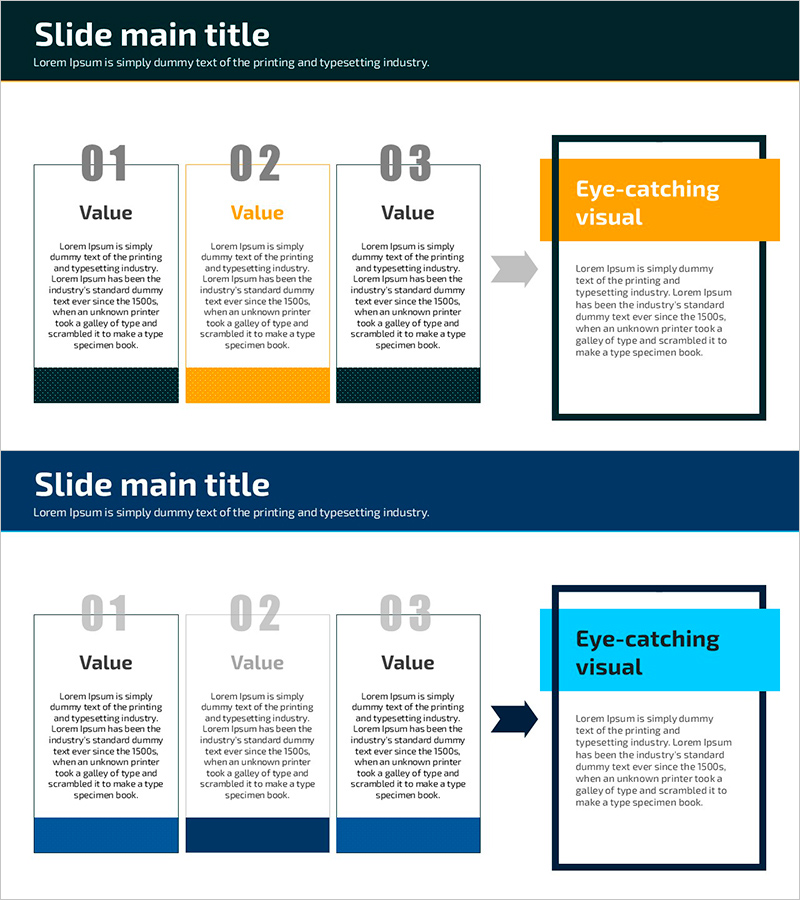
Background and Conclusion – Visualizing Business Vision and Strategy
RJ0600089_6
- Last Update 07/14/2025
- File Size 0.6MB
- # of Slides 2
- File Format PPTX
- Slide Ratio 16:9
- Color
Keywords
- #Content-Based Slides
- #Design-Based Slides
- #Business Vision and Strategy
- #Business Strategy
- #Diagram
- #Business Background and Necessity
- #Flow
- #Cluster
- #Linear Flow
- #Closed Cluster Diagram
- #Background
- #16:9
- #flow diagram PowerPoint
- #3-step diagram template
- #business process visualization
- #strategy slide design
- #how to create process flow in PowerPoint
About the Product
A three-node flow diagram PowerPoint slide that visualizes business vision and strategy in sequential stages. The design uses contrasting colors—orange and dark tones—to highlight key decision points, with text areas and directional arrows creating a logical progression. The three-stage structure (background explanation, intermediate analysis, conclusion) is ideal for business strategy presentations, project status reports, and decision-making process explanations. Delivered in 16:9 widescreen format with 2 slides ready for immediate insertion into presentations.
Usage Points
-
Main Usage
Structures the logical progression from business background through final conclusion in three distinct stages, enhancing audience comprehension. Each stage contains a text box for key content, connected by arrows that clarify cause-and-effect relationships and sequence.
-
How to Use
Apply to business plan presentations, project status updates, strategy planning meetings, and decision-making process explanations using the background → intermediate stage → conclusion structure. Customize node text and colors to match organizational branding while maintaining the flow logic.
-
Recommended For
Executives, business managers, project managers, consultants, and marketing strategists who need to explain strategic planning and decision processes. Particularly effective for executive briefings, board presentations, and client proposal materials.
-
Slide Structure
Two-slide set with identical three-node flow structure: first slide features one orange-highlighted node plus two dark-toned nodes; second slide uses one blue-highlighted node plus two dark-toned nodes. Each node contains a title area and descriptive text field, connected left-to-right with directional arrows.
Related Products
-
Infographic Slide for Chemical Industry Vision – Innovation and Growth
#Business Vision and Strategy #Diagram #Business Strategy
-
Cloud Column Text Slide – Business Vision and Strategy
#Business Vision and Strategy #Business Strategy #Diagram
-
Business Strategy Slide with Cluster Diagram and Text Boxes
#Business Vision and Strategy #Business Strategy #Diagram
-
Slide Template for Korean Traditional Customs – Business Strategy and Vision
#Business Vision and Strategy #Business Strategy #Diagram
