



Sea Wide PowerPoint Stage Diagram - Business Strategy and Service Execution
RJ0600081_9
- Last Update 07/12/2025
- File Size 1.6MB
- # of Slides 2
- File Format PPTX
- Slide Ratio 16:9
- Color
Keywords
- #Content-Based Slides
- #Design-Based Slides
- #Business Vision and Strategy
- #Technical Approach
- #Diagram
- #Business Strategy
- #Service Implementation Plan
- #Spread
- #Radial Diagram
- #16:9
- #radial diagram PowerPoint
- #3-stage diagram slide
- #core points presentation
- #business strategy slide template
- #radial structure diagram PowerPoint
About the Product
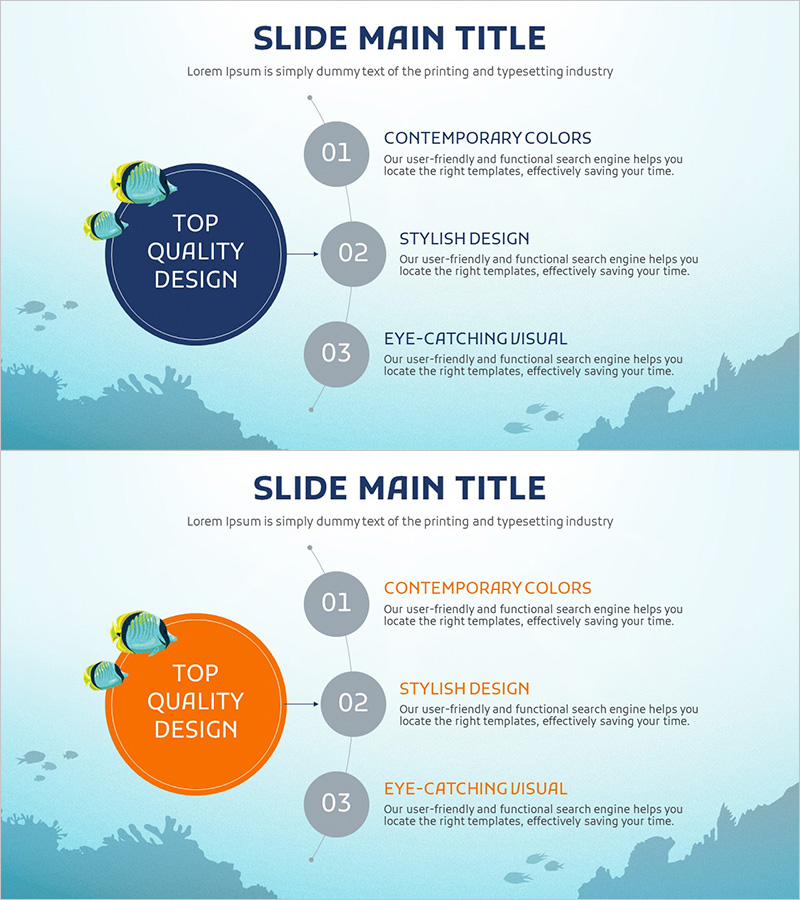
A radial diagram PowerPoint slide that branches out from a central concept into three directions with visual clarity and impact. The ocean-themed background and fish icons create cohesive visual branding, while each stage features dedicated title and description text areas. This slide deck is ready to use for business strategy presentations, service execution plans, and core value communications. The 2-slide set comes in 16:9 widescreen format with fully editable colors and text fields for customization across industries and presentation contexts.
Usage Points
-
Main Usage
Communicate organizational strategy or service execution plans by breaking down complex ideas into three key focus areas. The central node and outward-pointing arrows create a logical flow that guides audience understanding, while the ocean theme reinforces brand consistency and visual engagement throughout the presentation.
-
How to Use
Enter your core concept (e.g., business vision, core value) in the central blue circle node. Add supporting details or execution steps in the three gray circle nodes on the right. Customize colors to match your corporate branding, swap icons to fit your industry, and adjust text formatting to align with your presentation style.
-
Recommended For
Executive briefings, business plan presentations, marketing strategy sessions, organizational restructuring announcements, and new service launch pitches. Ideal for finance, IT, and service industry professionals who need to present strategic frameworks with three key pillars or execution phases in a visually compelling format.
-
Slide Structure
Two-slide set featuring a central dark-blue circular node (main concept input area) with three gray circular nodes branching to the right (stage-specific details). Connecting arrows between nodes emphasize logical progression. Ocean background and fish icons provide visual unity. 16:9 widescreen format optimized for modern projectors and digital displays.
Related Products
-
Introduction to Medical Benefits and Support - Health and Assistance
#Product/Service Introduction #Technical Approach #Diagram
-
Round Analysis Diagram – Business Strategy and Risk Management
#Business Vision and Strategy #Operational Plan #Diagram
-
Weather-Based Temperature Analysis Diagram – Area Graph for Competitor Analysis
#Business Vision and Strategy #Marketing Plan and Strategy #Diagram
-
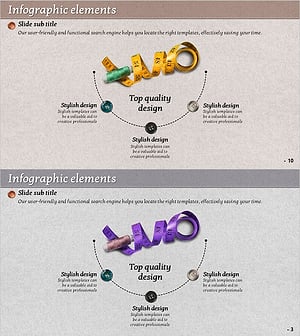
Sewing Tool Diagram – Business Vision and Strategy
#Business Vision and Strategy #Business Strategy #Diagram
