



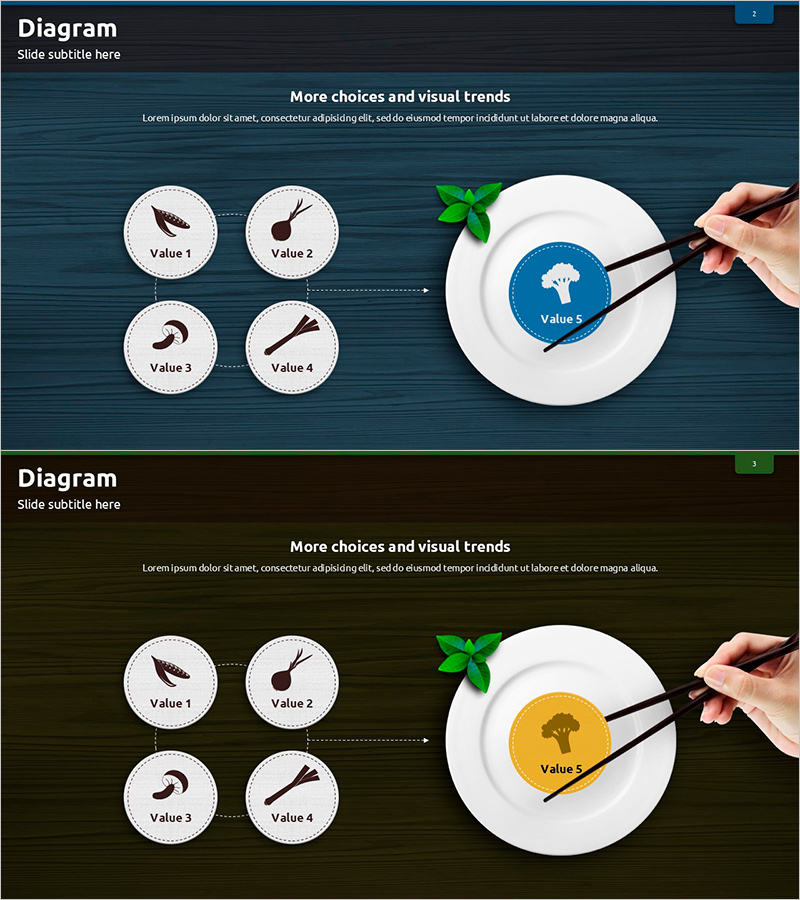
Diagram Slide Visualizing Recipe Key Ingredients
RJ0600069_10
- Last Update 07/08/2025
- File Size 5MB
- # of Slides 2
- File Format PPTX
- Slide Ratio 16:9
- Color
Keywords
- #Content-Based Slides
- #Design-Based Slides
- #Product/Service Introduction
- #Diagram
- #Product/Service Introduction
- #Composition
- #Spread
- #Decentralized Diagram
- #16:9
- #central convergence diagram PowerPoint
- #selection structure slide template
- #4-item comparison diagram
- #decision-making process PPT
- #key element visualization slide
About the Product
A central convergence diagram PowerPoint slide designed to visualize key elements in recipe development, menu creation, product composition, and decision-making processes. The structure features four circular nodes on the left converging toward a central highlighted area on the right, intuitively representing selection, comparison, and integration workflows. Set against a dark blue background with white circular nodes and color-accented central circles (blue and yellow), the design clearly establishes information hierarchy. The 2-slide set includes color variations (blue and yellow), optimized for modern 16:9 widescreen presentations. All text and icons are fully editable, enabling immediate application across diverse industries and topics.
Usage Points
-
Main Usage
Visualizes selection, comparison, and decision-making processes in product development, recipe composition, menu selection, and strategic planning. The left-to-right convergence structure clearly communicates logical flow from multiple options to final selection or integrated outcome.
-
How to Use
Input comparison subjects (ingredients, options, candidates) into the four left circular nodes, and place final selection or integrated result in the central highlighted area. Dotted arrows indicate selection pathways. Customize text and icons freely to match your presentation topic and audience.
-
Recommended For
Product managers, marketing professionals, chefs, nutritionists, project managers, and consultants explaining selection and decision-making processes. Ideal for product introduction decks, business proposals, marketing plans, and educational materials emphasizing core element selection workflows.
-
Slide Structure
2-slide set. Each slide features an asymmetrical layout with four circular nodes (Value 1–4) on the left and a central highlighted area (Value 5, blue or yellow) on the right. Dotted arrows connect nodes, with green leaf decorative elements providing visual accent. 16:9 widescreen format, PPTX file type with fully editable elements.
Related Products
-

Diagram Slide Visualizing Acoustic Service Characteristics
#Product/Service Introduction #Diagram #Other
-
Introduction to Kitchen Appliances Infographic Slide – Emphasizing Practicality and Style
#Product/Service Introduction #Diagram #Product/Service Introduction
-
Introduction to Services and Features - Intuitive Diagram Design
#Product/Service Introduction #Diagram #Product/Service Introduction
-
Exploring Technology Through 3D Cubes – Creative Idea Visualization
#Product/Service Introduction #Diagram #Product/Service Introduction
