



Maple Leaf Aftercare and Maintenance Slide Template
RJ0600028_18
- Last Update 06/28/2025
- File Size 3.9MB
- # of Slides 2
- File Format PPTX
- Slide Ratio 16:9
- Color
Keywords
About the Product
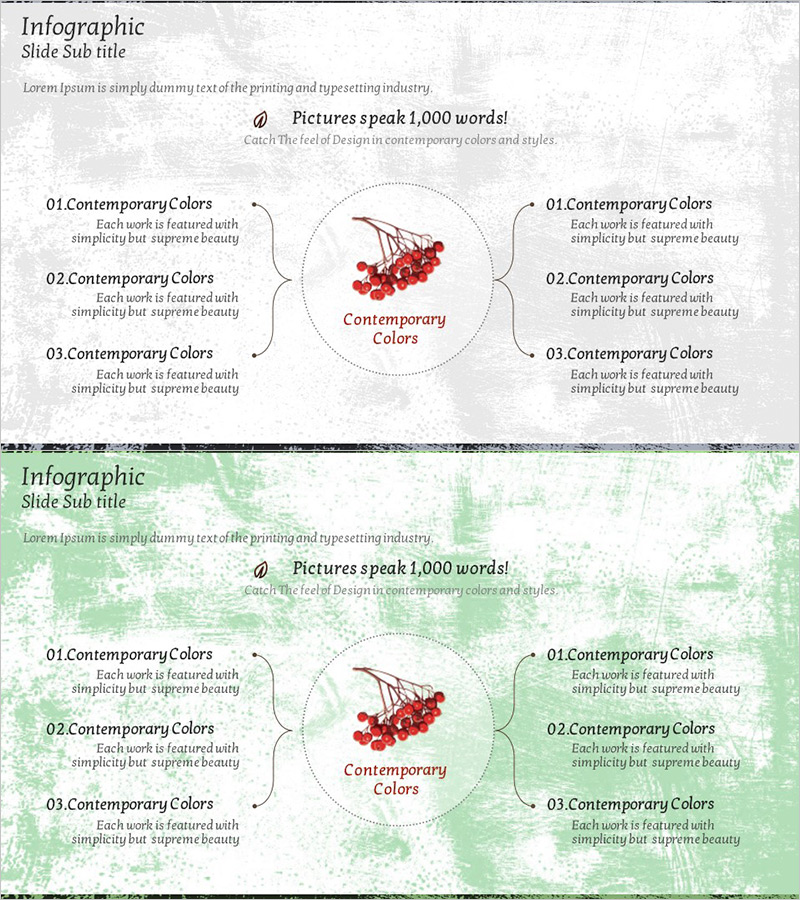
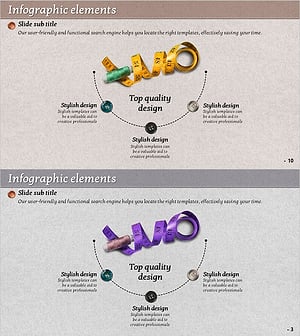
A radial infographic PowerPoint slide featuring a central focal image with symmetrical information distribution on both sides. This 2-slide set uses a gray textured background with red accent elements for visual emphasis. Six text areas—three on the left and three on the right—are arranged symmetrically with connecting lines that clarify information hierarchy. Perfect for comparative analysis, multi-perspective explanations, and complex data visualization in presentations and business documents. Delivered in 16:9 widescreen PPTX format, fully editable and ready to customize.
Usage Points
-
Main Usage
This slide places a core concept or image at the center and radiates related information symmetrically on both sides, creating an intuitive visual structure. It excels at comparative analysis, cause-and-effect explanations, and multi-perspective presentations, effectively capturing audience attention during presentations.
-
How to Use
Place your core topic or image in the central circular area. Add related items and descriptions in the three text boxes on the left and three on the right. The connecting lines automatically link the center to each point, making information flow clear. Customize text and colors to fit business strategy, product features, market analysis, or other content needs.
-
Recommended For
Ideal for business strategy presentations, product introductions, marketing plans, market analysis reports, and situations requiring structured multi-point explanations. Effective for executive briefings, investor pitches, and team meetings where multiple perspectives must be communicated simultaneously.
-
Slide Structure
Two-slide set with gray textured background on slide one and light green background on slide two. Each slide contains a central circular area for images or text, three information boxes on the left, three on the right, and supporting text descriptions for each item, accommodating six distinct information points per slide.
Related Products
-
Orange Illustration Diagram – Fresh and Creative Presentation
#Product/Service Introduction #Business Strategy #Diagram
-
Interior Props Diffusion Diagram – Centered Design
#Company Introduction #Business Strategy #Diagram
-
Mosaic Box Diagram – Presenting Business Strategy and Vision
#Business Vision and Strategy #Business Strategy #Diagram
-
Sewing Tool Diagram – Business Vision and Strategy
#Business Vision and Strategy #Business Strategy #Diagram
