



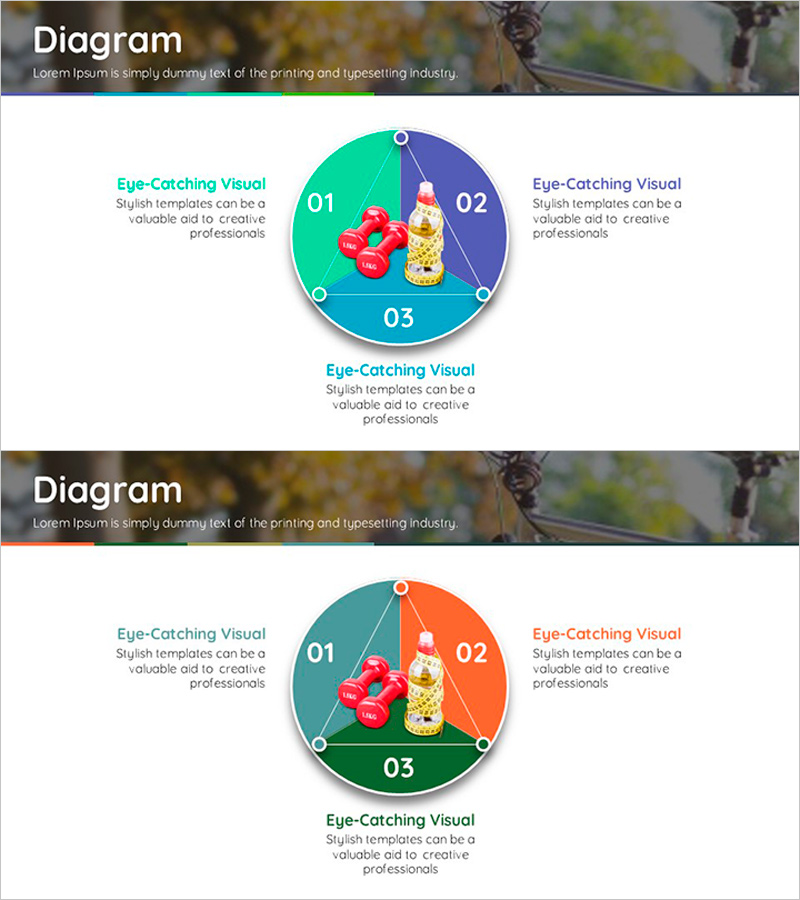
Water Intake Diagram After Exercise – Essential Guide for Healthy Habits
RJ0600013_17
- Last Update 06/24/2025
- File Size 1.9MB
- # of Slides 2
- File Format PPTX
- Slide Ratio 16:9
- Color
Keywords
About the Product
A 3-section circular diagram PowerPoint slide that visually communicates the importance of water intake after exercise. The circular diagram features a teal-to-purple-to-orange gradient design with three numbered sections (01, 02, 03) arranged around a central health icon, making it ideal for presenting step-by-step hydration processes. Left and right text areas allow detailed explanations for each section, while the bottom area provides space for comprehensive descriptions. This slide structure is ready to use in presentations, educational materials, and health guidance documents. The 2-slide set includes a color variation to adapt to different presentation contexts.
Usage Points
-
Main Usage
Visualizes the step-by-step process of water intake after exercise using three distinct sections. The central health icon and circular node structure emphasize each stage's importance, while left and right text areas enable detailed explanations. This design is optimized for health education, wellness programs, and medical presentations.
-
How to Use
Enter step-by-step water intake information into each section (01, 02, 03). Distribute different content across the teal (left), purple (right), and orange (bottom) areas to create visual hierarchy. The central icon can be replaced with relevant health imagery, and text size and color can be adjusted to highlight key points.
-
Recommended For
Health managers, fitness instructors, medical professionals, wellness planners, and educators explaining post-exercise hydration importance. Suitable for company wellness program presentations, hospital patient education, fitness center seminars, and health-related reports where process explanation slides are needed.
-
Slide Structure
Circular-based 3-section diagram with numbered areas (01, 02, 03) and text input spaces in each section. A central health icon is positioned in the middle, with additional explanation text areas in the upper left and right, and a comprehensive description area at the bottom. The 2-slide set provides color gradient variations (teal-purple-orange combination).
Related Products
-
Paper City Theme Circular Diagram – Visualizing Cyclical Flow
#Company Introduction #Business Introduction #Diagram
-
Linear Diagram for Effective Visualization of Business Progress
#Business Strategy #Diagram #Implementation Framework
-
Wheel System Diagram – Visualizing Business Strategy
#Product/Service Introduction #Business Vision and Strategy #Diagram
-
Green Table and Analysis Summary – Sleek Diagram Design
#Diagram
