



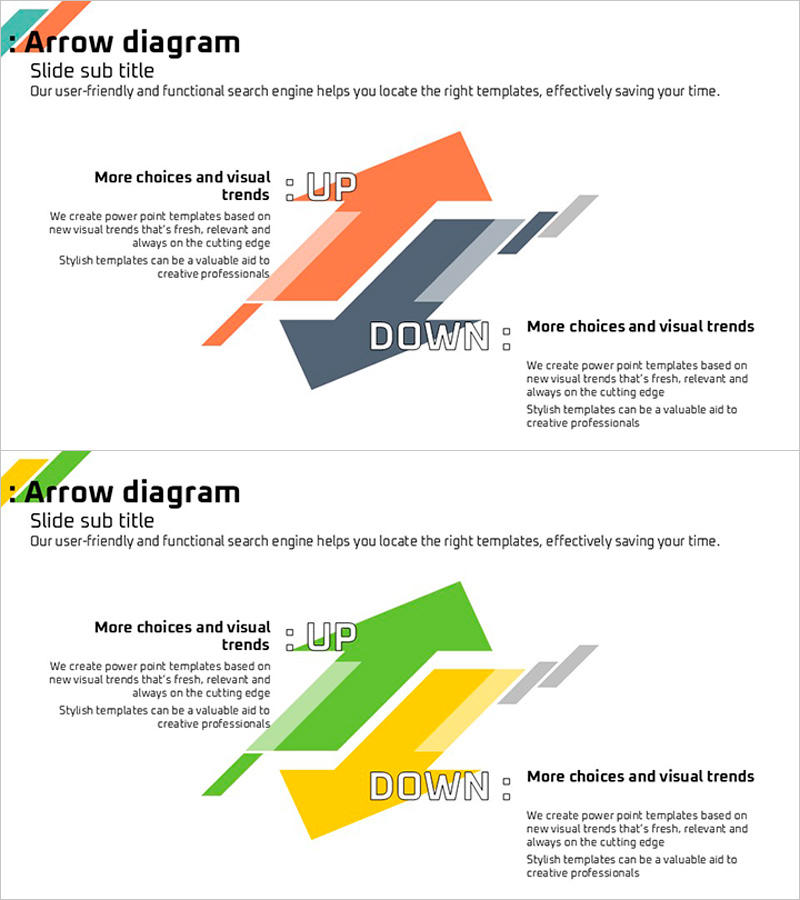
Up and Down Text Box for Clear Concept Flow – Visual Impact
RJ0600012_8
- Last Update 06/24/2025
- File Size 0.2MB
- # of Slides 2
- File Format PPTX
- Slide Ratio 16:9
- Color
Keywords
- #Content-Based Slides
- #Design-Based Slides
- #Product/Service Introduction
- #Operational Plan
- #Diagram
- #Benefits and Advantages
- #Mitigation Measures
- #Flow
- #Multidirectional Flow
- #16:9
- #up down arrow diagram PowerPoint
- #concept flow presentation slide
- #opposing comparison diagram
- #ascending descending arrow PPT
- #diagram slide template download
About the Product
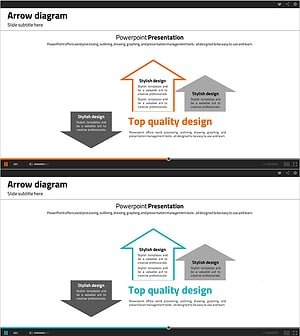
A directional arrow diagram PowerPoint slide that emphasizes upward and downward movement for contrasting concepts. This presentation template features trapezoid-shaped arrows in vibrant colors—orange, gray, green, and yellow—with text areas positioned beside each arrow to clearly express opposing ideas such as advantages versus disadvantages, growth versus decline, or positive versus negative outcomes. Composed of 2 slides in 16:9 widescreen format, this design is ready to use in business planning, operational strategy, and marketing analysis sections where comparative visualization is essential.
Usage Points
-
Main Usage
This diagram is designed to express two contrasting concepts simultaneously—such as increase and decrease, growth and decline, or strengths and weaknesses. The directional arrows and color differentiation intuitively convey the relationship between opposing ideas, while text areas allow you to input specific content for comparative analysis presentations.
-
How to Use
Enter comparative content into the text boxes adjacent to each arrow. Use this slide in business plans for opportunity-threat analysis, marketing presentations for strength-weakness comparison, operational plans for goal-versus-current-status contrast, and other strategic documents. Colors can be customized to match your brand identity and presentation theme.
-
Recommended For
Ideal for executives, planners, marketing professionals, and consultants presenting strategy development and analytical findings. Suitable for business plans, marketing proposals, operational plans, performance reports, and any business document requiring comparative analysis and visual contrast.
-
Slide Structure
The template consists of 2 slides, each featuring one upward arrow and one downward arrow positioned with text input areas beside them. Arrows are rendered as trapezoid shapes to create depth and dimension. Four color combinations—orange, gray, green, and yellow—enhance visual distinction and hierarchy. Text input fields next to each arrow allow flexible content customization.
Related Products
-
ABC Strategy Depicted Through Multi-directional Arrows
#Operational Plan #Diagram #Risk Management
-
Analysis of Causes for Increase/Decrease in a Multidirectional Flow - Business Strategy
#Business Strategy #Operational Plan #Diagram
-
Touch Diagram for Business Strategy Visualization – Clear Flow Communication
#Product/Service Introduction #Business Vision and Strategy #Diagram
-
Multi-directional Diagrams and Text for Operational Plan Presentation
#Operational Plan #Diagram #Mitigation Measures
