



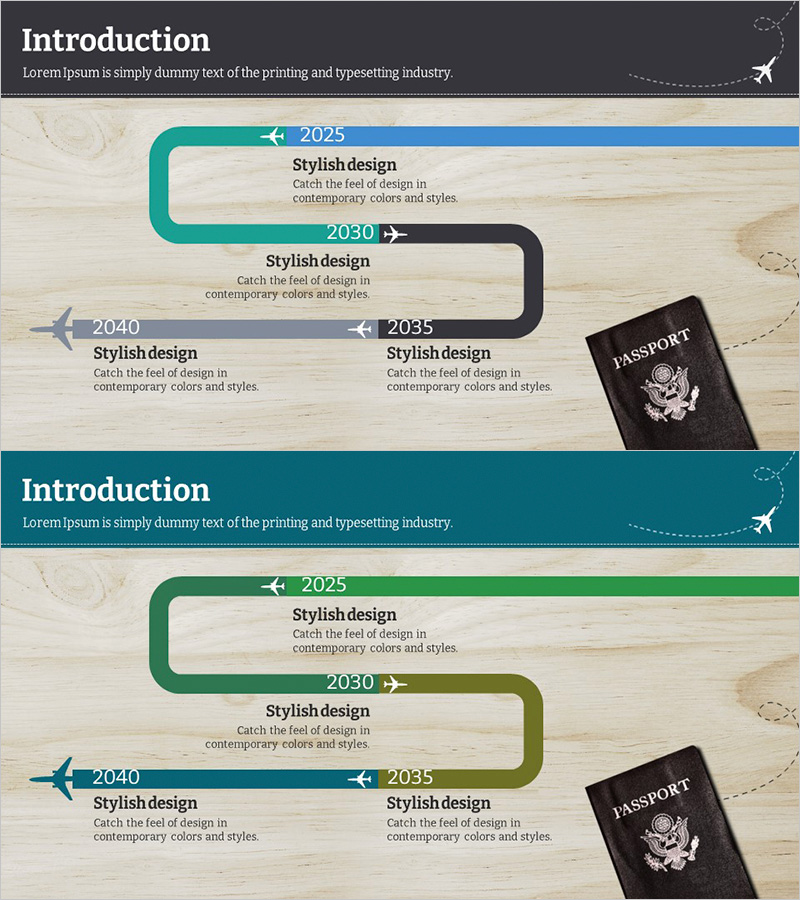
Company History Blue Green Diagram
RJ0600009_4
- Last Update 06/23/2025
- File Size 5.2MB
- # of Slides 2
- File Format PPTX
- Slide Ratio 16:9
- Color
Keywords
About the Product
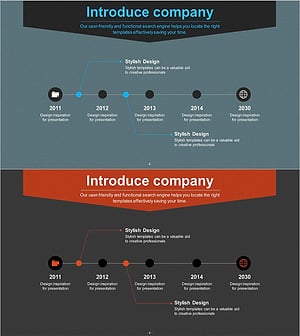
A 2-slide PowerPoint presentation showcasing your company's key development milestones in chronological order. The connected timeline diagram features a gradient color transition from blue to green, clearly organizing four historical stages with dedicated text areas for titles and descriptions. Each stage includes input fields for dates and milestone details, complemented by airplane icons and passport imagery for visual impact. This PowerPoint slide template is ready to use in company introduction presentations and allows full customization of colors and text content.
Usage Points
-
Main Usage
Visualizes your company's evolution from founding to present day through a chronological timeline format. The connected diagram structure effectively communicates key milestones, achievements, and organizational changes, making it ideal for investor presentations, partner meetings, and employee onboarding sessions.
-
How to Use
Enter your company's founding year and major milestones into the four timeline stages. Customize the title and description text in each box, and optionally add company-specific icons or images. The blue-green color scheme can be retained or modified to match your corporate branding. The slide is optimized for 16:9 widescreen display.
-
Recommended For
Ideal for company overview presentations, annual reports, investor pitch decks, employee orientation materials, and corporate history sections. Recommended for executives, marketing teams, and HR departments presenting company growth and organizational evolution to external and internal audiences.
-
Slide Structure
Consists of 2 slides featuring a connected timeline diagram with 4 linked node boxes. The first slide uses blue tones while the second employs green tones for visual distinction. Each node contains input areas for year, title, and descriptive text. Airplane icons and passport imagery serve as visual accent elements positioned throughout the timeline layout.
Related Products
-
Spade Shape Theme History Diagram – Emphasizing Company Development
#Company Introduction #Diagram #History
-
Business Connection Diagram – Cluster and History
#Company Introduction #Diagram #Company Overview
-
Introduction to the History of the Architectural Company – A Visual Timeline
#Company Introduction #Diagram #Company Overview
-
Company History Mini Diagram – Clear and Concise Timeline
#Company Introduction #Diagram #History
