



VR Training Template Feedback – User Success Stories
RJ0500044_7
- Last Update 10/08/2025
- File Size 2.3MB
- # of Slides 2
- File Format PPTX
- Slide Ratio 16:9
- Color
Keywords
About the Product
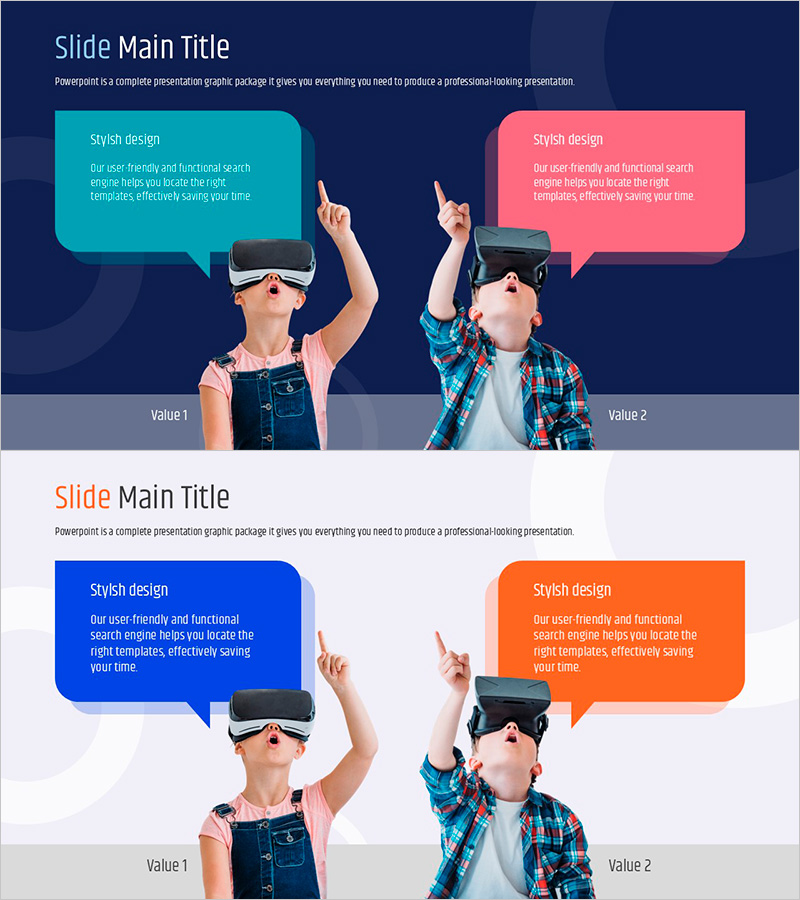
A PowerPoint slide designed to effectively present user feedback and success stories from VR training programs. The slide features a dark blue background with contrasting turquoise and pink speech bubble boxes that simultaneously express two different perspectives in a comparison layout. This presentation slide is ready to use for various speaking situations including VR technology education, user experience presentations, and training effectiveness analysis. The layout includes a title area at the top, two independent text input spaces in the center with VR headset user images, and label areas at the bottom for clear categorization.
Usage Points
-
Main Usage
This slide presents user feedback, learning outcomes, and satisfaction assessments from VR training programs through two contrasting perspectives. Training managers, corporate learning teams, and EdTech companies can use this slide to convincingly demonstrate training effectiveness and user success stories during educational outcome presentations.
-
How to Use
Enter the first feedback category (e.g., ease of use, learning satisfaction) in the left turquoise box and the second feedback category (e.g., technology reliability, training effectiveness) in the right pink box. Add category labels at the bottom of each box to clarify the comparison structure. This layout works well for training seminars, corporate training outcome reports, and investor pitches.
-
Recommended For
Training managers, corporate learning and development teams, EdTech companies, VR solution providers, educational consultants, and talent development departments. Ideal for presenting training program effectiveness analysis, user satisfaction survey results, and comparative learning outcomes. Particularly effective when expressing both qualitative feedback and quantitative performance simultaneously.
-
Slide Structure
The slide consists of a title area at the top, two independent text input boxes in the center (turquoise and pink), user image areas, and label sections at the bottom. Each box accommodates 3-4 lines of text, with a comparison structure that balances two different perspectives.
Related Products
-
Graph Paper Template for Customer Success Case Diagram
#Customer Success Stories #Text Box #Customer Testimonials and Feedback
-
3D Book-shaped Speech Bubble PowerPoint Template – Customer Success Stories
#Customer Success Stories #Text Box #Customer Testimonials and Feedback
-
Modern Business Plan Template – Visualizing Customer Success Stories
#Customer Success Stories #Text Box #Other
-

User Feedback and Evaluations Slide
#Customer Success Stories #Text Box #Other
