



Modern Business Plan Template – Visualizing Customer Success Stories
RJ0200015_13
- Last Update 04/01/2025
- File Size 5.2MB
- # of Slides 2
- File Format PPTX
- Slide Ratio 16:9
- Color
Keywords
- #Content-Based Slides
- #Design-Based Slides
- #Customer Success Stories
- #Text Box
- #Other
- #Customer Testimonials and Feedback
- #Speech Bubble
- #Silhouette
- #16:9
- #business partnership PowerPoint slide
- #silhouette slide design
- #handshake image PPT
- #customer success case study slide
- #business proposal PowerPoint template
About the Product
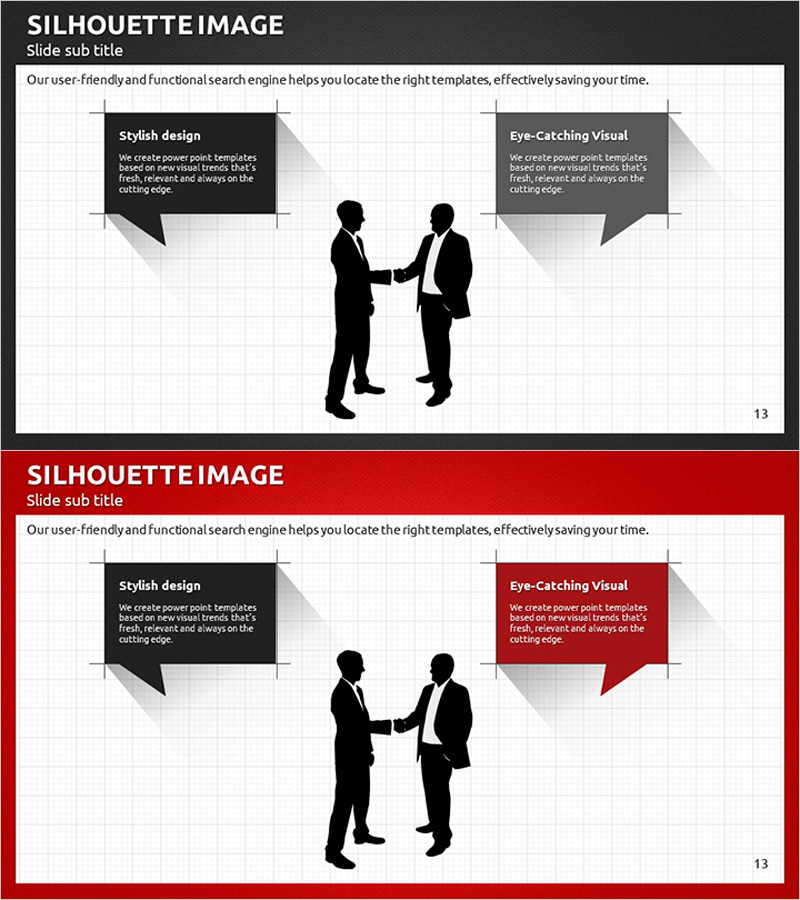
A 2-slide PowerPoint presentation featuring silhouettes of two businessmen shaking hands, designed for partnership and collaboration messaging. The layout combines dark gray and white grid backgrounds with symmetrical speech bubble text boxes on both sides. The first slide uses a dark tone while the second features a red accent color, allowing the same composition to adapt to different presentation contexts. Ideal for customer success stories, partnership announcements, and business collaboration sections, ready to use immediately in your presentation.
Usage Points
-
Main Usage
Visually communicate business partnerships and collaboration relationships while building trust and professionalism in customer success case studies or partner introductions. The abstract silhouette design applies across industries and presentation contexts.
-
How to Use
Fill the left and right speech bubbles with key content such as service features, customer testimonials, or collaboration benefits. Use the dark-tone slide for formal presentations and the red-accent slide to emphasize critical information, creating visual variety throughout your deck.
-
Recommended For
Recommended for business proposals, company profiles, customer success case presentations, partnership introductions, and investor pitch decks. Ideal for sales professionals, marketers, executives, and consultants presenting collaboration and trust-building messages.
-
Slide Structure
2-slide composition with a centered silhouette image flanked by symmetrical speech bubbles on each side. Four text input areas total (two per slide) with color variations (dark gray and red) allow flexible reuse of the same structure across different presentation sections.
Related Products
-
Silhouette Slides for Customer Reviews and Feedback
#Customer Success Stories #Text Box #Other
-
Satisfaction with Elderly Welfare Programs – Customer Success Story
#Customer Success Stories #Text Box #Other
-

Text Box Slide Visualizing Meeting Feedback Content
#Customer Success Stories #Text Box #Other
-

User Feedback and Evaluations Slide
#Customer Success Stories #Text Box #Other
