



Urban Science Overlay Diagram – Innovative Business Strategy
RJ0500039_10
- Last Update 10/06/2025
- File Size 0.5MB
- # of Slides 2
- File Format PPTX
- Slide Ratio 16:9
- Color
Keywords
- #Content-Based Slides
- #Design-Based Slides
- #Product/Service Introduction
- #Business Vision and Strategy
- #Diagram
- #Differentiation Strategy for Products/Services
- #Business Strategy
- #Cluster
- #Combination Diagram
- #16:9
- #overlay diagram PowerPoint
- #circular comparison diagram slide
- #Venn diagram PowerPoint template
- #business strategy diagram
- #intersection diagram slide
About the Product
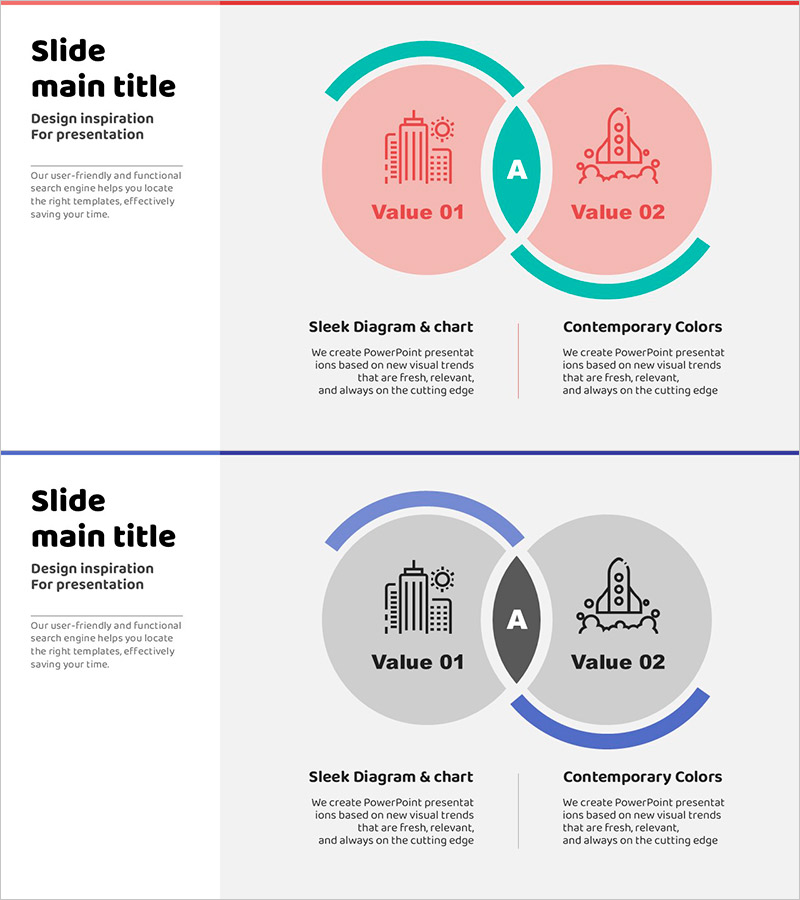
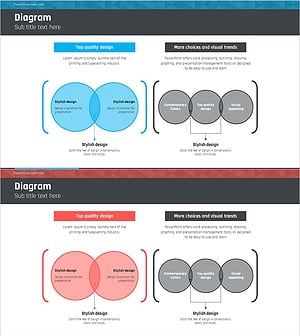
A two-color overlay diagram PowerPoint slide designed to visualize urban science and innovative business strategy. The circular overlay structure in pink and teal color combinations clearly expresses the intersection and differences between two concepts or values. Each circle features icon areas and text fields, making it immediately applicable to diverse business topics such as urban development, technology innovation, and business strategy. Composed of 2 slides in 16:9 widescreen format, with fully editable colors and text content for customization.
Usage Points
-
Main Usage
This diagram visually expresses the intersection and differences between two concepts, values, or strategies. It is optimized for comparative analysis slides including urban development and technology fusion, business strategy value comparison, and identifying common ground between organizational objectives.
-
How to Use
Use this slide in strategy development, business planning, and product positioning sections of presentations to compare two major elements. Customize each circle's text and icons to match various business contexts, and adjust color combinations to align with corporate branding guidelines.
-
Recommended For
Ideal for executives, strategy planning teams, marketing professionals, business development managers, consultants, and educators presenting comparative analysis and strategic planning. Particularly effective for explaining innovation strategies, new business planning, organizational restructuring, and product differentiation strategies.
-
Slide Structure
Composed of 2 slides, each featuring two overlapping circular shapes. The first slide presents a pink-toned background with teal overlay lines, while the second offers a gray-toned background with blue overlay lines for color variation. Each circle clearly separates icon areas from text input fields for easy customization.
Related Products
-
Water Resources Overlapping Diagram Presentation Template
#Product/Service Introduction #Business Vision and Strategy #Diagram
-
Differentiated Fashion Strategy Slide – Business Vision and Strategy
#Product/Service Introduction #Business Vision and Strategy #Diagram
-
Overlap Diagram for Analysis and Strategy – Business Insights
#Product/Service Introduction #Business Vision and Strategy #Diagram
-
Sailing Travel Business Strategy Overlapping Diagram
#Product/Service Introduction #Business Vision and Strategy #Diagram
