



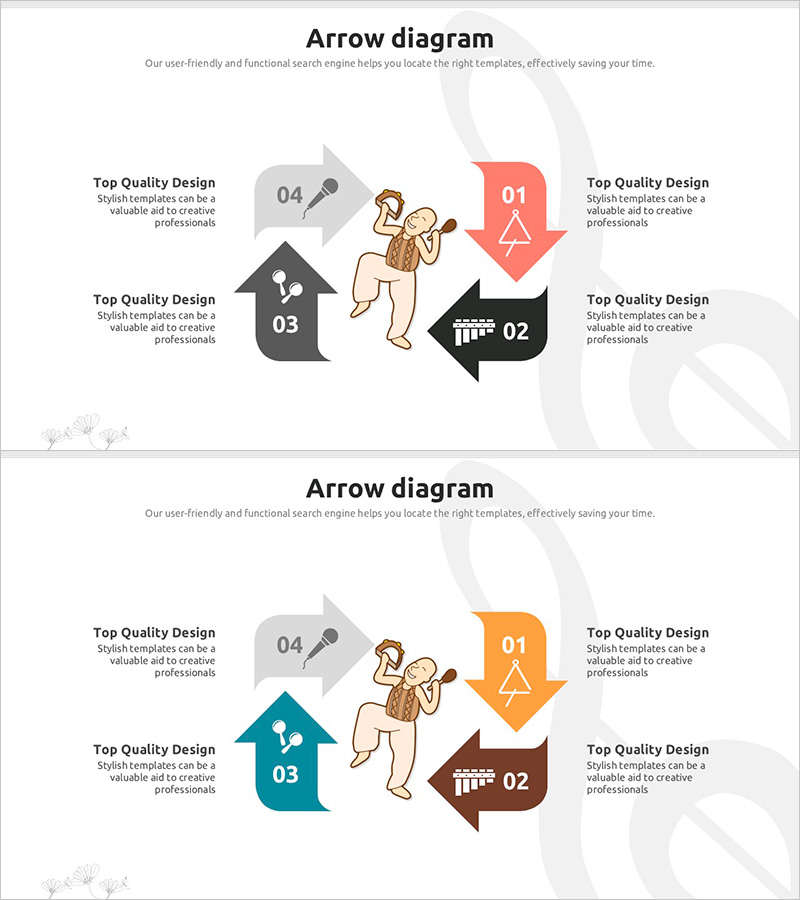
Fun Performer and Flow Diagram
RJ0500020_30
- Last Update 06/12/2025
- File Size 0.6MB
- # of Slides 2
- File Format PPTX
- Slide Ratio 16:9
- Color
Keywords
- #Content-Based Slides
- #Design-Based Slides
- #Operational Plan
- #Diagram
- #Text Box
- #Business Processes
- #Flow
- #Circular Flow
- #Arrow
- #16:9
- #4-direction arrow diagram PowerPoint
- #multi-directional flow chart slide
- #business process diagram template
- #arrow diagram PPT slide
- #operational planning presentation
About the Product
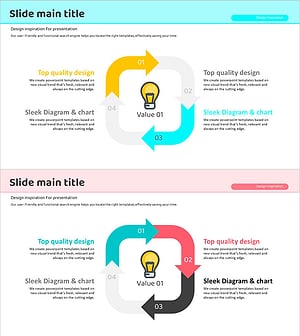
A multi-directional flow diagram PowerPoint slide featuring a central character with four arrows extending in different directions. Each arrow is color-coded (red, black, gray, and teal) with numbered labels and text areas for describing process steps, departmental roles, or strategic initiatives. The 2-slide set includes a color variation to accommodate different presentation sections. Designed in 16:9 widescreen format (PPTX), fully editable and ready for immediate use in business presentations, operational planning, and workflow documentation.
Usage Points
-
Main Usage
Effectively visualize four key functions, departments, or strategic directions radiating from a central concept or organization. Ideal for illustrating operational workflows, organizational structures, marketing channels, product features, or multi-faceted business initiatives on a single slide.
-
How to Use
Enter your core topic or organization name in the central character area. Add specific details, department names, or action items to each of the four directional arrows. Maintain the existing color scheme for consistency or customize with your brand colors. Text boxes and arrow sizes are fully adjustable to fit your content.
-
Recommended For
Perfect for executives, team leaders, project managers, and marketing professionals presenting organizational strategies, operational plans, or multi-channel initiatives. Suitable for business meetings, strategic planning sessions, educational seminars, and corporate training where four-part frameworks need clear visual representation.
-
Slide Structure
2-slide set. Each slide features a central character illustration surrounded by four directional arrows (up, down, left, right). Slide 1 uses red, black, gray, and teal colors; Slide 2 uses teal, brown, gray, and orange. Each arrow includes a number label (01–04) and editable text area for content customization.
Related Products
-
U-Shaped Process Diagram Slide | 5-Step Sequential Flow PPT
#Business Strategy #Business Management #Operational Plan
-
Premium Quality Eye-catching Visual Slide Template
#Business Management #Operational Plan #Text Box
-
App Payment Service Operation Plan Diagram
#Operational Plan #Technical Approach #Diagram
-
Idea Circulation Diagram – Embracing Business Innovation
#Operational Plan #Technical Approach #Diagram
