



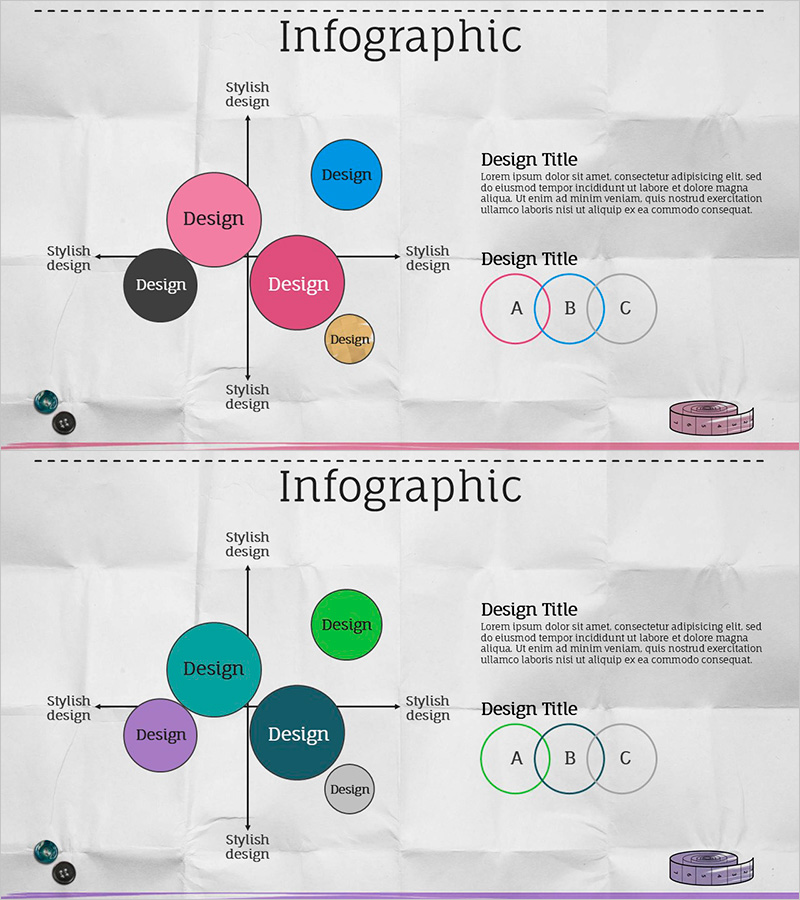
Fashion Template Positioning – Infographic for Marketing Strategy
RJ0500019_18
- Last Update 06/12/2025
- File Size 2.2MB
- # of Slides 2
- File Format PPTX
- Slide Ratio 16:9
- Color
Keywords
About the Product
A 2-slide PowerPoint presentation designed to visualize competitive positioning and market differentiation for marketing strategy development. Features a central hub-and-spoke diagram with five circles and a three-way Venn diagram on the right side to represent brand positioning, competitive advantage, and market segmentation. The color palette combines pink, blue, black, and beige tones, making it ideal for fashion, beauty, and lifestyle industry presentations. Includes ample text input areas for product attributes, target customers, and competitive benefits. All shapes are vector-based and fully editable in PowerPoint for immediate customization.
Usage Points
-
Main Usage
Clearly communicate brand positioning maps and competitive comparisons in a single visual. The central large circle serves as the anchor point, with four satellite circles representing key positioning dimensions such as price, quality, target audience, and differentiation factors.
-
How to Use
Use in the market analysis section of marketing plans, business proposals, and investor pitch decks. Input your company and competitor positioning data in the left 5-circle diagram, and use the right Venn diagram to illustrate market segmentation and customer overlap, effectively communicating your differentiation strategy.
-
Recommended For
Marketing managers, strategy planners, brand managers, and business development teams presenting competitive analysis and positioning strategies. Particularly suited for fashion, beauty, lifestyle, and consumer goods industry presentations.
-
Slide Structure
2-slide layout: Slide 1 features a central large circle (your company) surrounded by four satellite circles (competitors/attributes) with text label areas on all sides. Slide 2 displays three overlapping circles (segments A, B, C) on the right with a text description area on the left. All shapes and text boxes are independently editable.
Related Products
-
Corporate Influence Analysis Positioning Map – Optimizing Marketing Strategy
#Marketing Plan and Strategy #Graph #Other
-
Astronomy Research Topic Positioning – Insightful Market Analysis
#Market and Competitor Analysis #Marketing Plan and Strategy #Diagram
-
Positioning Analysis Chart – Market Competitiveness Strategy
#Market and Competitor Analysis #Marketing Plan and Strategy #Diagram
-
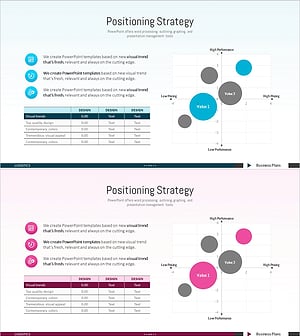
Competitor Positioning Graph – Diagram for Market Analysis
#Market and Competitor Analysis #Marketing Plan and Strategy #Diagram
