



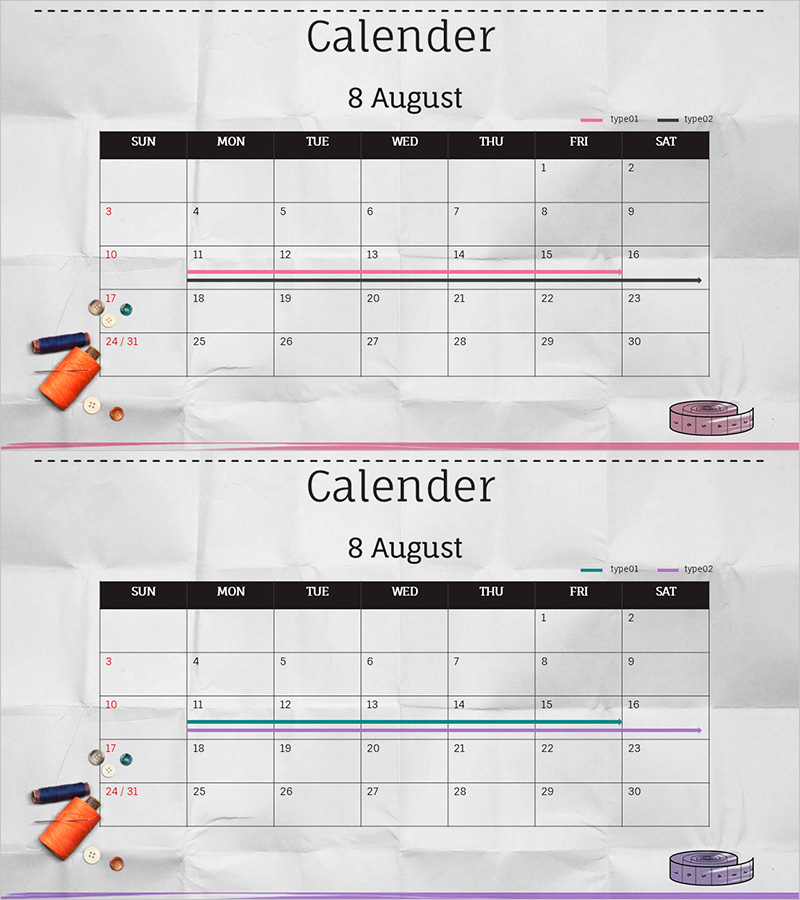
Business Schedule Management Calendar Slide – Practical Operations Planning
RJ0500019_13
- Last Update 06/12/2025
- File Size 1MB
- # of Slides 2
- File Format PPTX
- Slide Ratio 16:9
- Color
Keywords
- #Content-Based Slides
- #Design-Based Slides
- #Business Management
- #Operational Plan
- #Diagram
- #Implementation Schedule
- #Project Implementation Schedule
- #Table
- #16:9
- #calendar PowerPoint slide
- #monthly schedule management presentation
- #business timeline slide
- #project schedule template
- #operational planning calendar
About the Product
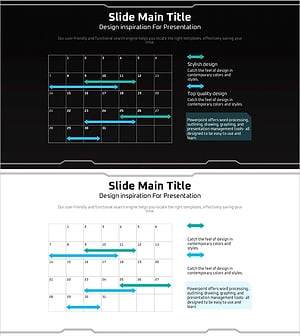
A business schedule management PowerPoint slide based on an August monthly calendar layout. The slide features a clear table structure with black day-of-week headers and white date cells, complemented by pink and black timeline bars that emphasize key project periods. Two color combination options (pink and black / teal and purple) are provided to manage diverse business initiatives such as team projects, marketing campaigns, and operational plans. Available in 16:9 PPTX format with fully editable date cells and timeline bars that can be customized to match your actual schedule requirements.
Usage Points
-
Main Usage
This slide enables teams to visualize monthly business initiatives and share schedules across departments. Timeline bars clearly mark project execution periods, marketing campaign windows, and operational milestones, supporting scheduling coordination and strategic decision-making.
-
How to Use
Input actual dates into the monthly calendar grid and adjust timeline bar start and end positions to match your project schedule. Select between pink-black or teal-purple color combinations to differentiate between teams or projects for easier multi-schedule management.
-
Recommended For
Project managers, operations teams, and marketing departments use this slide when presenting monthly schedules or sharing timelines in team meetings. Ideal for business plan presentations, operational planning reviews, project kickoff meetings, and quarterly strategy sessions.
-
Slide Structure
The slide consists of a title area at the top, a central monthly calendar table (7 columns for weekdays × 5 rows for weeks), and a timeline bar section at the bottom. Calendar cells accept date inputs, and timeline bars are available in two color schemes (pink-black and teal-purple) to display multiple concurrent schedules.
Related Products
-
Tree Planting Project Schedule – Efficient Project Management
#Business Management #Operational Plan #Diagram
-
Schedule Table and Arrow Sign – Project Timeline Management
#Business Management #Operational Plan #Diagram
-
Schedule Chart for Goals – Visualizing Business Plans and Timelines
#Business Management #Operational Plan #Diagram
-
Geometry PPT Template Wide Schedule – Essential for Project Management
#Business Management #Operational Plan #Diagram
