



Education 3Step Diagram – Effective Program Introduction
RJ0500006_10
- Last Update 06/08/2025
- File Size 0.9MB
- # of Slides 2
- File Format PPTX
- Slide Ratio 16:9
- Color
Keywords
- #Content-Based Slides
- #Design-Based Slides
- #Product/Service Introduction
- #Operational Plan
- #Diagram
- #Program Introduction
- #Business Processes
- #Spread
- #Radial Diagram
- #16:9
- #radial diagram PowerPoint
- #3-step process slide
- #education program presentation
- #diagram PowerPoint slide
- #business process template
About the Product
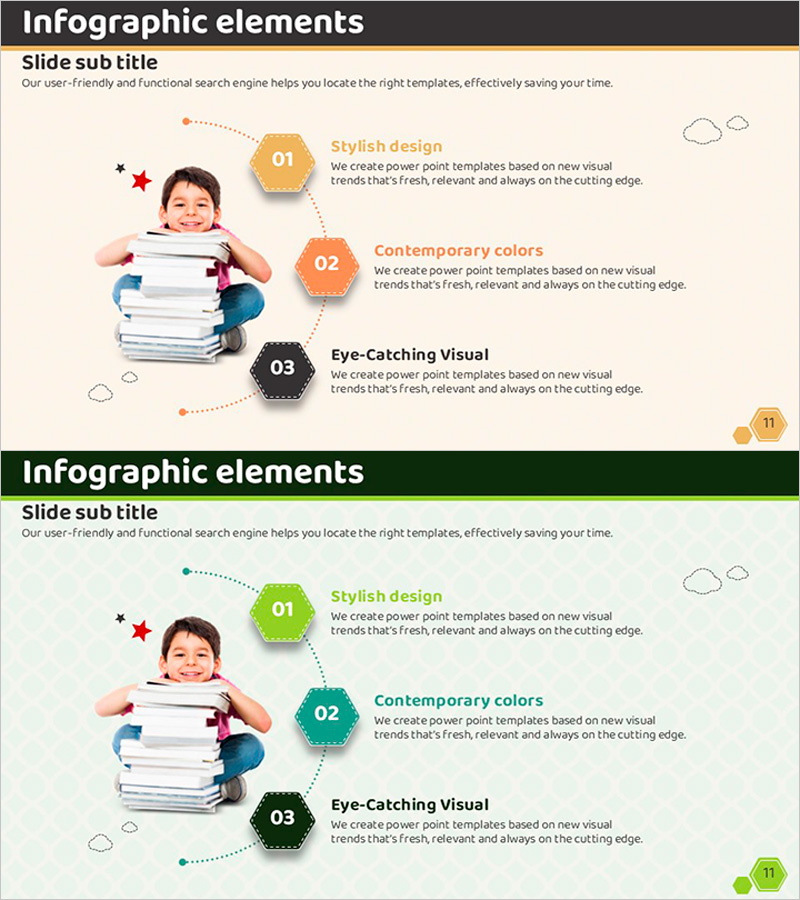
A radial diagram PowerPoint slide that branches from a central point into three distinct items, ideal for education program introductions, operational plans, and business process overviews. Hexagonal nodes numbered 01, 02, and 03 contain titles and descriptive text, with color progression from orange to green to black for visual differentiation. Dotted connector lines and supporting icons emphasize the flow and hierarchy. Two slide variations showcase different color combinations, allowing you to select the design that best matches your presentation context. Delivered in 16:9 widescreen PPTX format, fully editable and ready to customize.
Usage Points
-
Main Usage
Visually communicate three-phase education program rollouts, operational strategy pillars, or business process stages using a center-to-periphery radial structure. This layout naturally guides audience attention from the core concept outward to supporting details, creating a logical and memorable presentation flow.
-
How to Use
Slide 1 features orange tones while Slide 2 uses green tones, providing design flexibility for different contexts. Double-click hexagonal nodes to edit titles and descriptions. Customize icon colors, adjust text formatting, or modify background shades as needed using PowerPoint's built-in tools.
-
Recommended For
Training coordinators presenting new employee onboarding programs, operations managers delivering quarterly strategy updates, project leads explaining three-phase implementation roadmaps, and consultants outlining solution adoption processes. Widely used in government, public sector, and corporate training departments.
-
Slide Structure
Center-to-periphery radial layout with one central element branching into three directions. Each node is a hexagon containing a number (01, 02, 03), title, and 2–3 lines of descriptive text. Dotted connector arrows link the center to each node. Decorative cloud icons and numbered badges in corners add visual rhythm and polish.
Related Products
-
Overview of Features in Social Networking Platform – Visual Expansion Diagram
#Product/Service Introduction #Diagram #Product/Service Introduction
-

Effective Water Resources Wide Presentation Template Diagram
#Product/Service Introduction #Operational Plan #Diagram
-

Introduction to Banking Services Programs – Design of Trust and Cooperation
#Product/Service Introduction #Operational Plan #Diagram
-

Diagram Slide for Introducing Event Program
#Product/Service Introduction #Diagram #Composition
