



Introduction to Mobile Phone Service Configuration – Eye-Catching Diagram
RJ0400060_5
- Last Update 06/03/2025
- File Size 2.3MB
- # of Slides 2
- File Format PPTX
- Slide Ratio 16:9
- Color
Keywords
- #Content-Based Slides
- #Design-Based Slides
- #Product/Service Introduction
- #Diagram
- #Other
- #Product/Service Introduction
- #Composition
- #Cluster
- #Closed Cluster Diagram
- #Mockup
- #16:9
- #mobile phone mockup PowerPoint
- #app UI presentation slide
- #device mockup template
- #service configuration diagram
- #cluster diagram slide template
- #smartphone interface PPT
About the Product
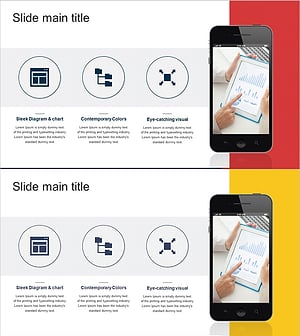
A professional PowerPoint slide featuring a mobile device mockup for presenting service configuration and key value propositions. The design combines a dark navy background with vibrant orange accent color to create strong visual contrast, while three circular nodes arranged in a cluster layout highlight core values (Eye-Catching Visual, Stylish Design, Contemporary Colors). The smartphone mockup on the right side simulates an actual app interface, enabling intuitive communication of service features. This 2-slide set offers multiple color combinations (navy+orange and brown+red) to match your brand guidelines. Fully editable PPTX format allows you to customize text, icons, and colors to fit your presentation needs.
Usage Points
-
Main Usage
Clearly communicate mobile app or service features by organizing three key value propositions into a structured cluster diagram. The smartphone mockup transforms abstract descriptions into concrete UI visuals, significantly improving audience comprehension during investor pitches, client presentations, or team briefings.
-
How to Use
Insert this slide into product introduction decks, business plans, or marketing pitch presentations within the service overview section. Replace the circular node text with your service attributes (speed, security, usability, etc.), and add actual app screenshots to the phone screen area. Select one of the two color combinations to maintain visual consistency throughout your presentation.
-
Recommended For
IT companies, app development studios, fintech startups, telecom providers, and SaaS businesses presenting mobile-first solutions. Ideal for product managers, developers, and marketing professionals who need to showcase app features and service architecture.
-
Slide Structure
Each slide features an asymmetrical layout with three circular nodes (Value 01, 02, 03) arranged vertically on the left side, and a smartphone mockup (orange or red screen) positioned on the right. Circular nodes are outlined with dotted borders for emphasis, with title and description text areas beneath each node. Both slides maintain identical structure with color variations only.
Related Products
-
Business Solutions Analysis Objectives – Product/Service Introduction
#Product/Service Introduction #Diagram #Other
-

Introducing Mobile Application Services – The Start of Innovation
#Product/Service Introduction #Diagram #Other
-
Sports Icon Box and Mobile Mockup – Innovative Design and Information Delivery
#Product/Service Introduction #Diagram #Other
-
Preparing for Overseas Travel Ticket Reservation – Excitement of Travel
#Product/Service Introduction #Diagram #Other
