



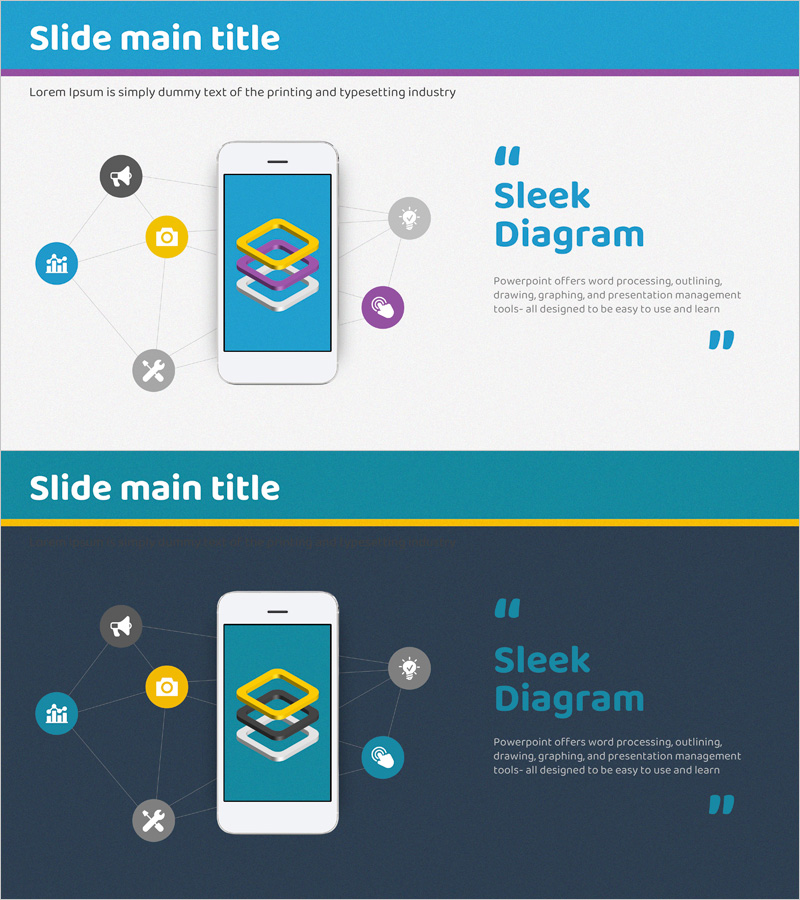
Introduction to Mobile App System Configuration – Infrastructure Vision
RJ0400055_5
- Last Update 06/01/2025
- File Size 15.2MB
- # of Slides 2
- File Format PPTX
- Slide Ratio 16:9
- Color
Keywords
- #Content-Based Slides
- #Design-Based Slides
- #Product/Service Introduction
- #Business Introduction
- #Diagram
- #Product/Service Introduction
- #Infrastructure
- #Cluster
- #Chain Diagram
- #16:9
- #mobile app system architecture diagram
- #app infrastructure PowerPoint slide
- #radial connection diagram
- #system structure presentation
- #5-node network diagram PowerPoint
About the Product
A 2-slide PowerPoint presentation that visually explains mobile app system architecture through a radial diagram. The design features a central smartphone device connected to five functional icons (airplane, camera, chart, settings, phone) via connecting lines. The first slide uses a bright blue background with yellow, blue, and purple icons for clear visual distinction. The second slide applies the same structure on a dark gray background, adapting to various presentation environments. All elements are fully editable in PowerPoint, making it ideal for app introductions, technical explanations, and infrastructure vision presentations.
Usage Points
-
Main Usage
Designed to communicate mobile app core functions and system composition at a glance. The radial structure with a central device and surrounding functions clearly conveys app infrastructure, technology stack, and user touchpoints. Ideal for business introductions, technical explanations, and investor pitch decks when describing system architecture.
-
How to Use
Slide 1 with bright blue background suits daytime presentations and well-lit environments, while Slide 2 with dark gray background works for evening presentations and dark-theme decks. Each icon and connecting line is independently editable, allowing you to replace icons to match actual app features or add custom text labels.
-
Recommended For
Perfect for mobile app development companies, IT startups, and technical planning teams explaining system architecture. Use in product introduction decks, technical proposals, and investor pitch materials—especially in the 'Technology & Infrastructure' section to visualize app features and connection structures.
-
Slide Structure
2-slide set. Slide 1: Bright blue background + central smartphone + 5 circular icons (airplane, camera, chart, settings, phone) + connecting lines. Slide 2: Identical structure + dark gray background + yellow header bar. All elements are PowerPoint shapes with full flexibility for color, size, and position adjustments.
Related Products
-
Introducing Essential Products for Businessmen
#Product/Service Introduction #Diagram #Product/Service Introduction
-
Website Process Diagram – Effective Operational Planning
#Product/Service Introduction #Operational Plan #Diagram
-
Introduction to Network Service Configuration – Cluster and Connection Diagrams
#Product/Service Introduction #Diagram #Product/Service Introduction
-
Introduction to Navigation Program App
#Product/Service Introduction #Diagram #Product/Service Introduction
