



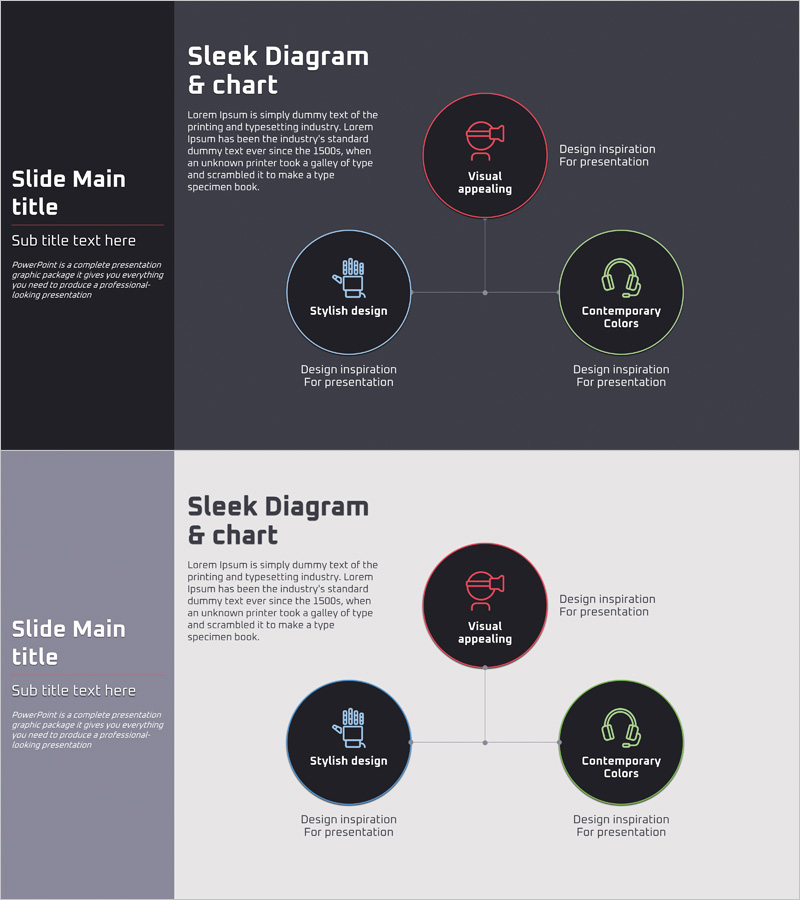
Effective Presentation with VR Product Configuration Diagram
RJ0400050_13
- Last Update 05/30/2025
- File Size 0.2MB
- # of Slides 2
- File Format PPTX
- Slide Ratio 16:9
- Color
Keywords
- #Content-Based Slides
- #Design-Based Slides
- #Company Introduction
- #Technical Approach
- #Diagram
- #Business Areas
- #System Architecture Diagram
- #Structure
- #Tree Diagram
- #16:9
- #radial diagram PowerPoint
- #VR product architecture slide
- #technology diagram template
- #product structure visualization PPT
- #node connection diagram PowerPoint
About the Product
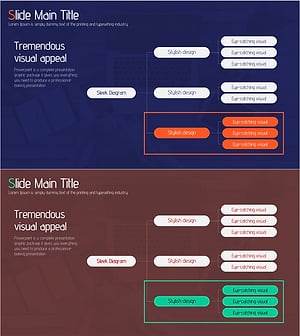
A PowerPoint slide featuring a radial diagram that visualizes the core components of a VR product. The three-node structure radiates from a central concept, effectively presenting key product features, design elements, and user experience dimensions. Set against a dark gray background with red, blue, and green circular nodes connected by lines and supporting icons, this slide enhances credibility for technology sector presentations. The 2-slide set includes both dark and light background versions, allowing you to match your presentation environment. Text editing and color customization are straightforward, and node quantities can be easily adjusted.
Usage Points
-
Main Usage
Explains core VR product components using a radial structure that expands from a central concept to surrounding elements. Simultaneously presents 3–4 key aspects such as product features, technology stack, and user value, significantly improving audience comprehension.
-
How to Use
Ideal for technology sector presentations, product introduction decks, product sections in company overview materials, and technical explanation slides in investor pitch decks. Simply edit the node text and icons to match your product specifications.
-
Recommended For
IT and VR startup employees, product managers, technical marketing specialists, presenters addressing investors, and speakers at technology conferences.
-
Slide Structure
One central circular node (main concept) + three peripheral circular nodes + three connecting lines + four supporting icons. Includes one dark gray background slide and one light background slide.
Related Products
-
Execution Framework Toward Strategic Goals – Effective Business Presentation
#Technical Approach #Diagram #Service Architecture Diagram
-
Business Process Organization Chart – Visualizing Company Structure
#Company Introduction #Technical Approach #Diagram
-
Sustainable Operation System Diagram – Efficiency and Innovation
#Technical Approach #Diagram #Service Architecture Diagram
-
System Organization Chart - Effective Visualization for Technical Departments
#Company Introduction #Technical Approach #Diagram
