



Business Process Organization Chart – Visualizing Company Structure
RM0300019_8
- Last Update 02/12/2025
- File Size 0.4MB
- # of Slides 2
- File Format PPTX
- Slide Ratio 16:9
- Color
Keywords
- #Content-Based Slides
- #Design-Based Slides
- #Company Introduction
- #Technical Approach
- #Diagram
- #Organizational Chart
- #System Architecture Diagram
- #Structure
- #Tree Diagram
- #16:9
- #tree organization chart PowerPoint
- #organizational structure PowerPoint slide
- #hierarchy diagram PPT
- #corporate organization chart template
- #how to create organization chart in PowerPoint
About the Product
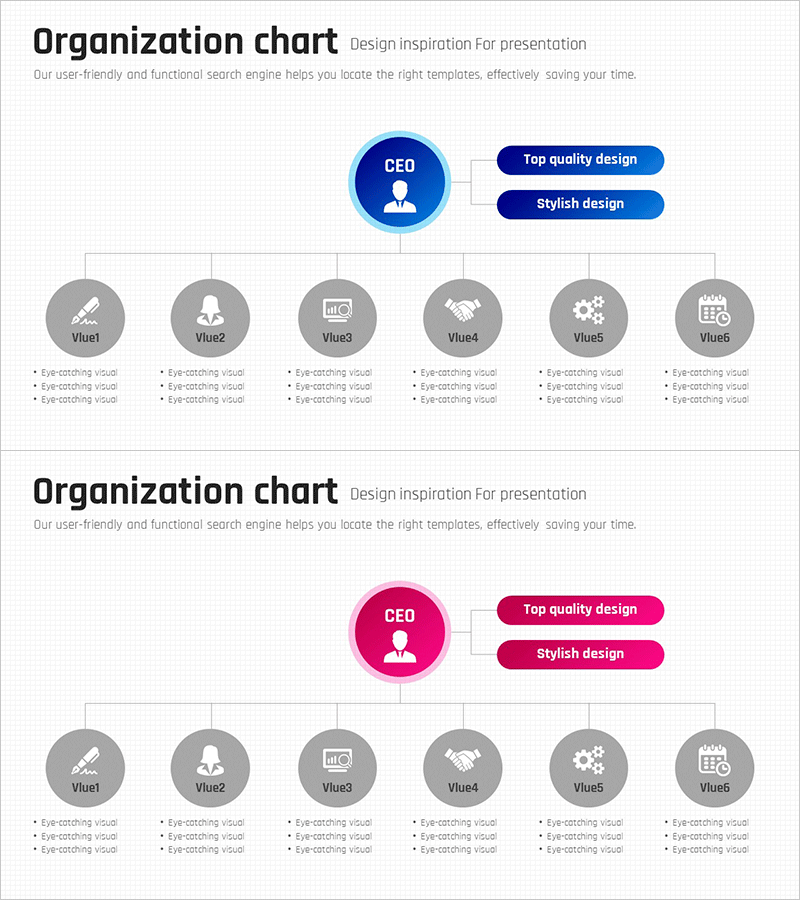
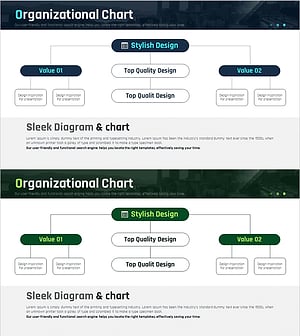
A tree-structured organization chart PowerPoint slide with CEO as the top-level node. Provided in two color versions—dark blue and pink—each clearly representing a hierarchical structure that branches from the central CEO node to six departments. The design uses circular icon nodes and straight connecting lines to intuitively visualize organizational hierarchy, with dedicated text areas beneath each department node for adding organizational information. This PPT slide is ready to use for corporate structure presentations, team composition introductions, organizational restructuring announcements, and various business presentations.
Usage Points
-
Main Usage
Clearly visualizes corporate organizational hierarchy to effectively communicate structure to employees and external stakeholders. Intuitively represents the hierarchical relationship branching from CEO to six departments, enhancing organizational understanding.
-
How to Use
Use in company introduction presentation sections, new employee orientation materials, organizational restructuring announcements, and investor briefings to explain corporate structure. Simply edit node text to input actual department names and personnel information.
-
Recommended For
Corporate executives, HR managers, project leaders overseeing organizational changes, new employee training coordinators, and investor relations managers who need to clearly communicate organizational structure.
-
Slide Structure
Two-slide composition. Each slide positions CEO as the central circular node, with two text boxes at the top (Top quality design, Stylish design) and six department circular nodes arranged horizontally at the bottom in a tree structure. Straight connecting lines between nodes represent hierarchical relationships, with three-line text areas below each department node for additional information.
Related Products
-
System Organization Chart - Effective Visualization for Technical Departments
#Company Introduction #Technical Approach #Diagram
-
Square Box Tree Structure Slide - Organizational Diagram Design
#Company Introduction #Technical Approach #Diagram
-
Business Field and Organization Flow Chart – Effective Organizational Management
#Company Introduction #Technical Approach #Diagram
-
Introduction to Organizational Structure & Roles – System Composition and Efficiency
#Company Introduction #Technical Approach #Diagram
