



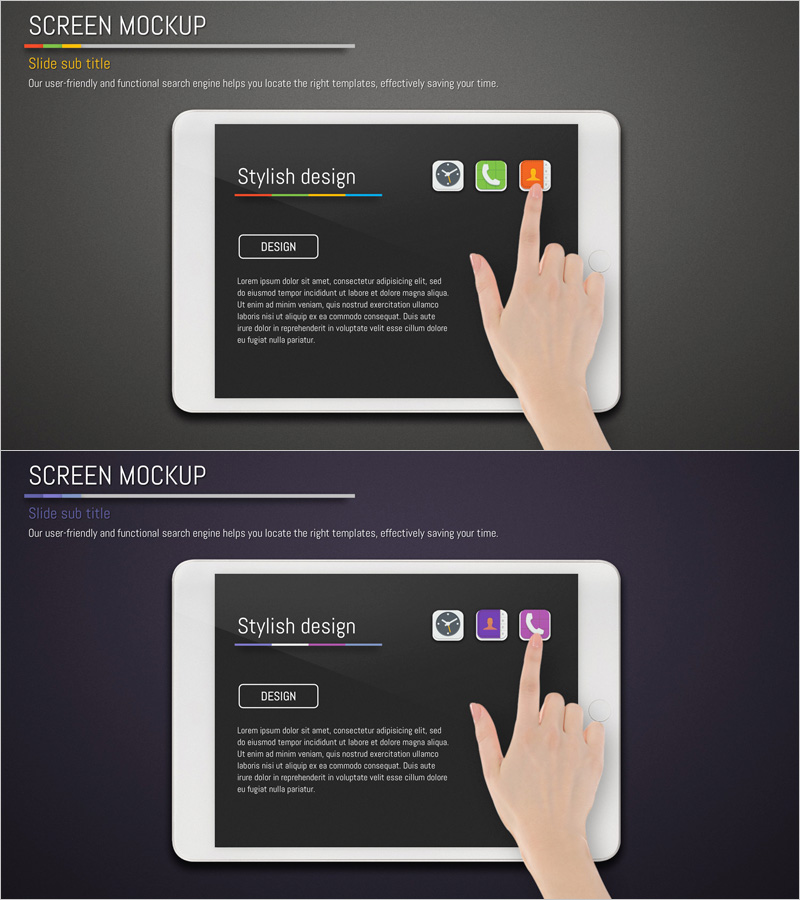
Application Service Introduction and Overview Tablet Mockup – Striking Style
RJ0400038_7
- Last Update 05/27/2025
- File Size 5.6MB
- # of Slides 2
- File Format PPTX
- Slide Ratio 16:9
- Color
Keywords
- #Content-Based Slides
- #Design-Based Slides
- #Product/Service Introduction
- #Other
- #Product/Service Introduction
- #Product and Service Overview
- #16:9
- #app service introduction PowerPoint
- #application presentation slide
- #tablet mockup template
- #service overview presentation
- #how to present mobile app in PowerPoint
About the Product
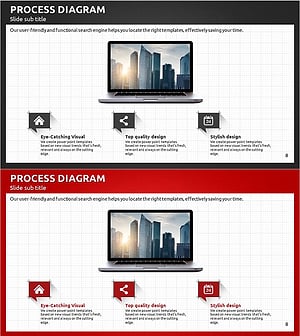
A 2-slide PowerPoint presentation for introducing application services and features. The design features a dark background with white typography and colorful app icons arranged in a tablet mockup layout, intuitively representing user interface elements. Hand gesture illustrations with touch interactions emphasize the interactive nature of mobile and web services. The flexible structure accommodates text input areas, action buttons, and functional icons, making it ideal for startup pitches and IT company service presentations.
Usage Points
-
Main Usage
Visually introduce key features and user experience of mobile apps and web services. The tablet screen mockup represents actual service interfaces, while hand gesture illustrations emphasize user interactions. Ideal for startup pitches, investor presentations, and service launch events.
-
How to Use
Add service name, feature icons, and key description text to the first slide. Use the second slide for service architecture, feature explanations, or usage scenarios. The high-contrast dark background ensures excellent readability in projector environments. Customize icon and text colors to match your brand identity.
-
Recommended For
Recommended for IT and software startups, mobile app developers, SaaS companies, and digital service providers presenting to investors and partners. Product teams, marketing departments, and sales teams can use this template to explain service features to clients and stakeholders.
-
Slide Structure
2-slide layout with each slide divided into three zones: central tablet mockup area, left-side text input area, and upper-right functional icon placement area. The first slide focuses on service title and core messaging, while the second slide emphasizes detailed descriptions and feature lists.
Related Products
-
Simple PowerPoint Wide Template – Product and Service Overview
#Product/Service Introduction #Other #Product/Service Introduction
-
Business Forest Wide Template Mockup – Professional Insights
#Product/Service Introduction #Other #Product/Service Introduction
-
Introducing the Camera Shooting App – Visual Impact and Practicality
#Product/Service Introduction #Other #Product/Service Introduction
-
Modern Business Plan Process Diagram – Efficient Information Delivery
#Product/Service Introduction #Other #Product/Service Introduction
