



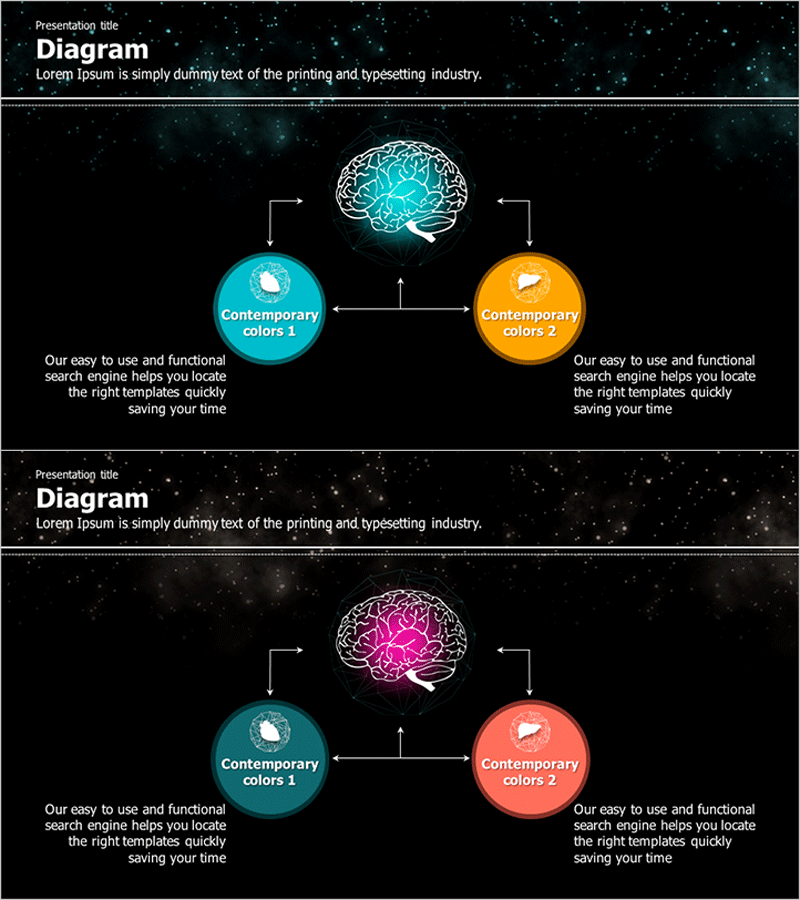
Galaxy Theme Brain Structure Multidirectional Diagram – Strategic Approach
RJ0400001_17
- Last Update 05/17/2025
- File Size 14.5MB
- # of Slides 2
- File Format PPTX
- Slide Ratio 16:9
- Color
Keywords
- #Content-Based Slides
- #Design-Based Slides
- #Business Strategy
- #Marketing Plan and Strategy
- #Diagram
- #Flow
- #Cluster
- #Multidirectional Flow
- #Chain Diagram
- #16:9
- #brain structure diagram PowerPoint
- #multidirectional diagram slide
- #3-node connection template
- #strategic flowchart PPT
- #galaxy theme presentation slide
About the Product
A multidirectional diagram PowerPoint slide featuring a central brain icon with bidirectional expansion to left and right nodes. The design uses a black background with contrasting cyan and orange circular nodes connected by white arrows, visualizing strategic thinking flow. Includes 2 slide variations with color modifications (cyan-orange and cyan-coral), ideal for business strategy presentations, marketing plans, cross-departmental collaboration structures, and decision-making processes. Ready-to-use presentation slide for immediate deployment.
Usage Points
-
Main Usage
Visualizes bidirectional expansion of ideas, departments, or strategies from a central concept (brain, strategy, core principle). Effectively expresses strategic thinking flow for business direction, multi-layered marketing execution paths, cross-organizational collaboration structures, and decision-making processes with clear visual hierarchy.
-
How to Use
Edit node text fields to input core concepts and bilateral strategies. Arrow directions and node positions are fixed, so use color-variant slides for section differentiation. Adjust node text size or add supplementary text based on presentation flow. Customize colors and node labels to match your organizational branding.
-
Recommended For
Executive and strategy team business direction presentations, marketing team campaign bilateral execution plans, organizational development team cross-departmental collaboration explanations, consultant strategy analysis reports, and educator process-thinking demonstrations. Also suitable for IT teams presenting system architecture bidirectional flows.
-
Slide Structure
2-slide set. Each slide features a central brain icon with cyan glow effect, left circular node (cyan), right circular node (orange or coral), and 4 white directional arrows (up, down, left, right) connecting the 3-node structure. Text description areas below each node allow contextual information addition.
Related Products
-
Interlinked Business Plans – Strategy and Execution
#Product/Service Introduction #Business Strategy #Diagram
-
Virus Theme Business Progress Slides
#Business Strategy #Marketing Plan and Strategy #Diagram
-
Food Import Country Map for Business Strategy Development
#Business Strategy #Marketing Plan and Strategy #Diagram
-
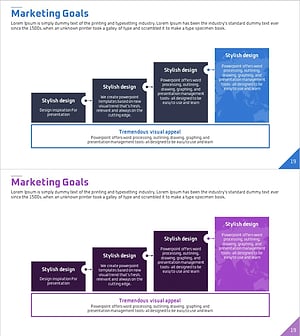
Step-by-step Goal Diagram – Visualizing Business Strategies and Marketing Goals
#Business Strategy #Marketing Plan and Strategy #Diagram
