



Introducing Cloud Smart System Service – Innovation and Future
RJ0300093_8
- Last Update 05/15/2025
- File Size 1MB
- # of Slides 2
- File Format PPTX
- Slide Ratio 16:9
- Color
Keywords
- #Content-Based Slides
- #Design-Based Slides
- #Product/Service Introduction
- #Business Introduction
- #Diagram
- #Product/Service Introduction
- #Business Overview
- #Cluster
- #Closed Cluster Diagram
- #16:9
- #cluster diagram PowerPoint
- #cloud system presentation slide
- #3-node network diagram
- #service introduction PPT slide
- #IT technology presentation
- #diagram PowerPoint template
About the Product
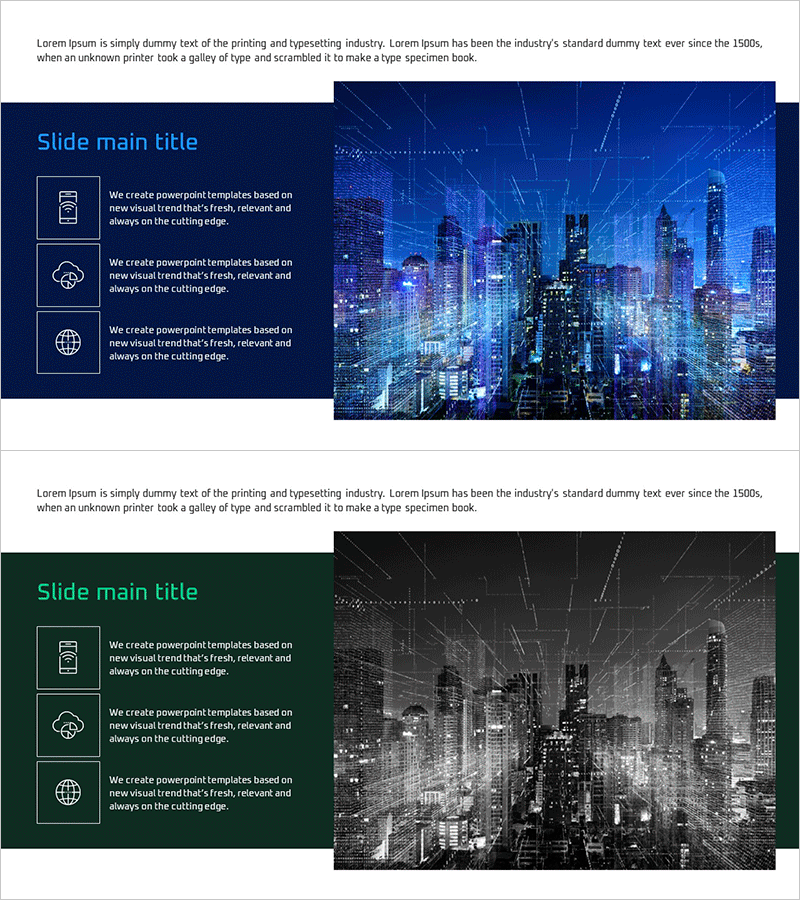
A 2-slide PowerPoint presentation introducing cloud-based smart system services with a professional cluster diagram layout. The design features a dark blue background paired with a vibrant cityscape image, combining three icon-based nodes on the left with descriptive text in a structured cluster formation. Each node is highlighted with a rectangular border, visually representing the relationship between core messaging and supporting elements. This presentation template is ready to use for IT service introductions, technology innovation pitches, and future-vision business presentations.
Usage Points
-
Main Usage
Visualizes core cloud-based IT service functions and value propositions through a 3-node cluster structure, emphasizing technological innovation and forward-thinking vision. Effectively communicates complex system architectures in business overview, service introduction, and technical explanation sections.
-
How to Use
Input key service features (mobile, cloud, global reach, etc.) into the three left-side icon areas, while the cityscape background reinforces technology innovation and smart city imagery. Customize node text to match your service characteristics, and adjust colors to reflect brand identity and corporate guidelines.
-
Recommended For
Ideal for IT, cloud computing, and smart systems companies presenting to investors, conducting technology seminars, or introducing services. Particularly valuable for technology officers, marketing teams, and executives explaining complex system structures. Suitable for startup investor pitches, corporate technology briefings, and industry conferences.
-
Slide Structure
2-slide set: Slide 1 features dark blue background with 3-icon cluster and text descriptions; Slide 2 uses dark gray background variation with identical layout. Both slides employ a 2-column structure with information area (3 nodes) on the left and background imagery on the right, optimized for 16:9 widescreen format.
Related Products
-
Laboratory Precautions Slide – Capturing Safety and Expertise
#Product/Service Introduction #Business Introduction #Diagram
-
Space Industry Description Diagram – Innovation and Vision
#Product/Service Introduction #Business Introduction #Diagram
-
Business Program Introduction Diagram
#Product/Service Introduction #Diagram #Product/Service Introduction
-
Newspaper Wide PowerPoint Template Image&Text – Optimized for Information Delivery
#Product/Service Introduction #Business Introduction #Business Vision and Strategy
