



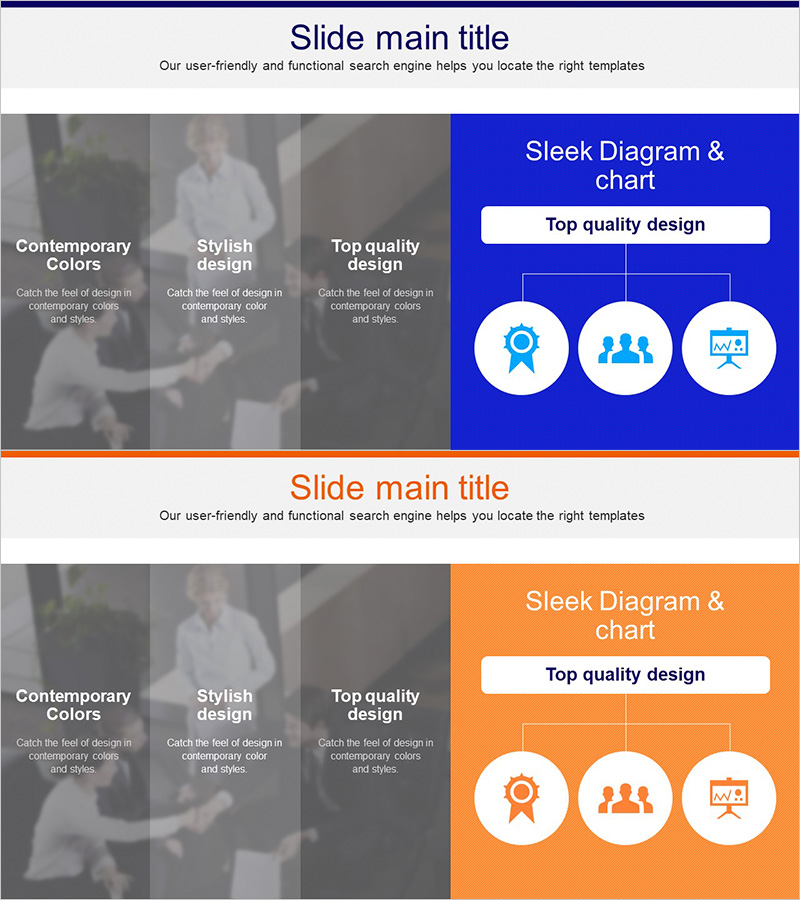
Sleek Diagram for Banking Service Structure
RJ0300082_14
- Last Update 05/12/2025
- File Size 0.5MB
- # of Slides 2
- File Format PPTX
- Slide Ratio 16:9
- Color
Keywords
- #Content-Based Slides
- #Design-Based Slides
- #Product/Service Introduction
- #Technical Approach
- #Diagram
- #Program Introduction
- #System Architecture Diagram
- #Structure
- #Tree Diagram
- #16:9
- #tree diagram PowerPoint
- #hierarchical structure slide template
- #banking service organization chart
- #organizational hierarchy diagram
- #3-level tree chart PowerPoint
About the Product
A three-tier tree diagram PowerPoint slide that visualizes banking service structure and organizational hierarchy. The design features a central parent node branching into two intermediate nodes, each connecting to child nodes, creating a clear hierarchical flow. Two color versions are included—navy blue and vibrant orange—with icons (badge, people, chart) positioned at each node to enhance information clarity. Ideal for financial institutions presenting service portfolios, product categories, or departmental structures in investor presentations, service overviews, and organizational briefings.
Usage Points
-
Main Usage
Communicate complex service portfolios, product hierarchies, and organizational structures in a clear, hierarchical format. The tree structure emphasizes parent-child relationships and information flow, making it ideal for financial institutions and enterprises needing to explain multi-level systems to stakeholders.
-
How to Use
Both slides feature identical tree layouts in navy blue and orange backgrounds. Simply edit the text in each node to reflect your service names, categories, and subcategories. Icons can be replaced to match your brand identity. The 16:9 widescreen format ensures compatibility with modern presentation systems.
-
Recommended For
Banking, insurance, and securities professionals presenting service structures, product lines, or organizational charts. Also suitable for IT companies explaining system architecture, project hierarchies, or technical frameworks. Recommended for investor relations, business development, and internal training presentations.
-
Slide Structure
2-slide set with identical tree layouts. Each slide displays a parent node at the top center branching into 2 intermediate nodes, which further branch into 3 child nodes. Circular node backgrounds contain icons and editable text fields, with connecting lines indicating hierarchical relationships. Total of 6 editable nodes per slide.
Related Products
-
Tree-Structured Diagram of Business Services
#Product/Service Introduction #Technical Approach #Diagram
-

Activity Plan Structure Diagram – Effective Business Management
#Business Management #Technical Approach #Diagram
-
Business Work System Organization Chart – Maximizing Efficiency Structure
#Company Introduction #Technical Approach #Diagram
-
PC Mockup System Configuration Diagram – Understanding Technical Structure
#Operational Plan #Technical Approach #Diagram
