



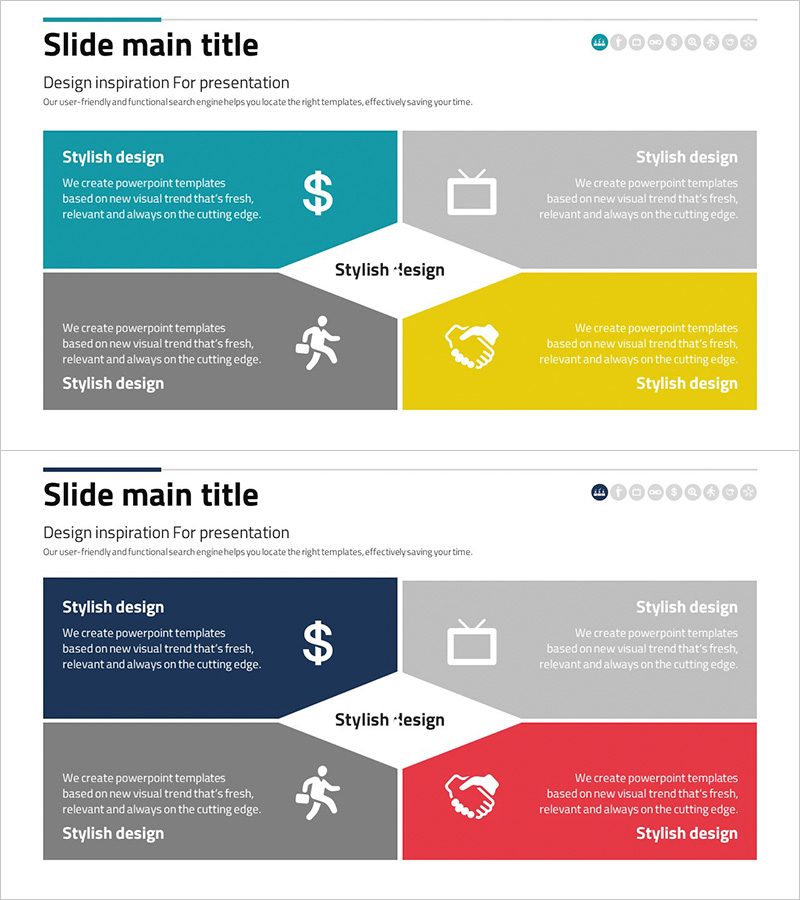
Business Closure Diagram – Slide for Business Introduction
RJ0300075_8
- Last Update 05/09/2025
- File Size 0.8MB
- # of Slides 2
- File Format PPTX
- Slide Ratio 16:9
- Color
Keywords
- #Content-Based Slides
- #Design-Based Slides
- #Company Introduction
- #Business Introduction
- #Diagram
- #Business Areas
- #Business Areas
- #Spread
- #Centralized Diagram
- #16:9
- #radial diagram PowerPoint
- #4-section business diagram
- #business area classification slide
- #company introduction template
- #diagram PowerPoint slide
- #business model presentation
About the Product
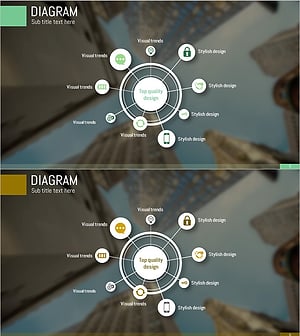
A radial diagram PowerPoint slide featuring four colored sections expanding from a central white space. This presentation template is ideal for business introductions, company structure explanations, and business model presentations. The design uses teal, gray, yellow, and red color blocks to clearly distinguish each section, with a central area for your core message. Composed of 2 slides optimized for 16:9 widescreen format. Fully editable PPTX file ready for immediate use in your presentations.
Usage Points
-
Main Usage
Visually represent your company's key business areas, four core elements of your business model, organizational roles and responsibilities, or product and service categories. The radial structure effectively communicates the relationship between your central concept and supporting business segments.
-
How to Use
Enter your core topic (company name, business model name, etc.) in the central white space. Add section titles and descriptions to each colored block. Customize the icons (dollar sign, TV, person, handshake) to match your content or remove them as needed. Adjust colors to align with your corporate branding.
-
Recommended For
Executive presentations, investor pitches, company overview slides, business plan presentations, organizational structure explanations, marketing strategy meetings, and employee onboarding materials. Ideal for strategy teams, marketing departments, executives, and business development professionals.
-
Slide Structure
2-slide set. The first slide features four colored blocks (teal, gray, yellow, red) arranged radially around a central white space. Each block contains a title, descriptive text, and an icon. The second slide presents a variation of the same structure with an alternative color arrangement.
Related Products
-
Business Value Diagram – Visualizing Business Sectors
#Company Introduction #Business Introduction #Diagram
-
Travel Business Services Area – Effective Diagram Design
#Company Introduction #Business Introduction #Diagram
-
Sketch Icon Business Area Diagram – Visualizing Business Introduction
#Company Introduction #Business Introduction #Diagram
-
Mobile Security Service Diagram
#Company Introduction #Business Introduction #Diagram
