



Sketch Icon Business Area Diagram – Visualizing Business Introduction
RJ0300063_21
- Last Update 05/05/2025
- File Size 4.3MB
- # of Slides 2
- File Format PPTX
- Slide Ratio 16:9
- Color
Keywords
- #Content-Based Slides
- #Design-Based Slides
- #Company Introduction
- #Business Introduction
- #Diagram
- #Business Areas
- #Business Areas
- #Flow
- #Spread
- #Circular Flow
- #Centralized Diagram
- #16:9
- #circular diagram PowerPoint
- #4-step cycle diagram
- #business area diagram slide
- #radial diagram template
- #icon diagram PowerPoint slide
About the Product
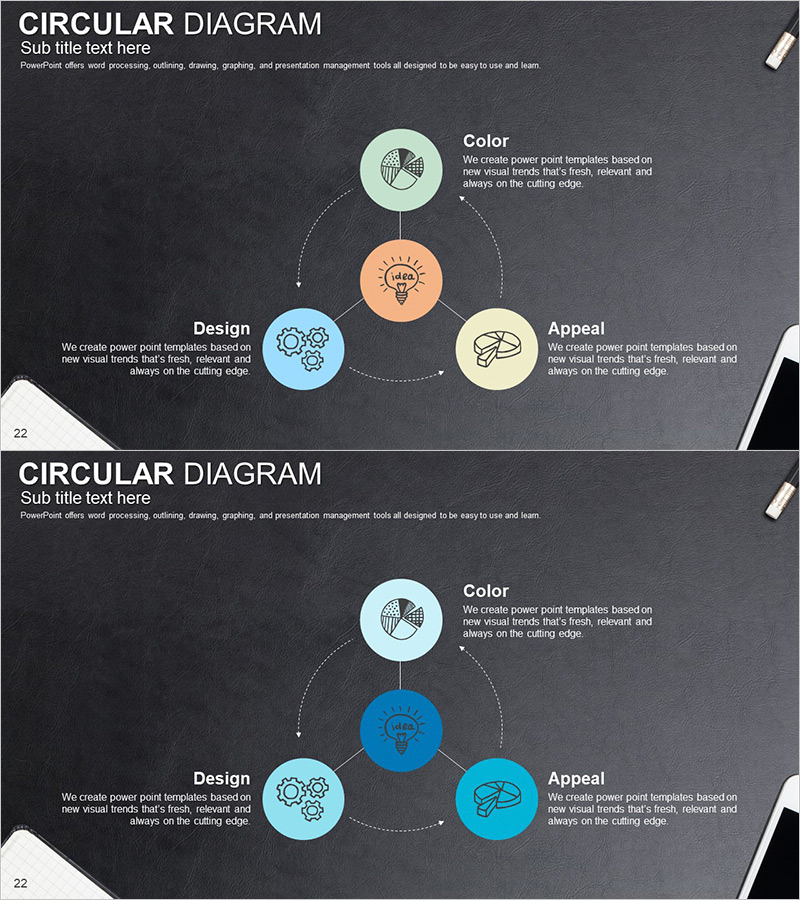
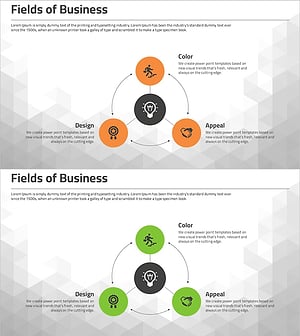
A 4-node circular diagram PowerPoint slide designed to visualize business areas and organizational structures. The central concept is surrounded by four nodes labeled Color, Design, Appeal, and additional elements, each connected by dotted arrow lines and featuring sketch-style icons. Set against a charcoal background with mint, orange, sky blue, and beige circular nodes, this slide is ready to use for business introductions, product explanations, organizational charts, and strategic overviews. The 2-slide set includes a color variation, allowing you to match your presentation tone and design preferences.
Usage Points
-
Main Usage
Presents business areas, organizational structures, process cycles, and core values in a centered circular layout. Each node maintains equal visual weight while clearly showing its relationship to the central concept, making it ideal for business introduction sections, core value presentations, and organizational culture explanations.
-
How to Use
Enter your central concept (e.g., company name, core value) in the center node, then add specific items (business areas, product lines, departments) to the four surrounding nodes. Sketch icons can be customized to represent each item's characteristics, and node colors and text are fully editable. The charcoal background can be adjusted to match your presentation style.
-
Recommended For
Ideal for business introductions, company profiles, organizational structure explanations, product portfolio presentations, marketing strategy sessions, and executive reports. Recommended for executives, business planners, marketing professionals, and organizational development specialists who need to communicate key areas systematically.
-
Slide Structure
One central orange circular node surrounded by four nodes in mint, sky blue, and beige tones, connected by dotted arrow lines. Each node contains a sketch-style icon and text area. The 2-slide set features different color arrangements to provide presentation flexibility and visual variety.
Related Products
-
Energy Business Sector Diagram Slide – Flow and Spread
#Company Introduction #Business Introduction #Diagram
-
Business Area Diffusion Diagram – At the Center of Business Growth
#Company Introduction #Business Introduction #Diagram
-
Cybersecurity Business Area Diagram – Safe Directions
#Company Introduction #Business Introduction #Diagram
-
Business Area Diffusion Diagram – Strategic Business Model
#Company Introduction #Business Introduction #Diagram
