



Calendar Illustration Table – Visualizing Business Strategy
RJ0300072_19
- Last Update 05/08/2025
- File Size 0.3MB
- # of Slides 2
- File Format PPTX
- Slide Ratio 16:9
- Color
Keywords
- #Content-Based Slides
- #Design-Based Slides
- #Business Strategy
- #Business Management
- #Diagram
- #Roadmap
- #Implementation Plan
- #Table
- #Standard Table
- #16:9
- #calendar table PowerPoint slide
- #monthly schedule presentation template
- #calendar diagram slide
- #business timeline PowerPoint
- #project planning slide template
About the Product
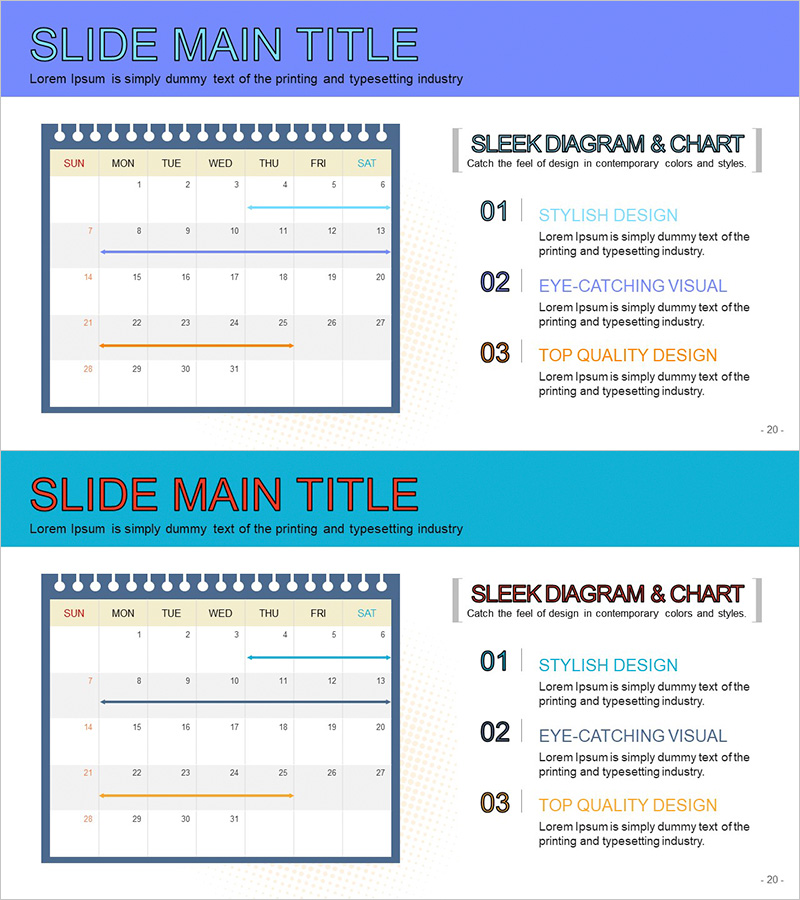
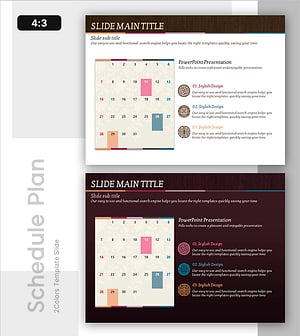
A 2-slide calendar table PowerPoint template for visualizing monthly business schedules, project timelines, and marketing campaigns. Each slide features a traditional calendar layout with day-of-week headers (SUN–SAT) and date cells in a horizontal table format. The design uses a navy blue border with orange and blue accent lines to highlight key periods. A text area on the right side accommodates three-step descriptions for strategy, objectives, and outcomes. Fully editable in PowerPoint format (16:9 aspect ratio, PPTX) for immediate use in presentations.
Usage Points
-
Main Usage
Communicate monthly business schedules, project milestones, and marketing campaign timelines to team members and stakeholders using a familiar calendar format. The table layout enables quick identification of key dates, events, and deliverables across the month.
-
How to Use
Enter different monthly plans on slides 1 and 2. Fill date cells with specific tasks or event names, and add strategy, goals, and outcomes in the right-side text boxes. Use orange and blue accent lines to highlight critical periods and draw visual attention to important dates.
-
Recommended For
Project managers, marketing teams, business planning departments, and HR professionals presenting quarterly plans, product launch roadmaps, annual schedules, team meeting agendas, and executive status reports.
-
Slide Structure
Each slide contains a title area at the top, a 7-column (days) × 5-row (weeks) editable calendar table on the left, and three numbered text boxes (01, 02, 03) on the right for descriptions. The table cells and text areas are fully customizable, with navy borders and colored accent lines for period highlighting.
Related Products
-
Schedule Management Slide – Efficient Planning
#Business Strategy #Business Management #Diagram
-
Business Progress Visualization Template
#Business Strategy #Business Management #Diagram
-
Tennis Schedule – Efficient Management and Planning
#Business Management #Diagram #Implementation Plan
-
Stylish Presentation Slide for Schedule Management
#Business Management #Diagram #Implementation Plan
