



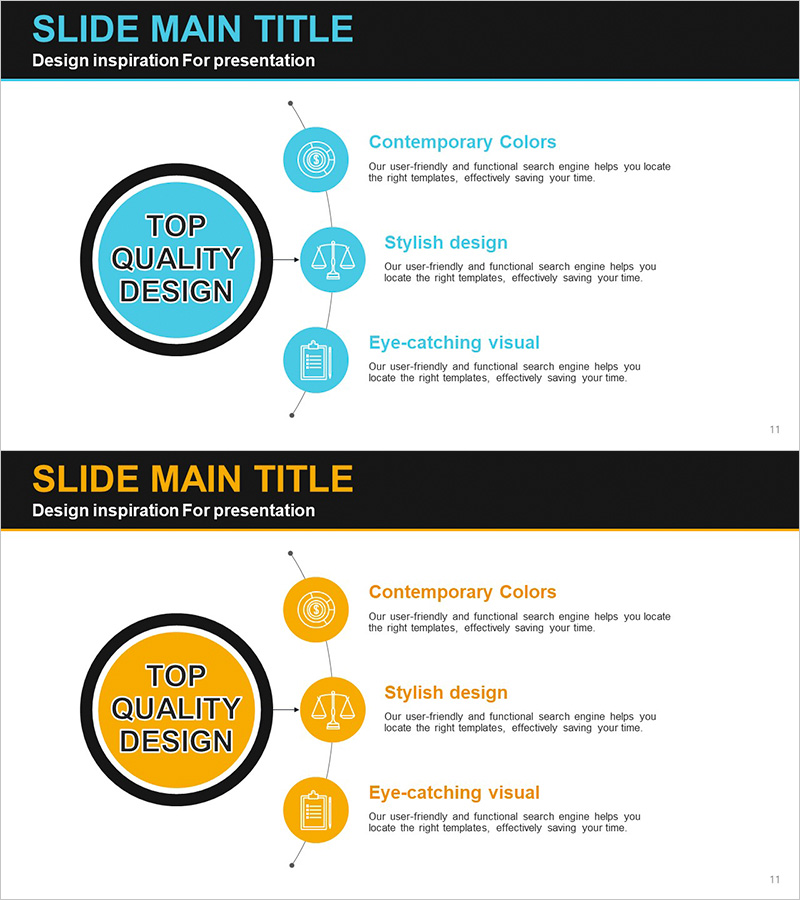
Business Strategy Circular Diagram - Connect Vision and Goals
RJ0300066_10
- Last Update 10/06/2025
- File Size 0.1MB
- # of Slides 2
- File Format PPTX
- Slide Ratio 16:9
- Color
Keywords
- #Content-Based Slides
- #Design-Based Slides
- #Business Vision and Strategy
- #Diagram
- #Business Vision
- #Business Strategy
- #Cluster
- #Spread
- #Chain Diagram
- #Radial Diagram
- #16:9
- #radial diagram PowerPoint
- #central connection diagram slide
- #3-item diagram template
- #business strategy diagram PowerPoint
- #vision and goals connection slide
About the Product
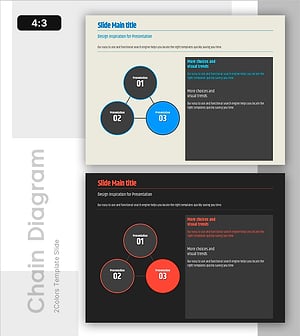
A radial diagram PowerPoint slide with a central hub connecting to three surrounding items. The core concept is positioned in the center circle, with three icon-based elements arranged vertically on the left and connected by lines, ideal for visualizing interconnected business strategy, organizational goals, and vision alignment. Available in two color schemes—cyan and orange—optimized for 16:9 widescreen format with 2 slides. Each item area supports custom text and descriptions, making it immediately applicable for strategy presentations, goal-setting sessions, and corporate communications.
Usage Points
-
Main Usage
This radial diagram places a core concept at the center and connects three related items around it, enabling audiences to instantly grasp relationships and interdependencies. Ideal for business strategy presentations, organizational goal alignment, core value communication, and any context where emphasizing the connection between a central theme and supporting elements is critical.
-
How to Use
Enter your core topic (e.g., Vision, Strategy, Goals) in the central circle, then populate the three surrounding items with specific content (e.g., Innovation, Growth, Customer Focus). Customize the icons and text areas to match your organization's branding and messaging. Use in executive briefings, team meetings, investor pitches, and corporate communications.
-
Recommended For
Recommended for executives, strategy teams, marketing departments, and organizational development teams presenting business strategies, organizational goals, core values, and management initiatives. Particularly effective for strategy rollouts, cultural alignment sessions, new business introductions, and stakeholder communications where central-to-peripheral relationships must be emphasized.
-
Slide Structure
Central circle with black border (core concept input area), three vertically stacked circular icons on the left (item representatives), text boxes to the right of each icon (item name and description fields), connecting lines from center circle to each icon showing relationships. Two color versions provided: cyan and orange.
Related Products
-
Visualizing Successful Business Meeting Strategies with Diagram Slide
#Business Vision and Strategy #Marketing Plan and Strategy #Diagram
-
Mobile App Service Business Area Slide – Innovation and Vision
#Business Introduction #Business Vision and Strategy #Diagram
-
Stripe Template Connection Diagram - Visualizing Business Strategies
#Business Vision and Strategy #Diagram #Business Vision
-
Keyword Connection Diagram – Visualizing Business Vision and Strategy
#Business Vision and Strategy #Diagram #Business Vision
