



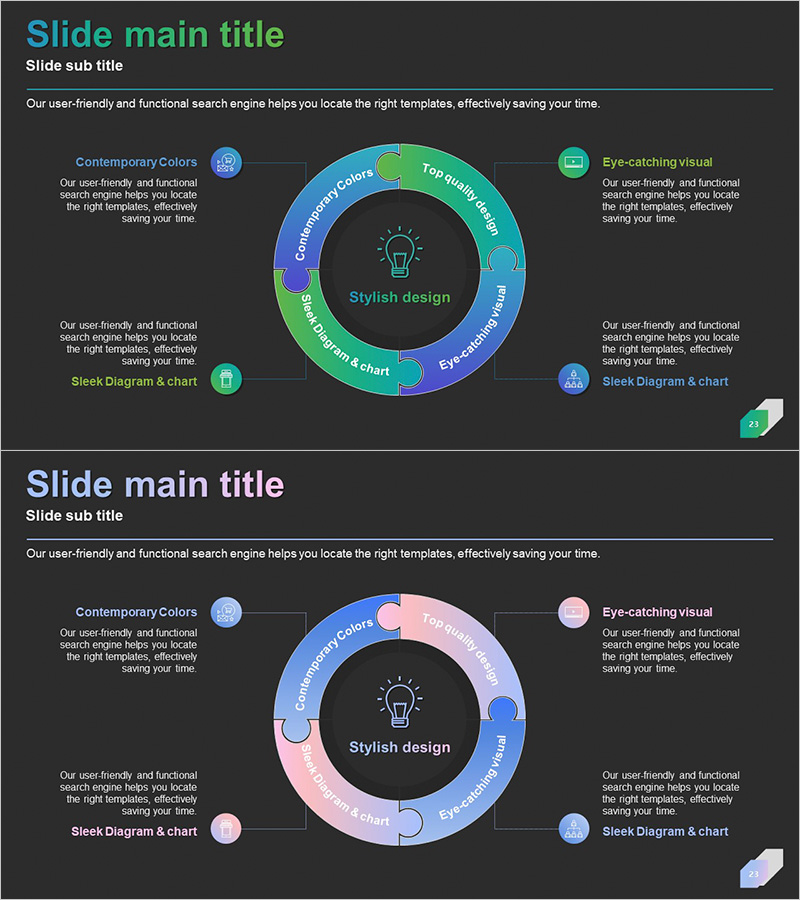
Circular Puzzle Diagram – Infographic for Business Introduction
RJ0300060_22
- Last Update 05/04/2025
- File Size 0.2MB
- # of Slides 2
- File Format PPTX
- Slide Ratio 16:9
- Color
Keywords
- #Content-Based Slides
- #Design-Based Slides
- #Company Introduction
- #Business Introduction
- #Diagram
- #Business Areas
- #Business Areas
- #Cluster
- #Spread
- #Chain Diagram
- #Centralized Diagram
- #16:9
- #central circular diagram PowerPoint
- #cycle diagram slide template
- #4-segment process flow
- #business introduction diagram
- #circular infographic PowerPoint slide
About the Product
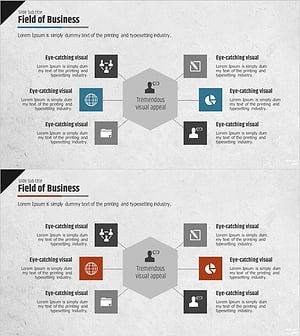
A central circular diagram PowerPoint slide optimized for business introductions and process explanations. The structure features a core concept at the center with four surrounding segments arranged in a cyclical pattern, ideal for visualizing business processes, product features, service stages, or organizational roles. The design incorporates blue, green, and pink gradient tones with icon elements for visual emphasis. The 2-slide set provides two color variations—blue & green and blue & pink—allowing you to match your presentation theme and corporate branding. Clearly defined text input areas enable immediate editing and deployment in your presentations.
Usage Points
-
Main Usage
Ideal for company introduction and business overview slides where you need to present core values, business models, or service processes as four interconnected components around a central concept. The cyclical arrangement emphasizes relationships and interdependencies, enhancing audience comprehension.
-
How to Use
Enter your core concept (company name, core value, product name, etc.) in the central circular area, then populate the four surrounding segments with corresponding features, stages, or roles. Adjust icon colors and text styling to align with your corporate brand guidelines for a polished, professional presentation.
-
Recommended For
Executive business overview presentations, marketing team product launches, sales team pitch decks, investor relations meetings, new employee onboarding materials, organizational structure and role descriptions, strategic initiative rollouts.
-
Slide Structure
2-slide set. Each slide features one central circular node with four surrounding segments, each containing an icon, text input area, and connecting lines. Slide 1 uses blue and green tones; Slide 2 uses blue and pink tones for flexible color coordination.
Related Products
-
Core Value-Centric Circular Strategy – The Future of Business
#Company Introduction #Business Introduction #Diagram
-
Business Area Hexagon Diagram – Business Positioning
#Company Introduction #Business Introduction #Diagram
-
Atomic Structure Science Diagram – Visualizing the Essence of Science
#Company Introduction #Business Introduction #Diagram
-
Business Area Hexagon Diagram – Optimized for Business Introduction
#Company Introduction #Business Introduction #Diagram
