



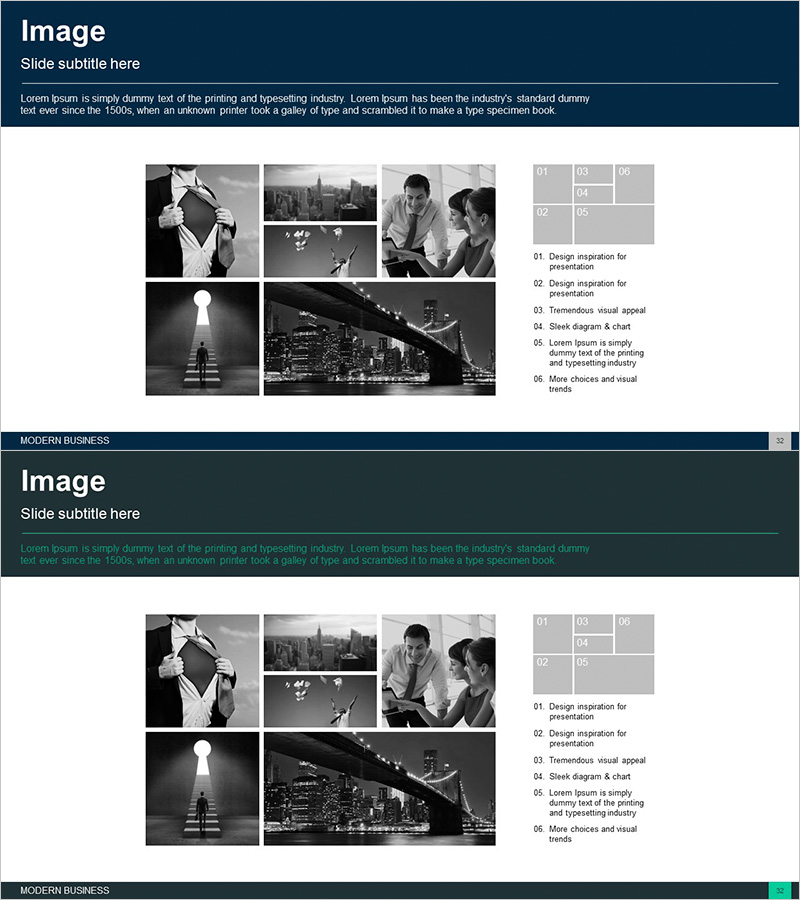
Introducing 6 Programs – Modern Business Diagram
RJ0300059_31
- Last Update 05/04/2025
- File Size 1.5MB
- # of Slides 2
- File Format PPTX
- Slide Ratio 16:9
- Color
Keywords
About the Product
A cluster diagram PowerPoint slide for presenting and comparing six programs, services, or departments at a glance. Six gray hexagonal nodes are arranged in a central cluster pattern on a dark navy background, expressing equal importance for each item. The composition harmonizes with professional business imagery (buildings, people, strategy) and is ready to use in corporate presentations, service brochures, and organizational structure explanations. Includes 2 slides in 16:9 widescreen format, fully editable in PPTX.
Usage Points
-
Main Usage
Present and compare six programs, services, solutions, departments, or teams with equal prominence. The central cluster structure visually expresses the relationship and simultaneity of each item, enhancing audience comprehension.
-
How to Use
Enter program names, service titles, or department names in each hexagonal node and add descriptive text. Ideal for business presentations, company profiles, product introduction materials, organizational charts, and marketing plans—particularly effective in the 'Our Six Core Services' section.
-
Recommended For
Recommended for marketing teams presenting service portfolios, sales teams proposing solutions, executives introducing business divisions, HR teams explaining organizational structures, and startups pitching business models. Especially valuable in B2B presentations and strategic planning meetings.
-
Slide Structure
Six gray hexagonal nodes arranged in a circular cluster pattern on a dark navy background. The central area accommodates a core message, with six surrounding nodes for individual items, complemented by professional business imagery including buildings, people, and strategic elements.
Related Products
-
Introduction to Gaming Device Types Slide - Visual Appeal and Contemporary Colors
#Company Introduction #Product/Service Introduction #Diagram
-
Medical Program Introduction Diagram – Understanding the Services
#Product/Service Introduction #Diagram #Program Introduction
-
Introduction to the Internet of Things Program – Innovation and Growth
#Product/Service Introduction #Business Introduction #Diagram
-
Diagram Slide Visualizing Characteristics of the Fintech System
#Product/Service Introduction #Diagram #Features
