



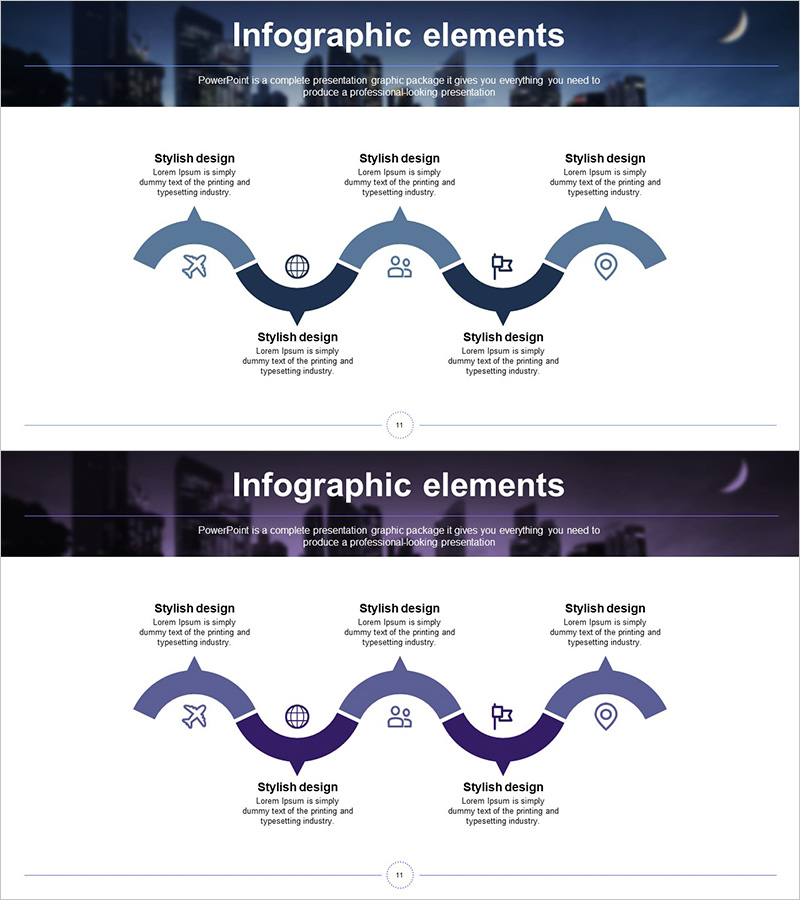
Business Process Connection Diagram – Business Strategy
RJ0300057_10
- Last Update 05/03/2025
- File Size 3.1MB
- # of Slides 2
- File Format PPTX
- Slide Ratio 16:9
- Color
Keywords
- #Content-Based Slides
- #Design-Based Slides
- #Business Strategy
- #Operational Plan
- #Diagram
- #Step-by-Step Schedule Plan
- #Business Processes
- #Cluster
- #Chain Diagram
- #16:9
- #connection diagram PowerPoint
- #process flow slide template
- #5-step diagram presentation
- #business strategy PPT
- #workflow process diagram slide
About the Product
A 5-step connection diagram PowerPoint slide that visualizes business processes and strategic initiatives. The design features arc-shaped nodes in dual blue tones (dark and light blue) connected sequentially, with icons (airplane, globe, people, project, location) placed at each stage for intuitive information delivery. Provided as 2 slides in 16:9 widescreen format, this presentation template is ready to use for process management, strategy planning, and phased implementation presentations across various business contexts.
Usage Points
-
Main Usage
Clearly visualizes sequential business processes and the relationships between stages. Ideal for explaining business strategy implementation, project timelines, marketing campaign phases, product development roadmaps, and other step-by-step workflows. Icons at each node symbolically represent key elements of each stage.
-
How to Use
Enter stage names or key activities in each arc node, and add detailed descriptions in the text area below. Customize colors to differentiate priorities or categories, and replace icons to adapt the diagram for industry-specific or purpose-specific presentations. The 2-slide format allows comparison of different processes using the same layout.
-
Recommended For
Executive presentations on business planning, project managers explaining timelines and milestones, marketing teams presenting campaign roadmaps, operations teams conducting process training, and consultants explaining change management strategies. This versatile process diagram is suitable for all organizational levels and departments.
-
Slide Structure
Five arc-shaped nodes connected sequentially from left to right, each comprising an icon area at the top and text input area at the bottom. Connection lines between nodes use arrow shapes to clearly indicate directionality. A title area is positioned in the header section, with a dark-toned image overlay background providing visual depth to the entire slide.
Related Products
-
Business Process Diagram Slide Template – Business Strategy
#Business Strategy #Operational Plan #Diagram
-
Airplane Business Process Steps Slide – Visualized Business Strategy
#Business Strategy #Operational Plan #Diagram
-
Business Processes by Business Hours Slide – Efficient Operations Planning
#Business Strategy #Operational Plan #Diagram
-
Business-Type Connection Strategy Analysis – Efficient Operational Plan
#Business Strategy #Operational Plan #Diagram
