



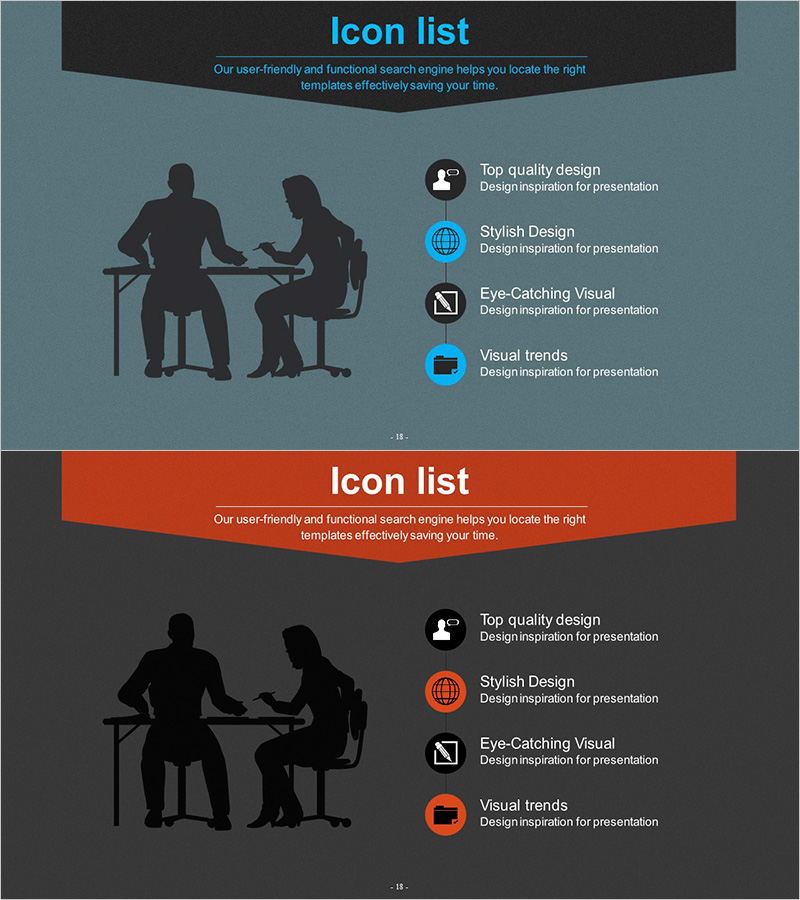
IT Intra Business Process Diagram – Intuitive Representation of Technical Efficiency
RJ0300052_17
- Last Update 05/02/2025
- File Size 4.4MB
- # of Slides 2
- File Format PPTX
- Slide Ratio 16:9
- Color
Keywords
- #Content-Based Slides
- #Design-Based Slides
- #Operational Plan
- #Technical Approach
- #Diagram
- #Other
- #Business Processes
- #Service Architecture Diagram
- #Cluster
- #Chain Diagram
- #Silhouette
- #16:9
- #silhouette PowerPoint slide
- #business meeting presentation
- #human figure diagram
- #IT process slide
- #collaboration slide template
- #icon text layout PowerPoint
About the Product
A professional PowerPoint slide featuring human silhouettes in a business meeting scenario, designed to represent IT processes and organizational collaboration. The slide uses a blue-gray background with two black silhouettes (seated and standing figures) positioned on the left, while the right side displays four functional icons (user, globe, visualization, trends) with text labels. This 2-slide set in 16:9 widescreen PPTX format allows instant customization of the header title and icon descriptions. Ideal for IT team introductions, business process explanations, cross-departmental collaboration structures, and technical support role presentations.
Usage Points
-
Main Usage
Conveys visual credibility and professionalism when presenting IT team roles, business process improvements, organizational collaboration structures, and technical support services. The silhouette format represents universal business scenarios without age or gender specificity, making it suitable for diverse audience contexts.
-
How to Use
Enter your section title in the black header area at the top. Add four key points next to the right-side icons (user, globe, visualization, trends). Keep the left silhouette image fixed and modify only the text to maintain consistent visual branding. Ensure sufficient contrast between background and text colors for readability.
-
Recommended For
IT department introductions, technical team capability presentations, business process improvement proposals, organizational structure explanations, customer support service overviews, internal training and onboarding materials, technology consulting proposals, and B2B business presentations.
-
Slide Structure
2-slide set: Black header area (title input zone) at top; left side features blue-gray background with two black human silhouettes (seated and standing positions); right side contains 4 functional icons (user, globe, visualization, trends) with text label areas. 16:9 widescreen ratio, fully editable PPTX format.
Related Products
-
Simple System Diagram – Operations Planning and Service Configuration
#Operational Plan #Technical Approach #Diagram
-
Shopping Mall Payment Diagram – Harmony of Teal and Orange
#Operational Plan #Technical Approach #Diagram
-
Business Investment Service Differentiation Strategy – Ringer Shape Subdivided Column Graph
#Product/Service Introduction #Technical Approach #Diagram
-
Yellow Circular Connection Diagrams – Effective Business Strategy
#Business Strategy #Operational Plan #Diagram
