



Folder Shape Diffusion Diagram – Business Vision and Marketing Strategy
RJ0300046_16
- Last Update 04/30/2025
- File Size 4.2MB
- # of Slides 2
- File Format PPTX
- Slide Ratio 16:9
- Color
Keywords
- #Content-Based Slides
- #Design-Based Slides
- #Business Vision and Strategy
- #Marketing Plan and Strategy
- #Diagram
- #Business Strategy
- #Marketing Strategy
- #Cluster
- #Spread
- #Chain Diagram
- #Decentralized Diagram
- #16:9
- #folder diagram PowerPoint
- #radial diffusion diagram slide
- #4-item diagram template
- #business vision PPT slide
- #expansion diagram PowerPoint download
About the Product
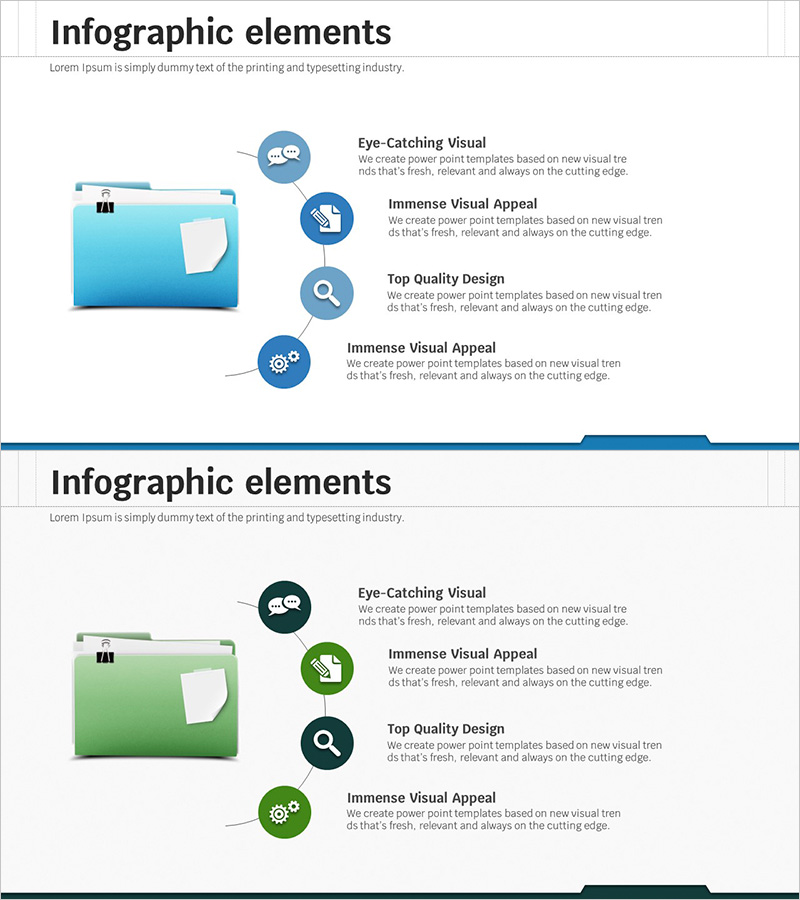
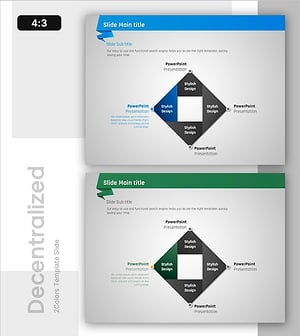
A PowerPoint slide featuring a folder icon at the center with four items radiating outward in a diffusion pattern. The design uses a two-tone color scheme of sky blue and dark blue, with circular icons and text areas positioned at each item. This presentation template effectively visualizes core concepts expanding from a central point, making it ideal for business vision, marketing strategy, and organizational structure presentations. The 2-slide set includes color variations in blue and green tones, allowing you to select the version that best matches your presentation theme.
Usage Points
-
Main Usage
Visualizes organizational core vision or strategy expanding from a central point to surrounding elements. Effectively communicates marketing strategies, business objectives, and organizational functions in a hierarchical structure, naturally guiding audience attention from the central concept to detailed items.
-
How to Use
Enter your core concept (e.g., business vision) in the central folder icon area, then add detailed strategies or action items in the four radiating sections. Each circular icon can be customized with symbols representing item characteristics, and text box sizes and colors can be adjusted to emphasize importance.
-
Recommended For
Executive reports, strategic planning presentations, marketing planning sessions, organizational restructuring explanations, and new business initiative announcements. Particularly effective for executive-level presentations and board meetings where clarifying relationships between core concepts and detailed items is essential.
-
Slide Structure
Central folder icon with four circular icons and text boxes positioned at top, right, bottom, and left. Each item connects to the center with linking lines. Slide 1 features blue tones while Slide 2 offers green tone variations for flexible color selection.
Related Products
-
Visualizing Marketing Plans and Strategies with a Cluster Diagram – Harmony of Creativity and Connection
#Business Vision and Strategy #Marketing Plan and Strategy #Diagram
-
Business Strategy Silhouette Diagram
#Business Vision and Strategy #Marketing Plan and Strategy #Diagram
-
Marketing Strategy & Table of Contents – Cluster Design for Data Visualization
#Business Vision and Strategy #Marketing Plan and Strategy #Diagram
-
Diffusion Strategy in Origami Design – Business Vision and Effective Connection
#Business Vision and Strategy #Diagram #Business Strategy
